
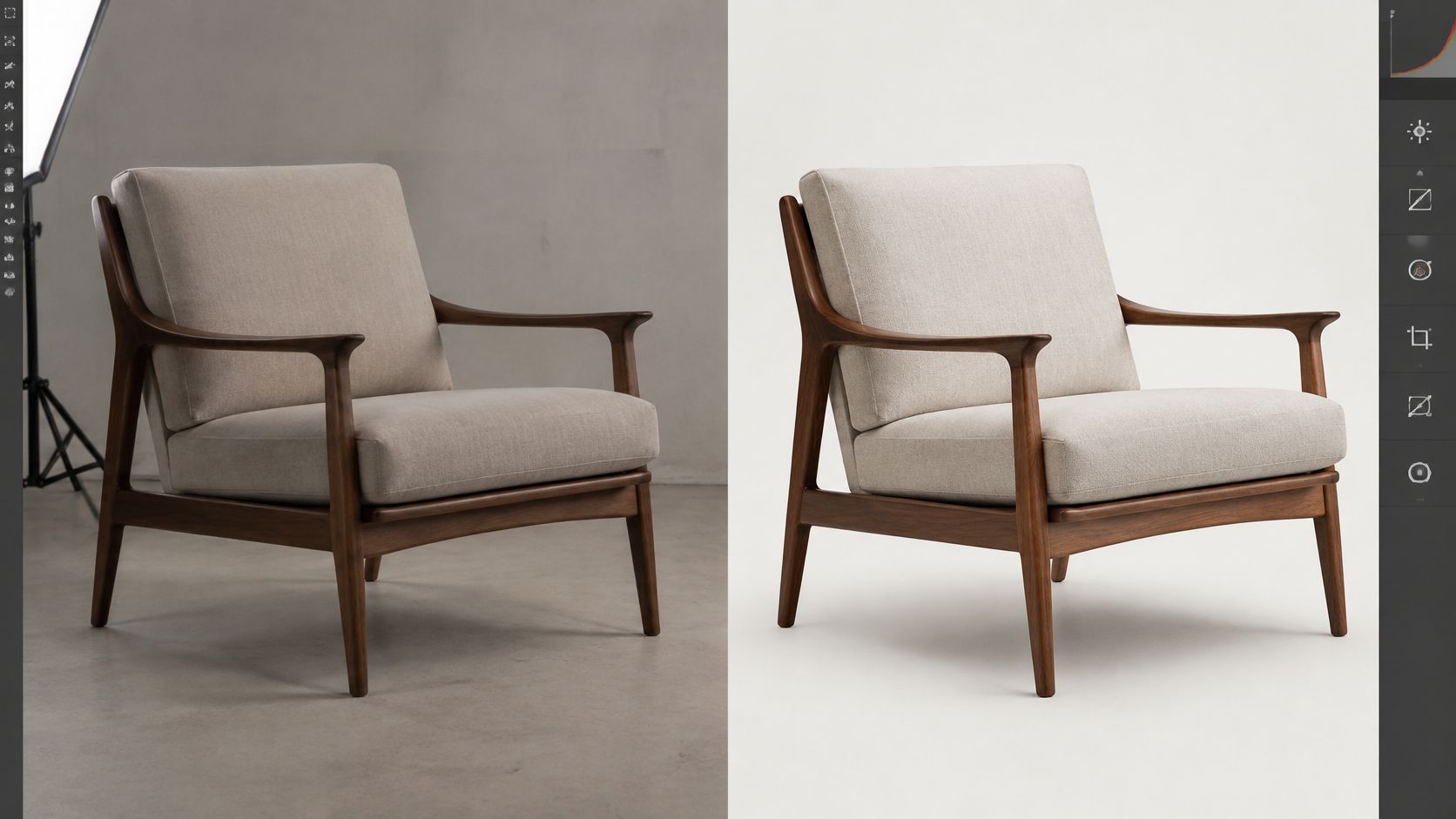
71% of shoppers have returned products because of incorrect product content, according to consumer research summarized in a home-furnishing ecommerce guide. That finding concerns product content generally, not furniture retouching alone, but it frames the right question: does an edited image help buyers understand what will arrive?
Good furniture photo editing services remove photographic defects without rewriting the product. Buyers need believable fabric, accurate finishes, readable construction and useful scale cues. Catalog managers also need predictable quotes, reusable masters and files that publish without another round of production.
What Furniture Photo Editing Services Cover
Furniture photo editing services by type
The figures below are illustrative budgeting ranges, not verified market averages or our rates. Use them to structure a quote request, then confirm scope and delivery with the provider.
| Service | What It Changes | Typical Use | Typical Price Per Image | Typical Turnaround |
|---|---|---|---|---|
| Background removal | Isolates the piece on a clean or white backdrop | Marketplace and catalog packshots | Illustrative $1-$5 | Confirm after edge review |
| Clipping path | Hand-drawn vector outline for hard edges such as legs and cane | Packshots with complex edges | Illustrative $2-$8 | Illustrative 1-3 days |
| Retouching | Removes dust, scuffs, wrinkles, stray reflections and seams | Hero images and detail views | Illustrative $5-$15 | Illustrative 1-3 days |
| Color correction | Neutral white balance and matching wood and upholstery tones | Catalog consistency across a SKU family | Illustrative $2-$10 | Illustrative 1-2 days |
| Shadow and reflection creation | Adds contact shadows and grounded reflections | Floating or cut-out products | Illustrative $2-$6 | Illustrative 1-2 days |
| Virtual staging | Adds furniture into an empty or existing room | Listings, lookbooks and ads | Illustrative $15-$40 | Illustrative 3-7 days |
Background removal isn't a clipping path
Background removal describes the result; a clipping path describes a technique. An editor might isolate a sofa using an automated selection, a painted mask or a hand-drawn vector path. Those approaches don't produce identical edges.
A vector path works well around straight table legs and crisp cabinet profiles. It isn't enough for fuzzy upholstery, fringe or translucent glass, where a graduated mask must preserve partial transparency. Cane presents both problems: the outer frame needs definition, while the openings need careful separation.
Don't buy a more expensive path because the product has complicated edges. Ask which combination of paths and masks will preserve the actual material. A hard outline around soft boucle can look worse than a careful mask.
Retouching isn't virtual staging
Retouching corrects the photographed object or its capture. Virtual staging builds a setting, inserts furniture or combines separately photographed elements. It requires decisions about perspective, lighting, camera height and believable placement, not just cleanup.
A staging quote should identify who supplies the room image, whether the furniture has been photographed from a compatible angle and how the composite will be labeled. Retouching can't recover an unseen chair back from a front-facing photograph without inventing information.
Region, volume and complexity affect the final quote. Dense tufting requires more localized work than a plain side table; polished metal introduces reflection problems that painted timber doesn't.
Practical rule: Start with the cheapest service that fixes the actual defect. Add another service only when the first leaves a visible problem.
Pricing Models and What Drives the Quote
Billing models and when each fits
| Model | How It Bills | Best For | Watch For |
|---|---|---|---|
| Per image | Fixed fee per finished image | Small or irregular batches | Revision and rush surcharges |
| Per SKU bundle | One price for a set of angles per product | Catalogs with a planned 5-8 views per item | Whether extra angles are included |
| Monthly subscription | Fixed monthly image allowance | Steady ecommerce output | Unused allowance and overage rates |
| Volume tier | Lower rate per image above a set monthly threshold | A hypothetical workload exceeding 500 images per month | Minimum commitments and term length |
| Hourly rate | Billed by editor time | Complex composites and custom retouching | Estimates that run over |
The workload examples in this table are planning scenarios, not universal purchasing thresholds. Professional editing is one of our listed specialties, but a useful estimate still starts with the source files and the intended result.
Compare finished deliverables, not headline rates
The number of angles often matters more than the product count. A dining chair photographed from several directions creates separate edge, shadow and color tasks. Glass, mirrors, deep upholstery folds and mixed lighting increase the amount of manual judgment.
Background replacement also changes scope. A white packshot needs clean isolation and grounding; a room composite may need perspective matching, reflected color and lighting adjustments.
Check each quote against the same deliverable list:
- Finished images: Separate product count from approved image count.
- Included work: Identify whether masking, shadows and web resizing are bundled.
- Revisions: Distinguish corrections to the agreed brief from new creative directions.
- Delivery: Confirm naming, color-profile conversion, formats and layered-file access.
- Scheduling: Identify rush charges and when the delivery clock starts.
Don't treat every export as another retouching job. Once the master is approved, resizing should be a defined production step rather than an unexplained repeat charge.
Calculate the subscription break-even point
Consider a hypothetical monthly workload of 400 images at $3, with a 10% revision allowance. The planning total is $1,320. A hypothetical 500-image subscription at $1,100 costs less, provided its scope matches and the unused allowance is acceptable.
At an effective hypothetical rate of $3.30 per image, that subscription breaks even at approximately 334 images. The calculation is useful only if both offers include equivalent work. A lower subscription price won't help if difficult products, revisions or usable exports sit outside the allowance.
Edits That Preserve Buyer Trust Versus Edits That Mislead
Shoppers can't touch upholstery or inspect a joint through a screen. Every adjustment therefore needs a defensible boundary: correct the photograph, don't conceal the product.
In a quantitative study of online furniture and home-decor shoppers, written dimensions were essential to 49% of respondents, while dimension images were essential to 42%, according to a furniture shopping usability study. A convincing room scene doesn't replace measured information.
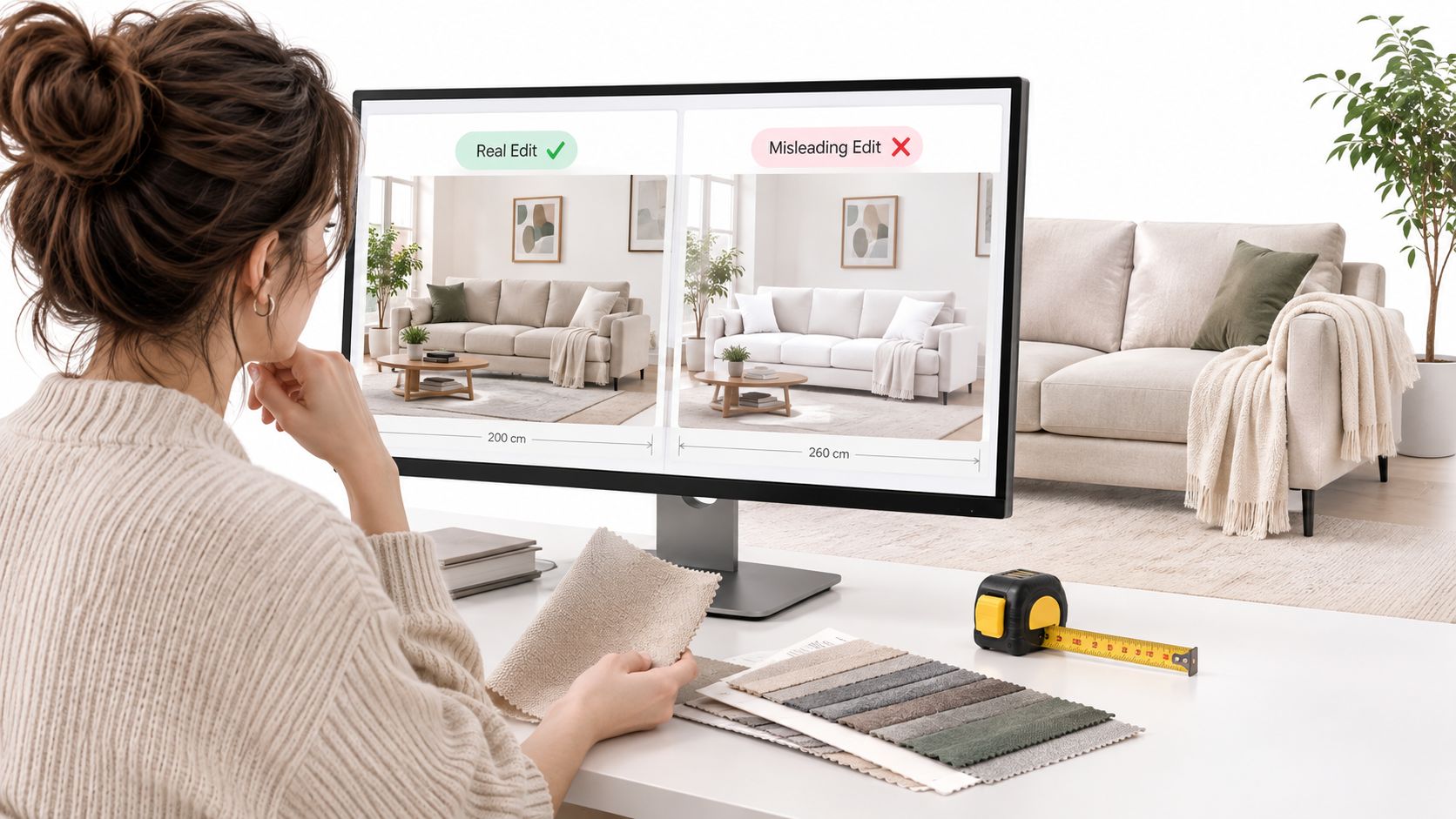
Permissible edits versus edits that need disclosure
| Edit | Category | Disclose | Why |
|---|---|---|---|
| Dust and scratch removal | Permissible for photographic contamination or sample-only damage | No, unless condition is part of the sale | Does not change the product being supplied |
| Exposure and neutral color balance | Permissible | No | Keeps wood and fabric true to the physical sample |
| Wrinkle and lint reduction on upholstery | Permissible within limits | No | Cleans the surface without changing the design |
| Background cleanup | Permissible | No | Removes distractions only |
| Replacing a finish or fabric color | Substantive | Yes | Changes the represented product variant |
| Altering proportions or leg shape | Substantive | Yes | Misleads on fit and scale |
| Removing visible joinery or hardware | Substantive | Yes | Hides what the buyer will assemble or own |
| Compositing into a lifestyle room | Substantive | Yes, label as staged | Scale and fit cannot be established from staging alone |
Draw the line at the delivered product
Say a walnut-finish dining table photographs too dark. Correcting it to match the approved physical swatch preserves accuracy. Showing that table with an oak appearance creates a different representation and needs a clear label, even if that finish is available elsewhere in the range.
The same distinction applies to scratches. Removing a handling mark from a production sample can be reasonable when buyers receive undamaged new stock. Removing that mark from a photograph of the actual used table being sold misrepresents its condition.
Wrinkle reduction needs restraint, too. Remove temporary packing creases where appropriate, but don't erase permanent seams, soften structural folds or turn textured linen into a smooth synthetic-looking surface.
If the buyer would feel misled after delivery, treat the edit as substantive. A disclosure isn't permission to publish an inaccurate main product image.
Document changes in images and copy
Lifestyle composites can communicate mood, but dimension and clearance graphics must come from measurements, not furniture placement in a staged room. Keep a before-and-after approval proof and a written change note for substantive alterations, including which product variant the image represents.
A practical explanation of what image retouching involves helps purchasing teams distinguish capture corrections from product changes. Carry those distinctions into product copy as well: use a structured process to improve descriptions with five editing passes, checking that finish names, dimensions and staging disclosures agree with the approved visuals.
Turnaround and File Specs for Each Publishing Channel
File specs by publishing channel
| Channel | Format | Size Guidance | Common Rejection Cause |
|---|---|---|---|
| Product detail page | sRGB JPEG or WebP | Suggested 1600 px longest edge, plus 800 and 400 px versions | Oversized PNG files that slow mobile pages |
| Shopping feed | JPEG, PNG or WebP | Plan for at least 500 x 500 px where required | Watermarks, borders or promotional text |
| Marketplace listing | JPEG | Square crop where required, following the platform size rule | Background that breaks the platform rule |
| Print catalog | TIFF or high-quality JPEG | Native resolution sufficient for final placed size and printer specification | Screen-resolution exports |
| Editorial feature | TIFF or JPEG | Color space and reproduction dimensions as the publication requests | Missing color profile |
The responsive dimensions above are practical derivative sizes, not a universal platform specification; mobile page-speed guidance supports resizing and compressing images rather than serving oversized originals. The shopping-feed image specification lists a 500-by-500-pixel minimum with an enforcement date of January 31, 2027, and warns against artificial enlargement, promotional text, watermarks and borders.
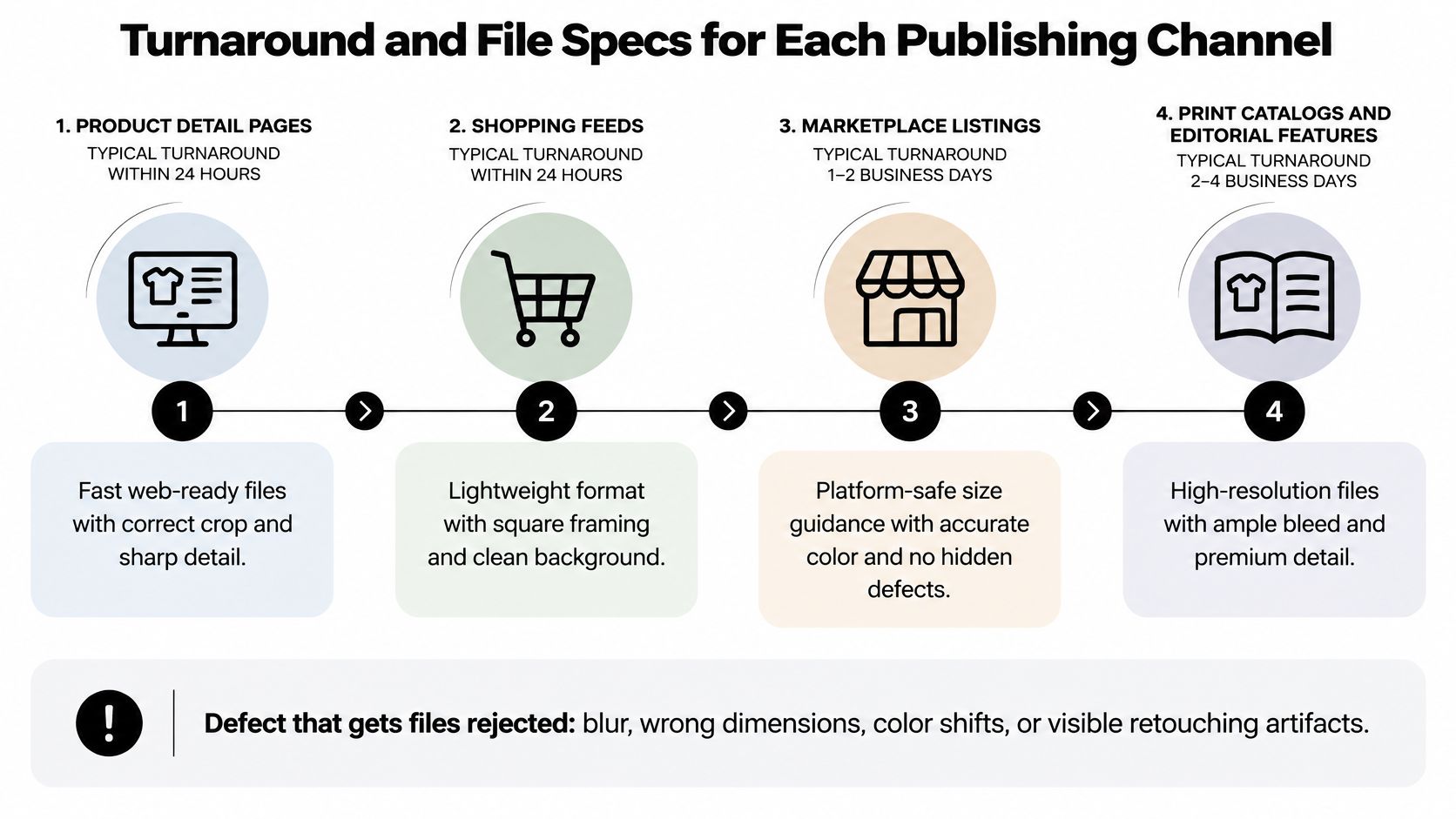
Schedule review time, not just editing time
Build the schedule around a complete brief, reference shots, a first-pass proof, client review, revisions and final export. For a hypothetical straightforward packshot batch, you might request a 24-48-hour first pass, but that's a proposed service level, not a guaranteed industry turnaround.
A rush booking may shorten production, but it won't resolve missing finish references or delayed approvals. Assign an approver before files leave the capture team, and agree whether the deadline means first proofs or publishable finals.
Keep a master and export deliberately
Retain a layered master with separate masks, shadows and corrections. Convert web derivatives to sRGB rather than merely assigning that profile; online color-management guidance recommends sRGB for documents viewed exclusively online.
Don't enlarge a thumbnail to satisfy a minimum. Don't default to PNG for ordinary photographs unless transparency is genuinely needed. Print files should follow the printer's requested output profile and placed-size requirements, not a generic web preset.
For implementation details, use this guide to optimizing websites for image speed. Put crop ratio, maximum file weight, background color and publishing destinations in the handoff so the production team doesn't have to guess.
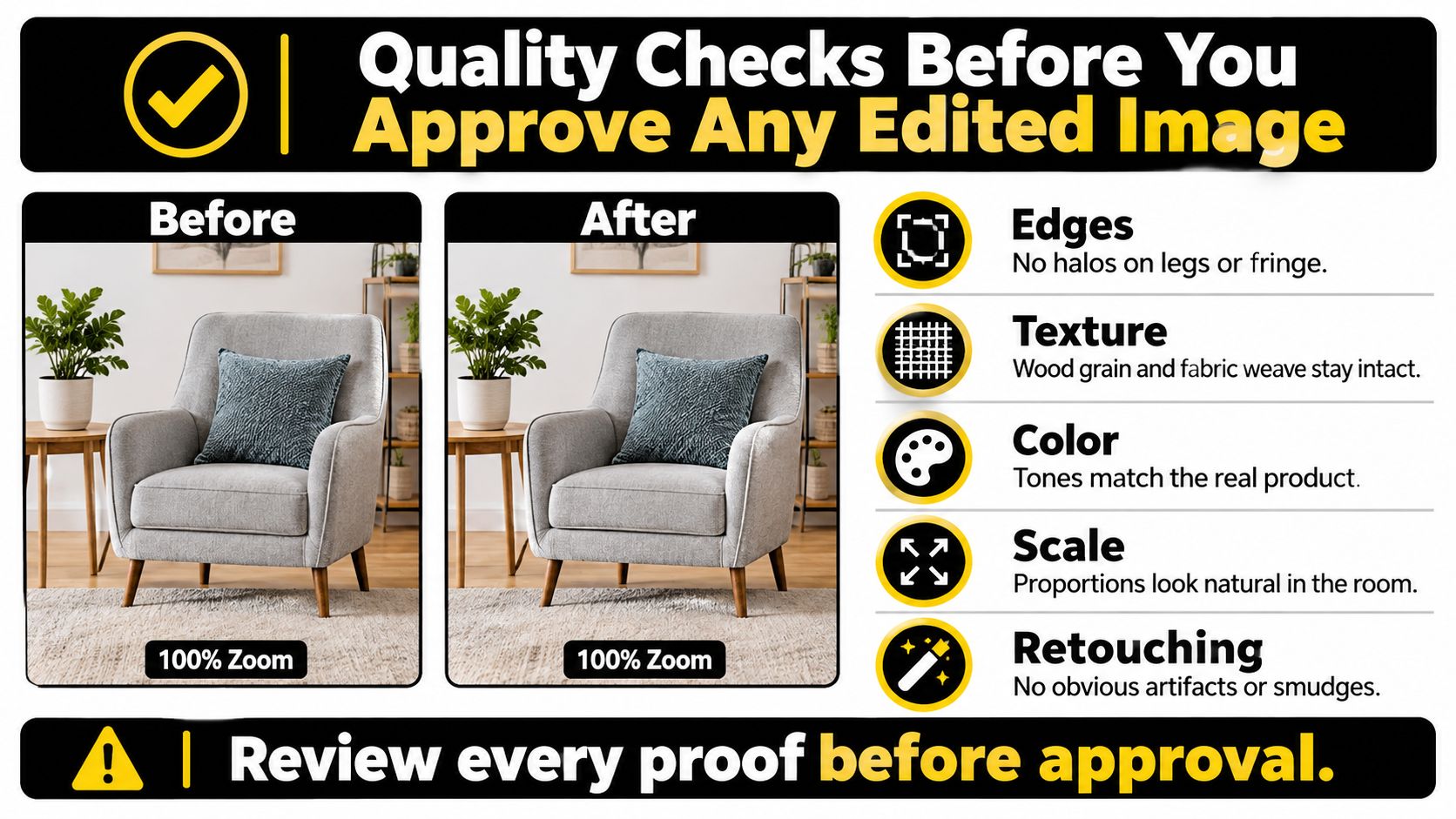
Quality Checks Before You Approve Any Edited Image
Compare the original and edited proof side by side at 100% zoom, then inspect the export at its intended display size. Pixel-level inspection finds artifacts; the smaller view reveals awkward crops and an image that looks unnaturally cut out.
- Edges: Check chair legs, fringe and cane openings for halos, missing fibers and clipped corners.
- Texture: Confirm that wood grain and fabric weave remain recognizable rather than smeared.
- Color: Compare against the approved neutral reference and physical finish sample.
- Shadows: Follow the light direction and check that contact shadows meet the feet.
- Retouching: Look for repeated grain, duplicated knots and clone-stamp patterns.
- Proportions: Compare the silhouette with the measured drawing, not visual intuition.
Test the difficult product first
Request a small paid sample batch that includes an awkward material: glass, a woven rug or dark leather. A plain painted cabinet won't reveal whether an editor can separate transparent edges or preserve detail in dark upholstery.
Include related finishes or adjacent products so consistency can be assessed. An image may look acceptable alone while its white balance or contrast disagrees with the rest of the catalog.
Score samples against accuracy, edge quality, color, consistency across a SKU family and description completeness. Use pass, revise or reject for each criterion, with a written reason. Don't let attractive staging compensate for missing hardware or an incorrect finish.
Treat descriptions as part of the deliverable
The text-alternative accessibility guidance calls for meaningful alternatives for informative images and empty alternatives for purely decorative images when implemented appropriately. For linked or functional images, the alternative should communicate the action or destination.
A useful furniture description might be “Walnut-finish dining chair with curved back and upholstered seat.” A joinery detail needs different wording from the hero view because it communicates different information. Don't copy the same description across every angle.
Specify filename conventions and alt-text ownership. An empty alt attribute isn't suitable for a product photograph because nearby copy names the item; the publishing team must consider the image's purpose in context.
Approve the difficult sample only when every criterion passes. Average quality across the batch isn't a substitute for an accurate image of each product.
Save the approval record with the final assets. That gives the catalog team a clear reference when later batches arrive with a different editor, crop or finish.
Use Cases for Ecommerce, Trade, Editorial and Interiors
A regional retailer preparing a catalog launch
Suppose a regional furniture retailer is launching 300 SKUs. It needs clean packshots, shared white-balance references and approved masters from which shopping-feed derivatives can be exported.
The main risk is a finish that changes appearance between related products. Before ordering, answer: Will every SKU be photographed under the same controlled light, with a common reference?
A made-to-order maker selling directly
A maker needs lifestyle imagery to communicate use, plus close crops showing joints, hardware and upholstery workmanship. The edit mix combines restrained cleanup, material-sensitive sharpening and carefully labeled room composites.
The risk is hiding construction that the buyer will see or assemble. Before ordering, answer: Which joints and fixings remain visible in the finished product, and which images must show them?
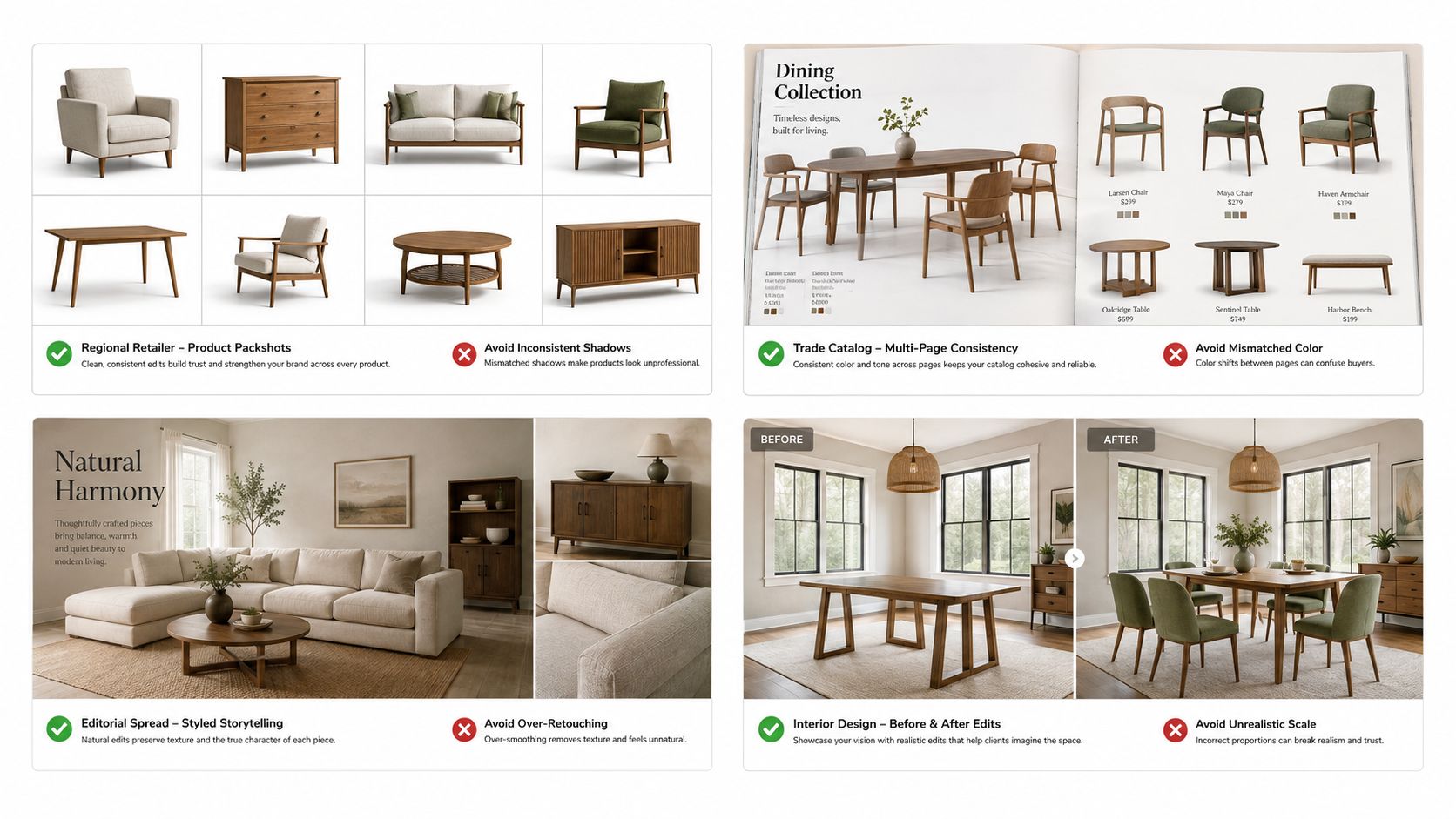
A trade showroom preparing specification sheets
A showroom supplying designers needs straight-on and oblique views, measured dimensions and uncluttered backgrounds. Decorative staging adds little when the buyer needs to compare seat height, arm clearance or cabinet depth.
Perspective correction must not stretch the product to make parallel lines look tidy. Before ordering, answer: Do the dimension drawings come from measurements of the actual model?
An interiors publication commissioning a feature
An editorial room image needs furniture to retain believable proportions, surface response and relationships to the surrounding architecture. Our architectural photography offers sweeping exteriors and refined interiors that highlight form, light and detail.
The editing mix may include perspective correction, exposure balancing and localized distraction cleanup. Window-light adjustments should preserve believable material color rather than flattening everything into the same brightness.
The risk is a composite that represents a finish differently from the featured piece. Before ordering, answer: Does the staged finish match the actual furniture, and has the publication approved any substantive compositing?
Choose a Provider and Confirm Your Brief Before Sending Files
Start the purchasing conversation with these questions:
- Included services: Which edit types are covered by the quoted price?
- Revision coverage: How are correction rounds defined, and what counts as a scope change?
- Difficult-product review: How will the sample demonstrate handling of the hardest material in the batch?
A portfolio shows selected results. A shared sample brief shows whether the provider can meet your requirements with your source files.
Our commercial photography covers products, people and spaces for brands, and our current focus is Architectural Photography and Corporate Brand Content. When capture and postproduction belong to the same assignment, they should operate under a shared visual brief rather than separate assumptions.
Send references that settle decisions
Include the product list, measured dimensions, finish references and fabric swatches. Identify the intended channels for each image, required crop ratios, maximum file sizes, background colors and accessibility deliverables.
Mark substantive edits explicitly and identify who approves their disclosures. Include a representative source file before accepting a quote, particularly if the batch contains reflective, transparent or heavily textured materials.
The description of our professional photo editing services can help define the service conversation. Keep the purchase decision tied to the actual files, not a broad label such as premium retouching.
Compare providers on the same evidence
Give competing providers identical source images and instructions. Evaluate the approved deliverables using the same criteria, with edge quality and color accuracy ahead of price.
For a hypothetical comparison on a five-point scale, a provider scoring four on edges and five on color can justify a higher fee than one scoring two on edges. Record the defects behind each score so the ranking reflects visible differences rather than personal preference.
Also compare communication. A useful editor flags an impossible reference angle or ambiguous finish before building a polished but inaccurate result. A vague acceptance followed by repeated reinterpretation consumes review time even when the initial quote looks inexpensive.
Buy an approved production method, not just a low unit price.
If capture is included, put the same export specifications in the photography agreement. Keep ownership of references, approvals and final naming with a designated catalog lead.
Send a three-product sample brief this week, including the most difficult item and a related finish. Approve a proof before committing the full catalog.
We offer architectural photography, commercial brand content and professional editing, with attention to composition, exposure and material detail. Visit Jimmy Clemmons Photographer to discuss your furniture or interiors imagery, and bring a sample image, finish reference and publishing requirements so we can define the work clearly.