
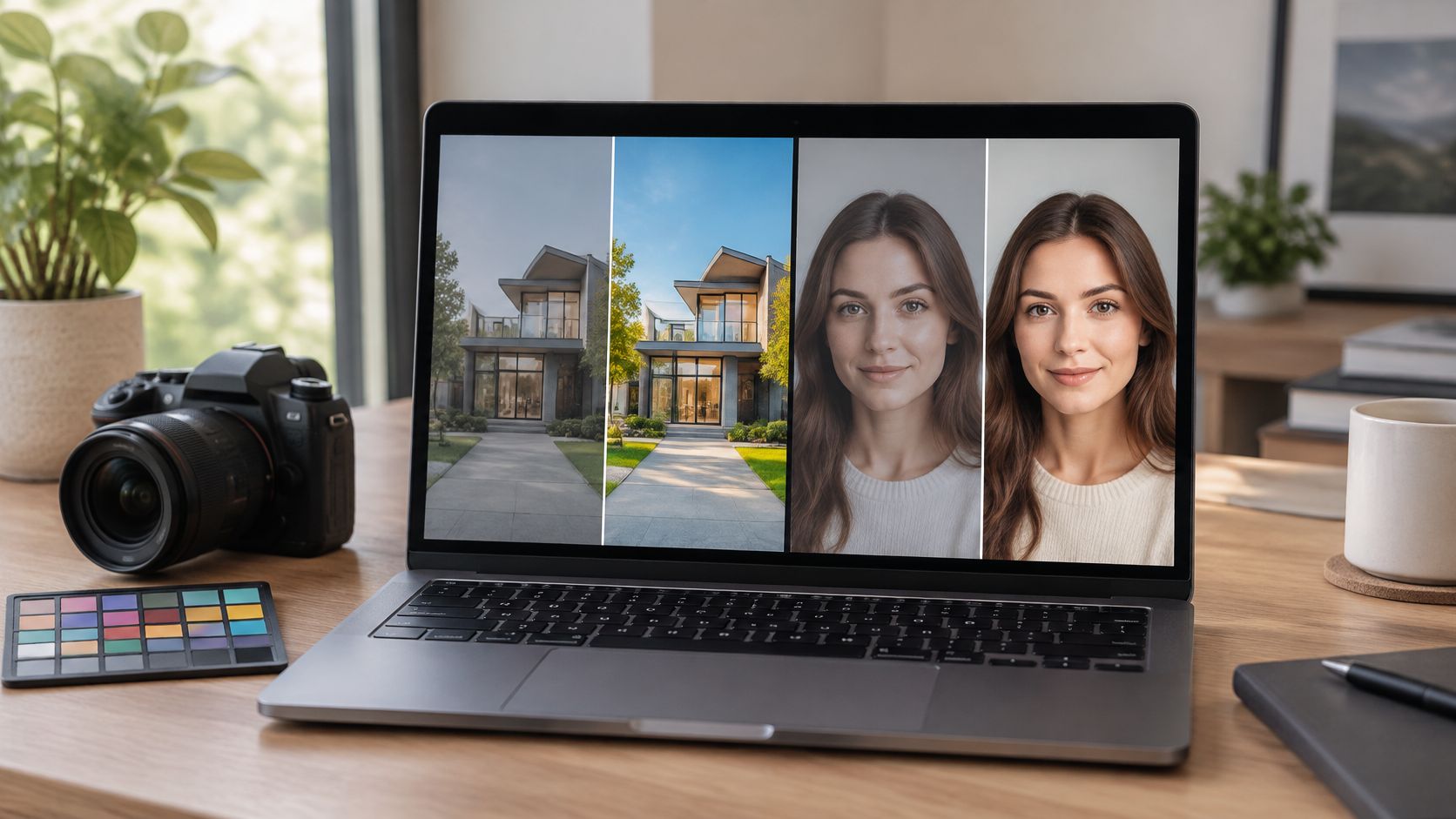
Your leadership portrait or hero exterior is already shot, and the page still has to go live on Friday. The stone has to read as stone. The face has to stay the person who sat for the camera. A cheap upload can clear dust in an afternoon and still fail the material or the likeness by inventing a sky, a jawline, or a finish that was never there.
That is the job behind photo retouching services online: controlled work on files you already have, not a new shoot. The useful question isn't which name sits on the invoice. It's whether the change is factual, polished, or invented, and whether you can prove which one it was.
I would rank publication risk before the lowest per-image rate. The provider types below are workflows, not endorsements.
What Online Photo Retouching Actually Sells
Say a design or brand team is holding one exterior and one leadership portrait. Both have to stay true to materials and people, and both have to clear a Friday slot. Nobody is booking another day on site. The files exist. What's missing is a finish someone can defend.
Photo retouching services online means remote work on those files. Typical tasks are dust and sensor cleanup, white balance, perspective correction, selective dodging, and, only when the brief allows it, reconstruction. You should get a master and a web derivative back, not a reshoot.
Buyers often mix up three outcomes, and that mix-up is where jobs go wrong.
Factual correction covers exposure, dust, and lens distortion. The building and the person stay as captured.
Commercial polish covers skin, skies, and product edges. Texture should remain. The frame looks finished, not rewritten.
Substantive alteration removes structures or generates pixels. That is a different publication risk, and it belongs in a different price band.
The outcome type, not the provider brand, sets both the fee and the risk. DataIntelo valued the global image-presentation services market at USD 4.79 billion in 2025, with editing services at 38.6% and retouching services at 29.4%. Those shares show how often buyers pay for presentation work. They don't tell you whether a given file is still a record.
Read the models, then the price bands, then how to test a sample, how genre changes the rules, what to demand on AI and privacy, how to write the brief, and when the studio should finish the files. If you want a plain definition of the craft before you compare desks, start with what image retouching covers.
Service Models Compared at a Glance
In 2026, buyers purchase retouching in four ways. Use the sheet as a decision, not as a ranking of winners.
| Model | Typical price | Turnaround | Control | Best fit |
|---|---|---|---|---|
| Automated upload | About $0.10–$2 an image, or inside a subscription | Minutes | Low; generative fills common | High-volume web crops with no factual claims |
| Marketplace human retoucher | About $1–$15 basic; about $15–$60 advanced | 6–48 hours | Medium; depends on the brief | Catalog, simple headshots, batch cleanup |
| Managed online desk | About $25–$120 an image | 1–5 business days | High with revision rounds and written scope | Commercial sets needing a producer |
| Photographer-led studio finish | Inside the project fee | Same week as the shoot | Highest; on-set intent retained | Architecture, editorial, leadership portraits |
How each row behaves
Automated upload finishes in minutes. It suits high-volume web crops when geometry and faces must not change. Generative fills are common, so a column or a cheek can move with nobody writing it down.
A marketplace human usually lands basic cleanup in the lower band and heavier work higher up, inside a 6 to 48 hour queue. Quality tracks the brief more than the portfolio thumbnail. A pretty pair on the listing doesn't tell you how your stone or your skin will be handled.
A managed online desk adds a producer, revision rounds, and a written scope. For commercial sets that already exist, that is the practical online choice. You're paying for someone who can refuse an edit, not only for someone who can paint one.
Photographer-led studio finishing stays inside the project fee and returns in the same week as the shoot. The person who set the light still decides what may be altered. That control is the point when a picture could misstate a building, a product, or a person.
Speed without an edit log is not a saving.
Volume and low risk go automated. Repeatable catalog work goes to a briefed human desk. Anything that could misstate a building, a product, or a person stays with the studio. Choose the model before you request a sample, so the test file matches the workflow you would buy.
Pricing Tiers Turnaround and File Packages
Per-image menus hide the cost. The expensive part is redo time when the wrong pixels ship and the page, the print, or the approver has to wait.
| Depth | Typical online price | Turnaround | Included work | Files to require |
|---|---|---|---|---|
| Cleanup only | $2–$8 | Same day–24 hours | Crop, white balance, dust, mild exposure | JPEG plus untouched original |
| Standard commercial | $10–$35 | 24–48 hours | Texture-safe skin, edges, perspective, color | Master and sRGB web JPEG |
| Advanced reconstruction | $40–$150 | 2–5 days | Skies, object removal, architectural cleanup | Layered master and edit note |
| Campaign master | $80–$250 or more | 3–7 days | Channel versions and documented material edits | Print, web, WebP, layered file |
What each band is for
Cleanup only is enough for reference photos. Crop, white balance, dust, and mild exposure. Don't buy reconstruction language at this price.
Standard commercial fits most campaign stills if a human reviews them. Skin cleanup keeps texture. Product edges and perspective get corrected. Color is matched across the set.
Advanced reconstruction covers sky replacement, object removal, and architectural cleanup. Refuse it online when the edit would change what was built. A cleaner sky that was never in the frame is a new claim about the site.
A campaign master should include a layered high-bit file, print and web exports, and an edit note. That note is what design, legal, and the next vendor can read six months later.
Files that justify moving up
Above cleanup, a fair package keeps the full-resolution archival file separate from the display file. Compare JPEG and WebP at matched perceptual quality. Google reports that WebP lossy images are typically 25–34% smaller than comparable JPEG files at equivalent SSIM quality. On the same delivery check, Google's Core Web Vitals set the bar at the 75th percentile: Largest Contentful Paint no more than 2.5 seconds, Interaction to Next Paint no more than 200 milliseconds, and Cumulative Layout Shift no more than 0.1.
Check dimensions, compression, metadata, and the color profile, then open the page on a phone and on a desktop. On an image-heavy architecture or commercial portfolio, the hero is often the LCP element. A correctly sized derivative can help that measurement without touching the approved retouch.
Buying rule: Pay the advanced band only when the brief lists allowed changes, and keep factual correction on the cheaper band.
Unlimited revisions without a scope usually mean the first pass was unscoped. You're not buying extra kindness. You're buying an open-ended argument.
How to Judge a Sample Before You Buy
Don't judge a vendor from their own before-and-after. Send one architectural frame and one portrait, and ask for the same retouch as a high-resolution master and a web derivative.
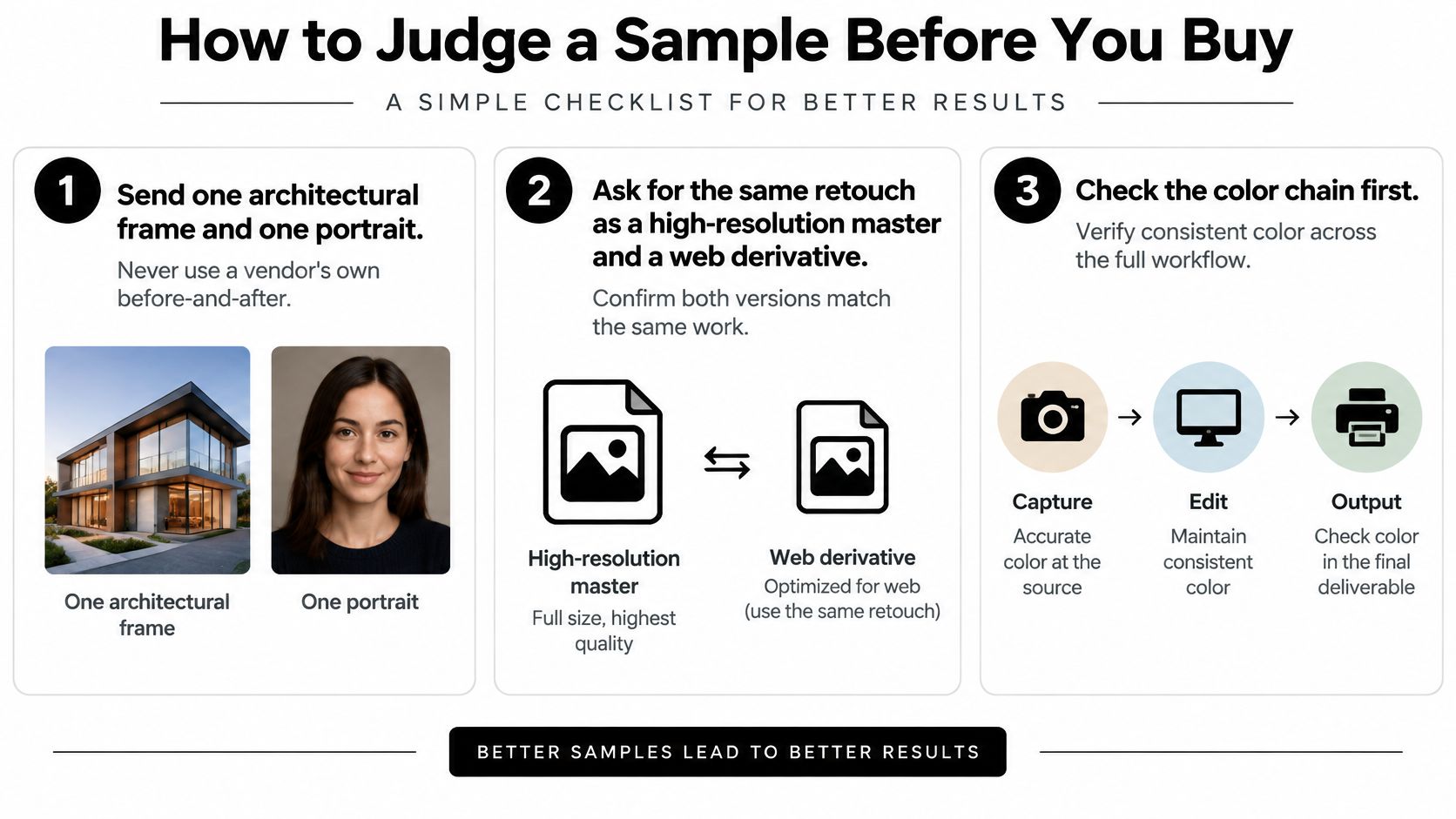
The color chain
Color-management compliance is a sharper test than visual polish. Adobe's guidance on document colors for online viewing recommends converting web-bound images to the sRGB IEC61966-2.1 profile, using Relative Colorimetric intent with Black Point Compensation, and exporting JPEG or PNG. The ICC describes a profile as the link between encoded values and the measurable color of cameras, monitors, and printers, so a reliable chain needs profiles for the input, the display, and the output.
Open both files in a color-managed app. Neutral whites should stay neutral. Saturated finishes and skin tones should not shift after conversion. For print-sensitive design, hospitality, and editorial work, ask whether the desk can soft-proof at D50 and 160 cd/m², the graphic-arts reference the ICC cites, and whether the displays are calibrated and profiled.
Five checks, then contrast
Score the return before you talk about taste.
- Preserved profile: The embedded profile is still there after export.
- Master when needed: A layered or high-bit master comes back if the job requires it.
- No invented structure: Architecture and facial structure aren't generated.
- Clean fixes: Dust and perspective are corrected without halos.
- Edit split: A short note separates manual edits from generated ones.
If the frame will carry overlaid text, WCAG 2.2 requires at least 4.5:1 for normal-size text and 3:1 for large text. Text that is purely decorative, or part of an image with significant other visual content, can be exempt. Measure the type you add. Don't assume the exemption covers a headline that is the claim.
Fail a beautiful file that can't be reproofed. Approve the master first, then order sized derivatives.
Editorial Commercial Headshots and Architecture
A portrait can keep a person recognizable while improving the light. An architectural image can correct converging verticals while preserving the building's form. Retouching rules depend on what the photograph is meant to show.
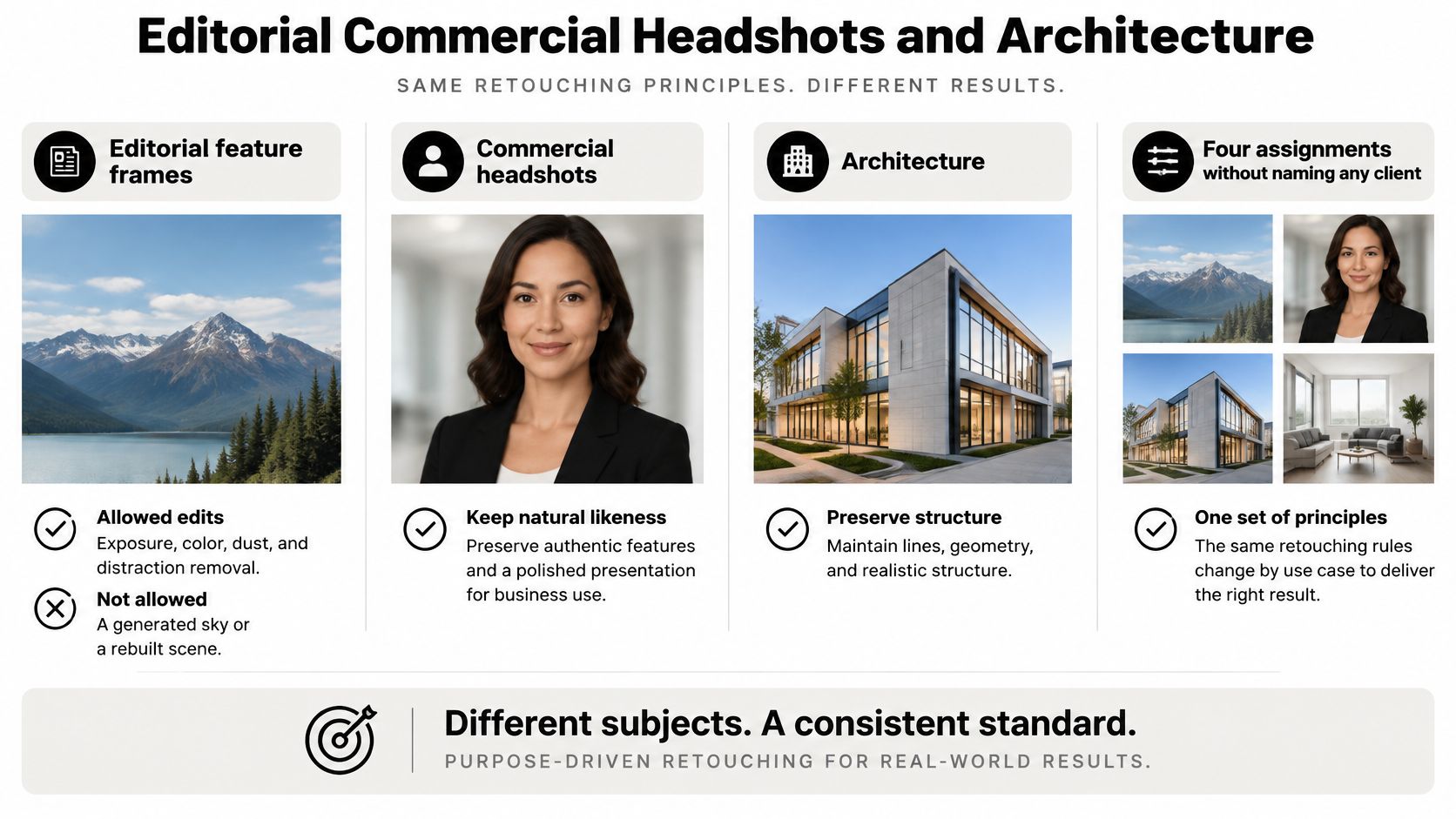
Editorial feature frames. Exposure, color, dust, and minor distractions can be corrected while preserving what was present. A generated sky or rebuilt facade changes the record, so leave it out.
Commercial product and brand images. Clean edges, remove dust, and match color across a set. If an edit changes how a product appears or supports a performance claim, the qualification must be clear and conspicuous beside the image, as FTC guidance on online advertising disclosures explains.
Headshots and team portraits. People photography focuses on authentic expression and flattering light. Color correction, cropping, and restrained blemish cleanup can improve a portrait while keeping the person recognizable. Reshaping features or changing body shape alters the likeness.
Architecture, interiors, and construction documentation. Architectural photography uses sweeping exteriors and refined interiors to highlight form, light, and detail. Correct verticals, balance mixed lighting, and remove dust. Removing a column, inventing a view, smoothing a finish, or changing the building's form misrepresents the space.
Provenance and the words beside the file
Keep an edit log that distinguishes correction from alteration. Record what changed, which file was edited, and whether any content was generated. Preserve EXIF and IPTC metadata, or list exactly what was removed. Put alt-text suggestions in a separate note, describe the image's meaning, and don't present retouched additions as details in the original scene.
AI Disclosure Privacy and Client Approval
A portrait batch is ready for a corporate launch, but one face has been altered by a generative tool. The delivery time does not tell the approver who changed the pixels or whether the result still represents the person accurately.
In a 30-country Ipsos survey published in 2025, 79% of respondents agreed that companies using AI should disclose that use.
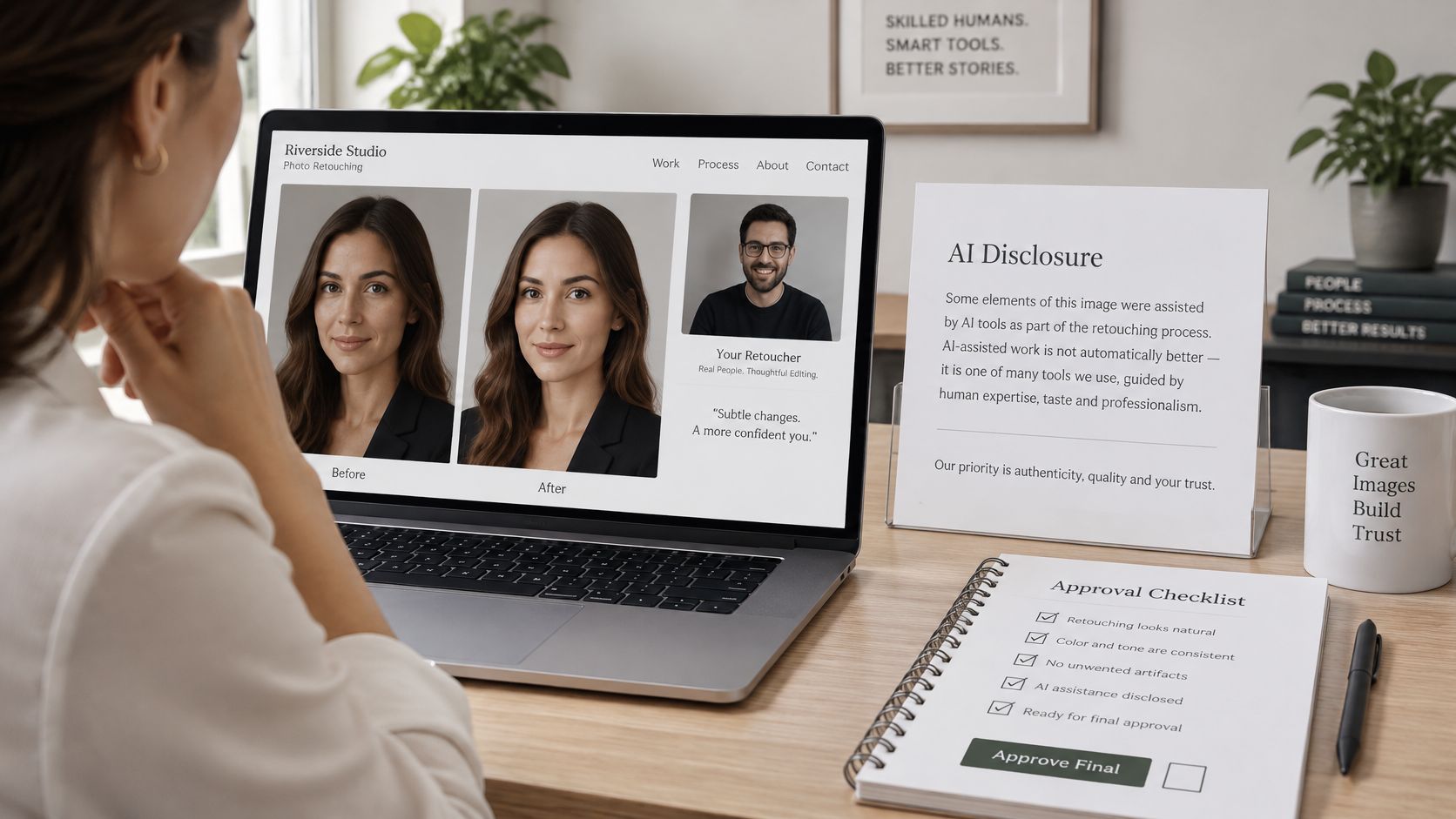
Corporate portraits, employee photography, unreleased products, and confidential interiors can identify people or reveal locations before they are public. Treat AI use as a disclosure and provenance decision, not an automatic upgrade. A short turnaround is useful only if the client can tell what changed and approve the result.
What stays off
A visible face alone does not make a photograph biometric data. UK ICO guidance on biometric recognition says a photograph is biometric data only when specific technical means are used to allow or confirm unique identification. Ordinary color correction, skin cleanup, cropping, and compositing are not biometric processing by themselves. Keep recognition and identity-matching out of the brief.
For a human-controlled workflow, require a written brief, opt-in approval before any generative step, side-by-side review, and an edit log. The log should identify which changes corrected the image and which introduced or altered content. Ask the vendor whether uploads train a model, where files are processed, and how deletion is requested. If those terms are unclear, do not upload confidential files.
The same separation of automated steps and human sign-off matters in smarter scheduling for VFX and sound studios. For photo retouching, keep approval tied to the actual frame: review the original and finished file together, then record who approved the edit and what was changed.
For images that identify people or show unreleased work, disclosure and a clear deletion path matter more than a one-hour turnaround.
Writing the One-Page Retouching Brief
Write this before you upload anything. One page, so the desk and the approver are reading the same scope. If it runs long, you're hiding decisions instead of making them.
- List the frames and every channel. Name print, a website hero, social, or a listing. A crop that works as a hero can fail as a square post, so the use has to be on the page, not in someone's head.
- Name the outcome allowed on each frame. Factual correction, commercial polish, or substantive alteration. One label per file stops a batch tool from treating a documentary exterior like a catalog crop.
- Mark manual versus generative. Prohibit generative fill, face alteration, body reshaping, and structural changes unless a named approver signs off in writing.
- State the privacy terms. Where files are processed, whether uploads train a model, how long originals are kept, and how deletion is requested.
- Decide the metadata. Require that EXIF and IPTC survive, or list exactly what must be removed before publication.
- Specify masters and derivatives. A layered or high-bit master, an sRGB web JPEG or PNG with the profile preserved, WebP only where browser fallback is handled, and sized files for each channel.
- Require the paperwork around the pixels. An edit note, plus alt-text suggestions delivered separately from the image file.
- Name the approver and the rounds. Say who signs the first round for architecture, skin texture, and brand identity, and fix the number of revisions in writing.
A loose upload is how a factual job becomes an invented one. If your team and the client are still arguing about how finished a face or a facade should look, settle that in how you manage visual expectations before the files leave your drive.
When the Studio Should Finish the Files
Use an online desk when the frames already exist, the change is factual, the volume is high, and a paid sample passed the profile check and came back with an edit log. Catalog cleanup, web crops, and simple headshot polish fit, under a written ban on generative faces.
Choose photographer-led studio finishing when the person who composed and lit the frame should decide what remains. That is architectural exteriors and interiors, construction documentation, editorial features, and leadership or brand portraits. In those jobs, the edit is part of the assignment, not a detached filter. We treat the picture as crafted rather than caught, and professional editing is one of our specialties, so the finish stays tied to the light that was set.
If removing or generating pixels would change a material, a product claim, or a person, don't upload it to an unscoped desk.
If the job is dust, balance, and a consistent crop across a large set, buy the matching price band and require masters plus web files. Property and interior sets are a common case, and the same split applies when you're editing real estate photographs that still have to describe the building accurately.
Complete the one-page brief. Then either order a paid sample from the online model you chose, or book the studio to retouch from the original capture.
Jimmy Clemmons Photographer finishes architectural, commercial, and portrait files as part of the assignment, with color, perspective, and distraction cleanup held to the light and the brief rather than to an unscoped upload. If your hero exterior or leadership portrait has to stay true to materials and people, bring the one-page brief and the original captures. Visit Jimmy Clemmons Photographer to talk through the shoot and the finish together.