
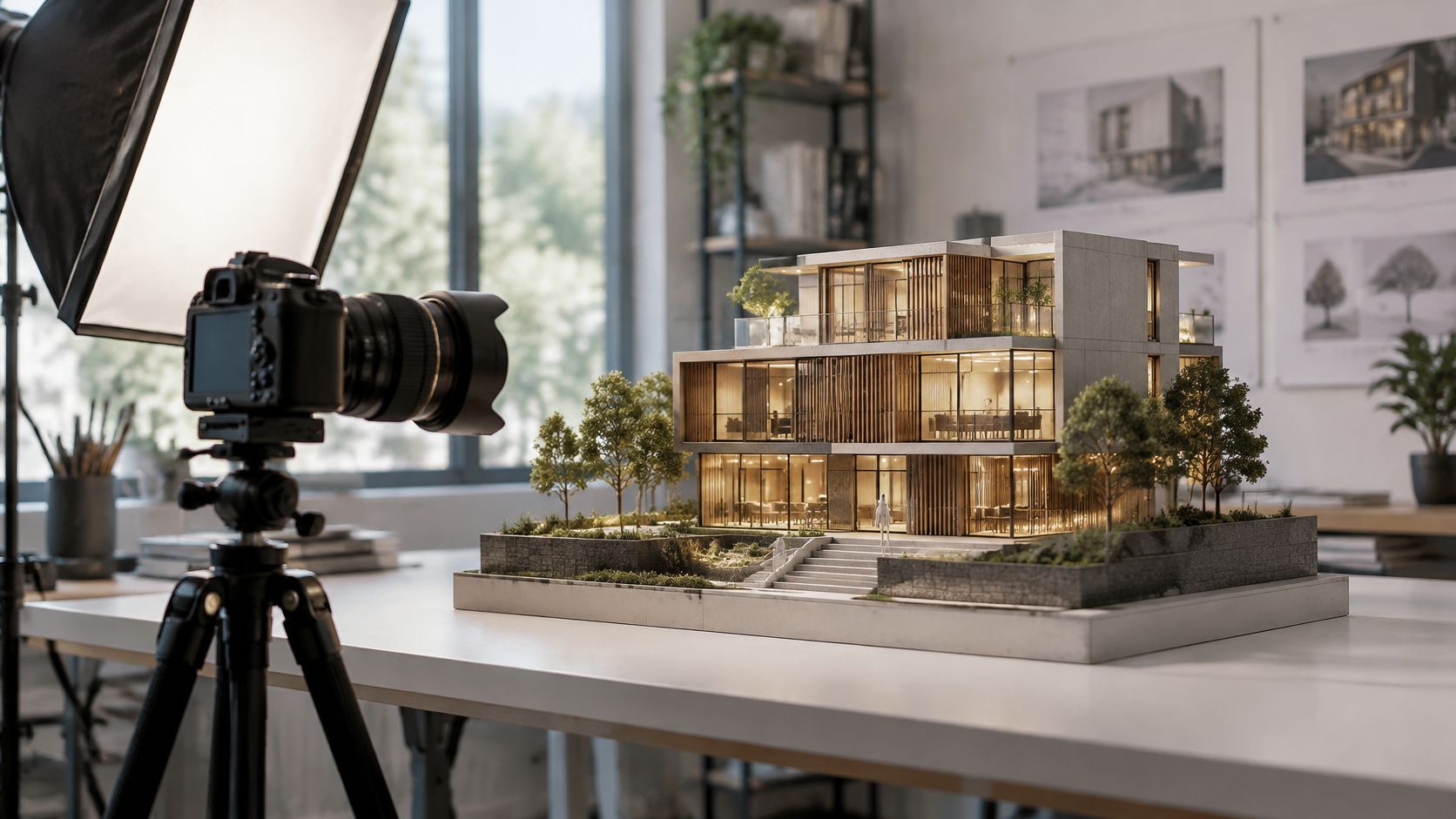
The model is on the table, the presentation deadline is close, and the first photograph looks strangely unconvincing. The roof dominates, the glazing reflects the room, and the courtyard that reads clearly in person has become a black hole.
The fix usually isn't a more dramatic edit. Architectural model photography becomes consistent when you decide what each frame must prove before moving the camera or placing a light. Keep hero images, massing documentation and lighting evidence separate from the first setup, then record enough information to repeat each view.
Lens Choices and When Shift Beats Tilt
Lens options for model photography and when to use each
| Lens option | Best for | Trade-off | Skip it when |
|---|---|---|---|
| 50 mm prime | General massing and overall views | Less room for lights at close range | The model fills the frame at this distance |
| 85 to 105 mm lens or macro | Materials, junctions and tight elevations | Requires more backing-up space for overall views | You can't move far enough back |
| 24 to 35 mm wide-angle | Interior cutaways and enclosed courtyards | Nearby objects become disproportionately prominent | You need a neutral record of proportions |
| 24 or 45 mm tilt-shift | Tall models and controlled architectural framing | Higher cost and slower setup | Ordinary level framing already includes the subject |
You're choosing between a versatile lens and a short kit matched to distinct jobs. These focal lengths are practical kit examples, not requirements: start with the lens that frames the model without crowding the lights or forcing the camera into an awkward position.
A longer lens is useful for isolating a façade, but it won't automatically produce a flatter-looking image. Camera position determines perspective. Moving farther away to maintain framing changes the relationship between foreground and background; changing lenses from the same position doesn't.
Choose movement for the problem
Shift moves the lens parallel to the sensor, allowing the camera to remain level while the framing gains height. Tilt angles the lens relative to the sensor and changes the plane of focus, a distinction explained in this guide to lens movements.
Say a tower model extends above your composition. Shift lets you include its crown without leaning the camera upward. Tilt won't fix that leaning façade; it can instead place a selective band of sharpness across a miniature street, potentially leaving important buildings soft.
The specialist lens earns its cost when repeated elevation views, tall models or precise framing occupy much of the assignment. For occasional work, a conventional lens is often sufficient. This architectural photography lens guide provides further context for matching lenses to architectural subjects.
Practical rule: Without shift, keep the sensor parallel, leave generous framing room and reserve modest digital correction for the edit. Don't use a steep camera angle as a shortcut.
Camera Settings and Lens Range to Start With
Model shots reward a stable baseline more than constant experimentation, so begin each setup with the same settings grid and change a single variable at a time.
Starting camera settings for architectural model photography
| Setting | Starting value | Usable range | Why it matters |
|---|---|---|---|
| Focal length | 50 mm, full-frame equivalent | 50 to 100 mm | Calm proportions and working room for lights |
| Aperture | f/8 | f/5.6 to f/11 | Depth across the model without heavy diffraction |
| ISO | Base ISO | Lowest native setting | Clean shadows in dark courtyards and interiors |
| Shutter speed | 1/2 s to 2 s | Set by exposure on a locked tripod | Stable frames under continuous light |
| White balance | Custom from grey card | Re-measured for each light setup | Accurate material colour across a set |
| Focus | Manual, magnified live view | Nearest key façade, then check far edge | Sharp edges where the massing reads |
| File format | RAW | Highest bit depth available | Room to recover highlights on glossy surfaces |
Treat the shutter interval as a starting exposure example, not a promise about brightness. Diffusion, source output and aperture determine the actual exposure. With flash, choose a compatible synchronisation speed and control exposure through flash output and aperture instead.
The normal-to-short-telephoto range gives you room to arrange cards and modifiers. A shorter lens may solve access problems inside a cutaway, but don't let convenience dictate the baseline for the whole project.
Test sharpness before styling
Start at the middle aperture in the table, then compare a more stopped-down frame. Greater depth of field can help the rear buildings, but diffraction can soften fine edges, and its visibility depends on the camera and final output size.
Don't assume the smallest aperture gives the best architectural record. Inspect railings, roof edges and the far corner at full magnification, then choose the setting that delivers the most useful detail across the required subject.
- Stabilise the capture: Use a remote release or timer, and stop touching the table while the exposure runs.
- Check focus deliberately: Focus on the nearest important façade, inspect the rear edge, then adjust rather than accepting the first sharp-looking preview.
- Protect highlights: Watch glossy roofs and glazing. RAW offers editing latitude, but it doesn't restore clipped surface detail.
Record the chosen baseline with the camera position. Consistent exposure alone won't make a project set consistent if focus, framing and light placement keep drifting.
How to Set Up the Model and Camera Height
The most common setup mistake is choosing camera height by eye. A tripod parked at a convenient working height gives you a bird's-eye view of a scheme the audience was meant to experience on foot, and careful lighting never repairs that mismatch.
Sound practice keeps the rig honest: a stable surface, the camera at the viewer's represented eye level, a levelled sensor and manual focus. A focal length around 50–100 mm full-frame equivalent and an aperture of f/5.6–f/11 work as starting ranges, then test frames refine both. Decide before the first exposure what each frame is for. A hero image, a massing record and lighting evidence ask different things of the same setup, and mixing them produces files nobody can caption accurately later.
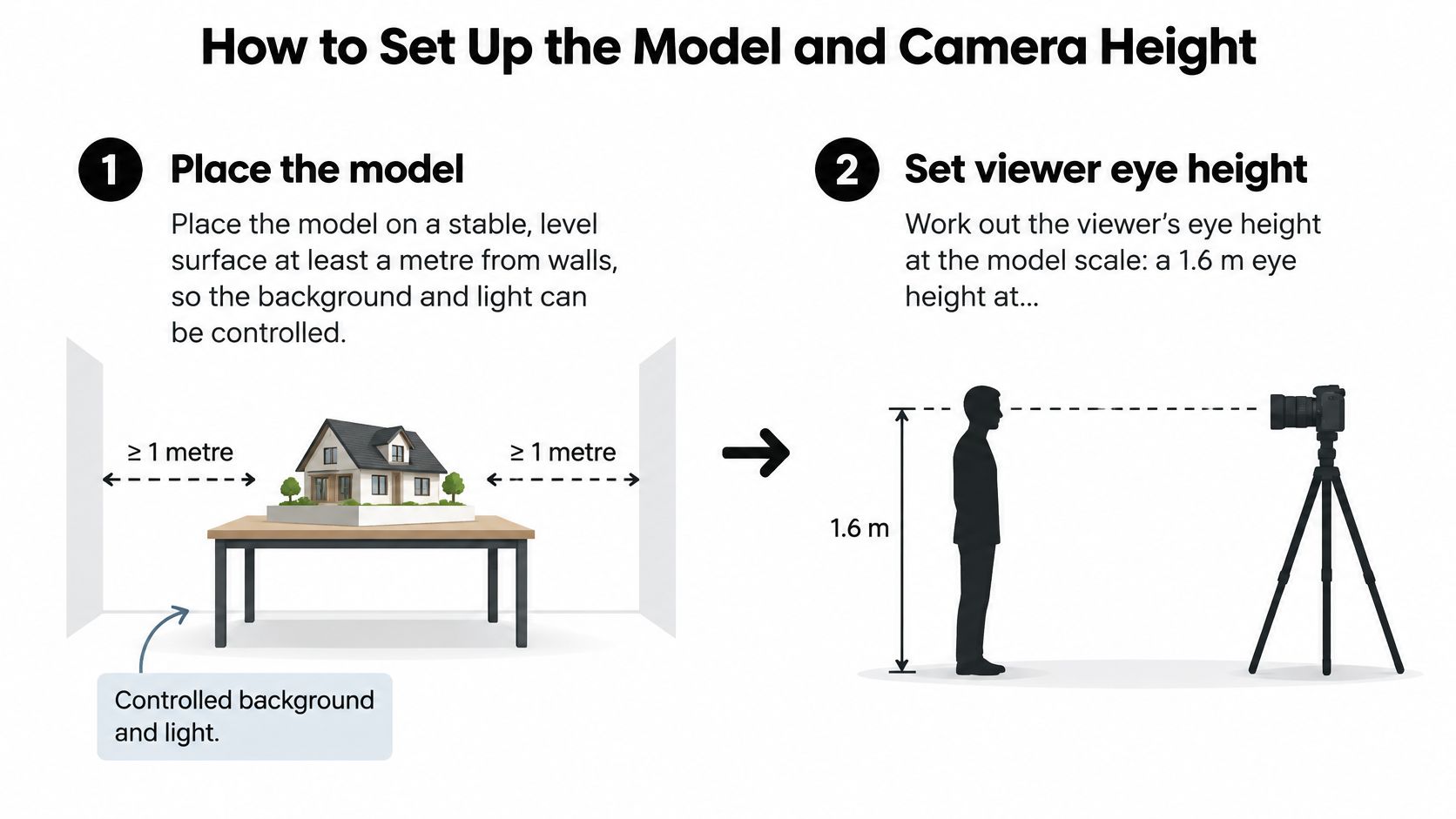
Use this setup diagram as a positioning checklist.
Establish a repeatable position
Place the model on a stable, level surface. Leave at least a metre between the model and the walls so you can control the background independently. Check that the base doesn't rock when someone walks nearby; a table that flexes will shift between frames.
Calculate the intended viewing height. As a worked example, a 1.6 m eye height becomes 32 mm at 1:50 or 16 mm at 1:100. Measure from the model's represented ground plane to the lens's optical centre, never from the studio floor.
Support the camera without forcing the viewpoint. Level the tripod head in both axes using a bubble level or electronic level. For a low viewpoint, use a low support or a suitable camera platform rather than balancing equipment against the model.
Compose with the camera level. Check the roofline, base and side edges together so the frame doesn't accidentally crop a projecting wing. If the required area won't fit, change the framing solution and record the change rather than accepting a different viewpoint.
Add a correctly scaled reference object. A 4.5 m car measures 45 mm in a 1:100 model. Place it where it clarifies proportion without concealing an entrance or important junction.
Inspect a test frame closely. Check the horizon, edge sharpness and background intrusions, then remove dust and fingerprints before producing the sequence. A clean preview on the camera's small screen is not proof.
Lock and document the setup. Record model revision, scale, camera height, focal length, camera-to-model distance and tripod position. Photograph the arrangement separately so you can rebuild it after the model changes, and tag each frame's intended use so hero shots, massing documentation and lighting evidence stay separate from the first capture onward.
If the lens physically can't reach the calculated eye height, state the actual viewpoint. I treat a labelled raised view as a usable record; a supposedly pedestrian image made from an impossible position is a fabrication the whole project set inherits.
Lighting Setups and Placement Diagrams
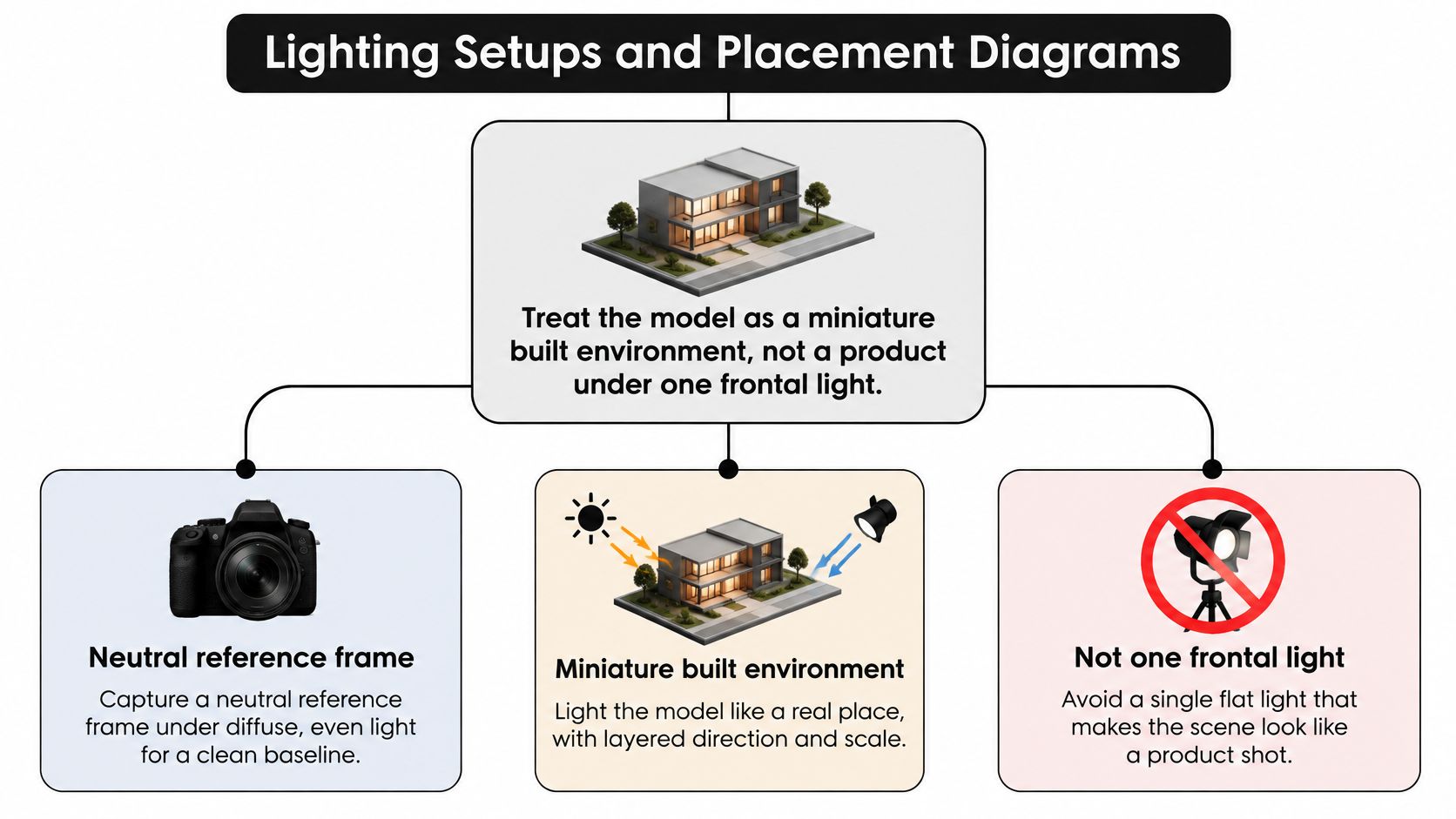
Treat the model as a miniature built environment, not a product under a frontal light. Start with a neutral reference that describes colour and massing before creating an atmospheric version.
Use the diagram to separate those lighting intentions.
Build direction without losing information
A useful trial arrangement places the dominant source to the side, roughly 30 to 45 degrees above the model and at least a metre away. These are setup suggestions, not a daylight simulation. Adjust them to reveal setbacks and openings without hiding the architecture behind deep shadows.
Source distance matters relative to the model's length. A nearby lamp can illuminate the closest wing strongly while leaving the far end dull; moving a larger diffused source farther away usually makes illumination more even.
Add a white bounce card only where important information disappears. Excessive fill erases the shadow differences that make terraces, recesses and overlapping volumes readable. Flags help keep unwanted light off the background and prevent bright rectangles appearing in acrylic.
For choosing equipment, this continuous-light versus strobes comparison helps distinguish preview convenience from output and exposure control.
Separate atmosphere from lighting evidence
The exhibition-lighting paper compared four lighting scenarios across 1:1, 1:10 and 1:20 versions, reinforcing the need to evaluate scale and viewpoint together.
Natural-light model images can help anticipate perceived interior light, but the physical-model lighting paper identifies differences between camera response and human vision, along with limitations in artificial illumination. A convincing photograph isn't automatically a defensible lighting study.
For analytical work, record source geometry, exposure and processing, and pair photographs with appropriate light measurements. Judging by eye helps catch implausible appearance, but neither your eye nor the histogram substitutes for measurement.
This video offers an additional visual reference for evaluating a lighting arrangement.
Capture a neutral frame, a dramatic directional frame and a reflection-control frame where needed. Combine them for presentation only when the resulting image is labelled as a composite, not as untouched lighting evidence.
Composition for Scale, Viewpoint and Panoramas
Choose the viewpoint according to the question the image answers. Eye-level views describe occupation and arrival; raised views explain roof relationships, massing and site organisation.
Don't mix them under an undifferentiated documentation label. A reviewer comparing design revisions needs to know whether the building changed or the photographer raised the camera.
Make scale cues useful
A figure beside an entrance can establish proportion immediately. A tree that is too large or a vehicle borrowed from another model can undermine the same image, even when viewers can't explain what's wrong.
Keep props subordinate to the architectural question. For a circulation study, an uncluttered approach may matter more than decorative planting; for a courtyard view, a correctly scaled person can clarify enclosure.
Foreground objects need particular restraint. A nearby tree can become the largest shape in the frame and obscure the building you're documenting. Move it away from the lens or choose a cleaner composition rather than trying to shrink it later.
Choose the panorama method before capture
For an extended site base, a shift-based capture can provide wider coverage without rotating the camera. The shift-panorama guide describes three exposures, shifted left, centre and right, for subsequent compositing.
Keep exposure, white balance and focus fixed. Inspect nearby objects carefully because a shift setup still deserves a seam check, especially when the model sits close to the lens.
A rotating panorama is the practical alternative when the lens can't shift. Use generous overlap and, where possible, rotate around the lens's no-parallax point rather than an arbitrary tripod axis. Nearby railings and trees are the first places to inspect for duplicated or broken edges.
Build the project coverage around distinct viewing tasks:
- Establishing frame: Show the complete model and enough surrounding context to explain orientation.
- Relationship frame: Make the connection between wings, streets or outdoor spaces easy to understand.
- Detail frame: Isolate a material transition, structural junction or façade feature without decorative clutter.
Keep the viewpoint category and model revision attached to each file. A visually coherent set should still let the viewer distinguish an overview from an inhabitable view and a construction detail.
Handling Materials and Finishes on Set
Common model materials, their on-set problems and fixes
| Surface or item | Problem on camera | Fix on set |
|---|---|---|
| Glossy acrylic or glazing | Hotspots and camera reflection | Flag the light and shift the angle off the specular path |
| Matte card or paper | Flat shadows, lost edges | Use low-angle raking light to separate edges and planes |
| Brushed or metal finish | Dark, mirror-like patches | Use a large soft source and check the reflection at viewing angle |
| Timber, stone or textured resin | Grain disappears in flat light | Sidelight with a fill card on the shadow side |
| Clear models with visible supports | Wires and pins in close frames | Hide with black card or remove supports before detail shots |
| Plants, figures and loose parts | Scale looks wrong, dust and fingerprints | Handle with gloves, blow off dust, match scale |
Materials determine how much on-set correction you'll need. Make a quick inspection under the intended camera angle before committing to a lighting arrangement.
A polariser can reduce some reflections from acrylic and glazing, but it won't solve every bright surface. It can also reveal stress patterns in plastics or remove reflections that help a surface read as glass. Compare the filtered and unfiltered versions before adopting it across the set.
Clean without damaging the model
Use clean, non-shedding gloves where handling marks are likely, provided they don't reduce your grip on fragile pieces. Support the base rather than lifting the model by roofs, trees or projecting balconies.
Blow loose dust away with a hand blower before wiping anything. Wiping can polish matte card, scratch acrylic or detach fine vegetation; aggressive canned air can dislodge parts or leave residue.
For support wires and pins, check with the model's owner before removal. Black card can hide a support from a chosen angle, but it can also appear as a dark reflection in transparent surfaces. Inspect the actual photograph rather than judging from beside the camera.
- For documentation: Preserve joints, seams and construction features that belong to the model. Don't mistake imperfect workmanship for removable dirt.
- For presentation: Agree which temporary supports may be concealed, then retain the reference capture and note the intervention.
- For repeat work: Keep a surface notebook listing the finish, modifier position, flag placement and successful correction.
That notebook is more useful than a generic favourite lighting recipe. A pale paper façade, brushed metal roof and transparent enclosure can require different treatments within the same composition.
Edit, Composite and Package Files With Provenance Notes
Separate presentation masters from analytical files at import. A consistent photo-editing workflow makes the adjustments repeatable without forcing every image toward the same dramatic finish.
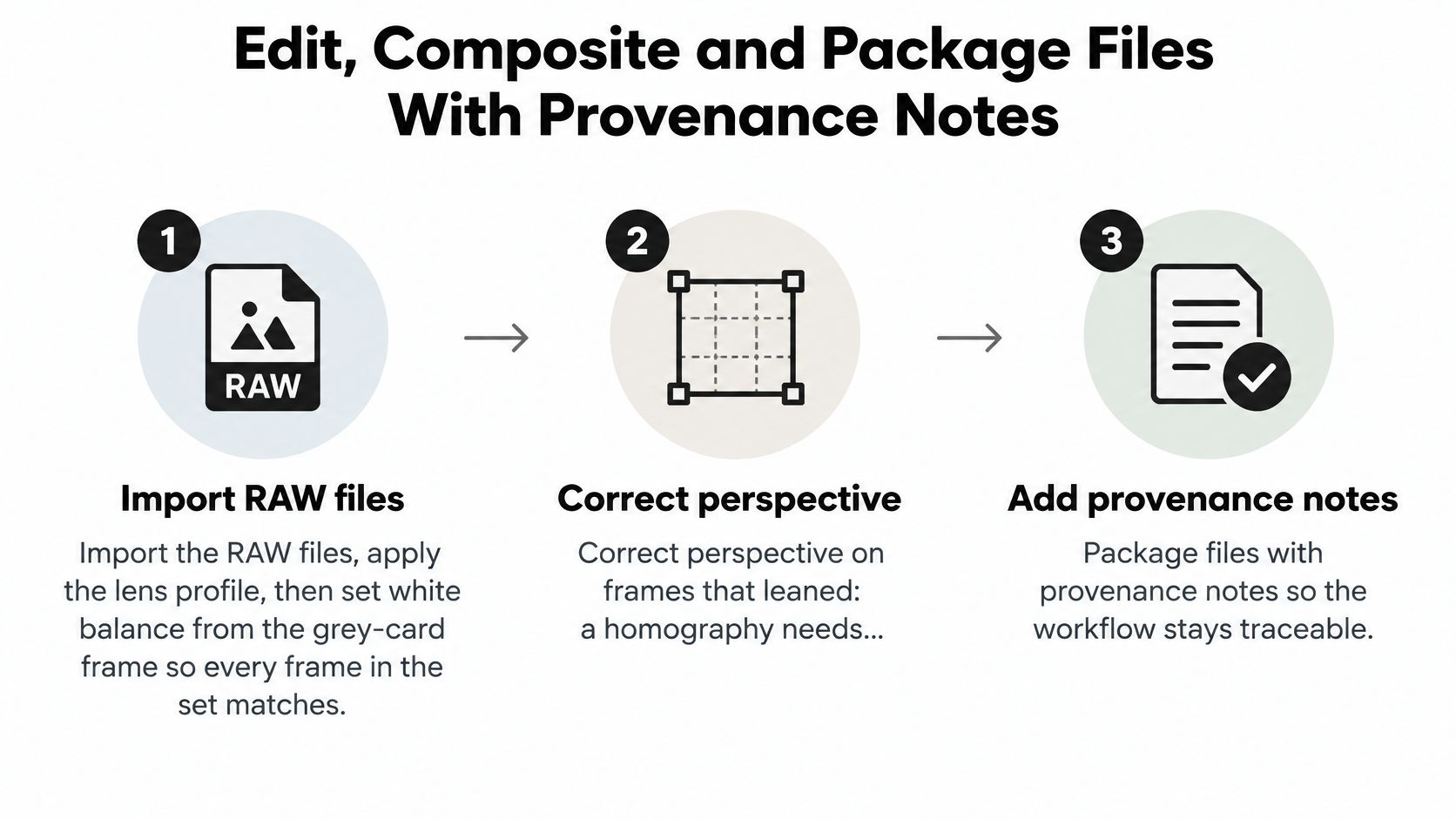
Keep the capture-to-delivery checklist visible during processing.
Preserve the chain from capture to delivery
Import and standardise. Apply the appropriate lens profile, set white balance from the grey-card frame and synchronise only shared settings.
Correct perspective conservatively. The perspective-correction chapter explains that four corresponding corners determine a planar homography; additional correspondences can support a least-squares solution. This corrects a plane, not an entire building's depth.
Stitch and inspect. Match panorama exposures and check seams at full magnification, especially around foreground elements.
Keep backgrounds, skies and reflection adjustments on separate layers. Reference-supported corrections belong apart from invented atmosphere, which must be identified as speculative.
Log retouching. Distinguish dust removal from altered geometry. Record every generative or AI-assisted cleanup, detection or augmentation step, including what it changed.
Export an archival TIFF, an sRGB web JPEG and a contact sheet. A practical delivery example is a web file about 2400 px on the long edge, subject to the publication's requirements.
Attach provenance. Include the untouched reference, model revision, capture conditions and edit history. Label each image representational, analytical or both, stating exactly what any analytical claim covers.
When several people approve files, the guide to managing creative delivery with Tuff offers useful context for organising review and handoff.
A credible model photograph carries a label that matches its edits. Before delivery, confirm those labels against the actual layered files and reference captures.
Jimmy Clemmons Photographer offers architectural imagery with location planning, lighting design, on-set direction and professional editing for cohesive project sets. Visit Jimmy Clemmons Photographer to discuss photography that communicates your design clearly and distinguishes presentation imagery from documentation.