
You've got a folder full of RAWs, a client expecting clean verticals, and a shoot list that won't forgive sloppy color or crooked lines. In architectural and commercial work, the editing decision isn't about flashy effects, it's about precision, repeatability, and getting files out the door without breaking the look you sold on set.
| Software | Best at | Weakest at | Practical fit for built-environment work |
|---|---|---|---|
| Capture One Pro | Color control, tethering, studio workflow | DAM depth compared with Lightroom Classic | Strong choice for controlled shoots, client presence, and color-critical interiors |
| Lightroom Classic | Cataloging, RAW development, batch editing | Advanced pixel-level retouching | Ideal when you need speed, culling, and consistent project management |
| Adobe Photoshop | Compositing, detailed retouching, structural fixes | Library management and high-volume ingest | Essential for final polish, object cleanup, and layered corrections |
| Luminar Neo | AI-assisted edits, quick creative adjustments | Workflow control for demanding commercial jobs | Better as a supplement than a primary tool for architectural delivery |
| ON1 Photo RAW | All-in-one editing, RAW processing | Tighter ecosystem integration than Adobe | Useful if you want fewer subscriptions and a broad feature set |
For a workflow-focused photographer, the question isn't which app looks impressive in a demo. It's which one keeps straight walls straight, preserves believable color, and lets you deliver the same standard across ten rooms, fifty rooms, or a whole portfolio refresh.
Choosing Software for Precision and Professionalism
The hardest part of architectural editing usually starts after the shoot ends. You're sorting through frames that look nearly identical, trying to keep window detail, straighten verticals, and avoid the soft, over-processed look that makes a lobby or model unit feel fake.
That's why generic software roundups miss the point. A guide for portrait artists or social media creators can lean on presets, skin retouching, or AI glow effects, but built-environment work asks different questions, especially around perspective correction, tethered capture, and batch consistency. Buyer guides often skip those workflow-centric needs, which leaves a gap for photographers who need repeatable, high-fidelity outputs across large image sets, not just attractive one-off edits (Aftershoot on professional photo editing software).
What precision really means on a commercial job
Precision isn't a vague aesthetic. It means the doorway still looks square after correction, the chair legs don't wobble, and the client's wall paint matches what was installed. In practice, that usually pushes you toward software that can manage RAW files cleanly, correct geometry without wrecking the frame, and handle a full project without turning every image into a special case.
I'd also treat software as part of your business infrastructure, not just an editing preference. If your files move fast, your selections stay organized, and your deliverables are consistent, your client experience improves even when the shoot itself was chaotic. That's the difference between a tool that helps and a tool that occupies space on your desktop.
Practical rule: if the software makes you re-do the same correction on every frame, it's costing you time twice, once during editing and again during delivery.
For photographers who want a broader workflow framework, the process I'd pair with this kind of software choice is outlined in Jimmy Clemmons Photographer's editing workflow, especially if you're building a repeatable post-production system around client deadlines.
The Core Contenders in Professional Photo Editing
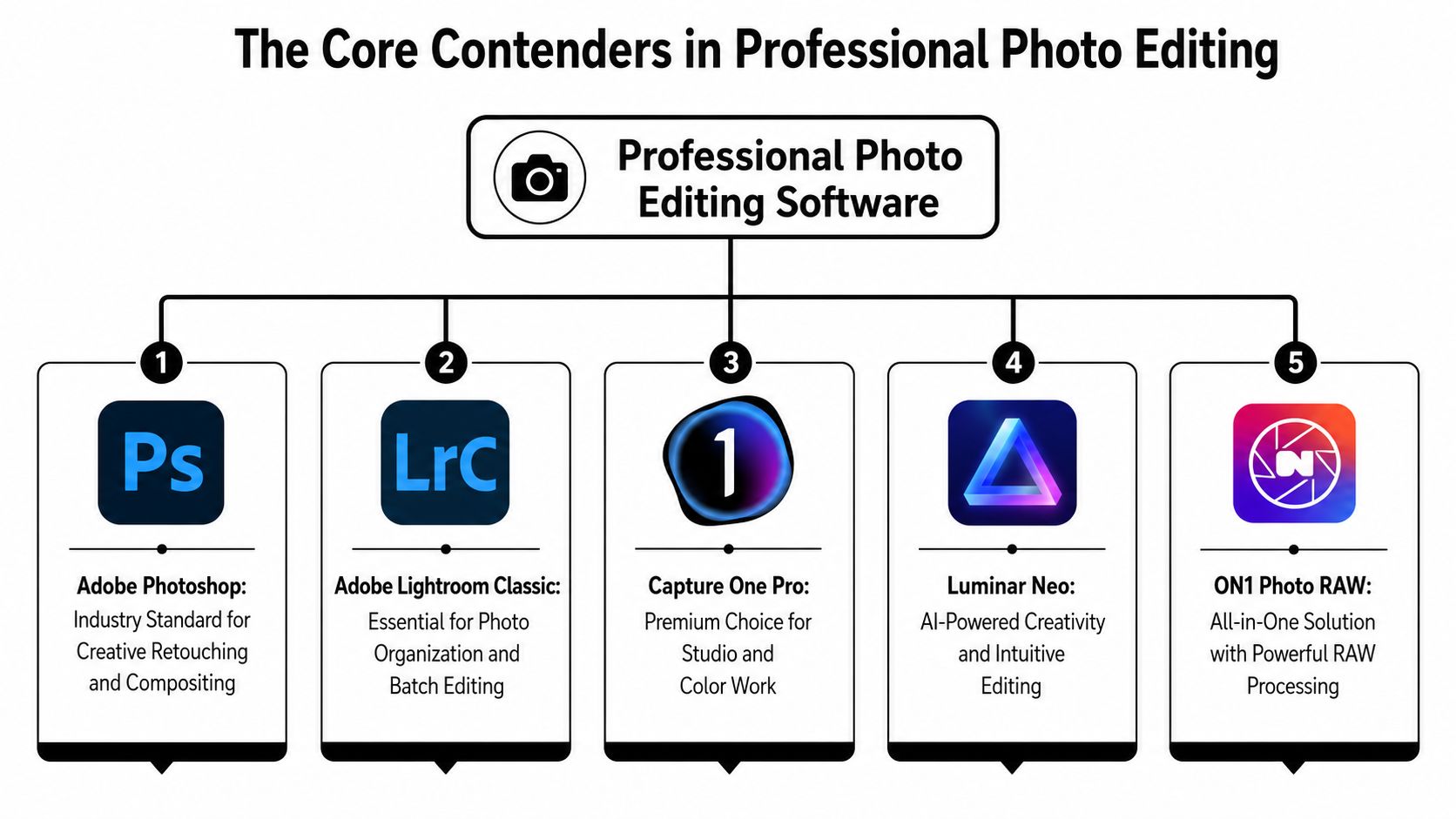
On a commercial architecture job, the software choice usually shows up in small but expensive ways. A tilted vertical, a clipped highlight on a lobby ceiling, or a mismatch between the render and the actual finish can cost time at delivery. The market still revolves around a few clear identities. Adobe Lightroom Classic handles organization and RAW development, Adobe Photoshop handles pixel-level finishing, and Capture One Pro handles color control and tethered capture. For architectural and commercial photographers, those roles matter more than feature lists, because the work depends on clean perspective correction, fast session handling, and repeatable output across a set of files.
How the major platforms differ in real work
Luminar Neo sits closer to the AI-assisted, speed-first end of the market. It can help when a job needs quick cosmetic work or a fast turnaround, but it is not the platform I would choose as the center of a serious commercial architecture workflow.
ON1 Photo RAW takes a broader all-in-one approach. That can make sense if you want a single environment and prefer a different licensing model, but it does not carry the same weight in high-pressure studio work where tethering, color control, and consistency across a client delivery matter most.
Affinity Photo still deserves attention because it is a serious editing app and a practical option for teams that want to avoid another recurring subscription. It is not built as a catalog-first system, though, so it works better as an editing companion than as the hub for a large-volume project.
The useful distinction is not whether these programs can open RAW files. It is how they fit the day-to-day reality of the shoot. If the job is mostly culling, sorting, and broad adjustments, Lightroom Classic fits naturally. If the session is tethered, the color has to stay controlled, and the client wants to review frames as they come in, Capture One makes more sense. If the frame needs surgical cleanup, layered corrections, or compositing after the fact, Photoshop is still the tool that finishes the job.
A Feature Matrix for Architectural Photography
| Feature | Capture One Pro | Lightroom Classic | Photoshop | Key Takeaway |
|---|---|---|---|---|
| RAW Processing and Color Science | Strong, especially for controlled color work and camera profiles | Strong for efficient batch development | Not a primary RAW hub | Capture One and Lightroom handle RAW first, but with different priorities |
| Perspective Correction and Lens Profiles | Good correction tools for architectural lines | Very good Upright and lens profile workflow | Powerful transform tools, but manual | Lightroom is the faster bulk option, Photoshop is the rescue tool, Capture One is the studio-focused middle ground |
| Tethered Shooting and Client Previews | Excellent for on-set collaboration | Available, but not the main reason many choose it | Not built as a tether-first platform | Capture One is the clearest choice when client feedback happens during capture |
| Digital Asset Management | Functional, but not as central | Strongest of the three for organizing shoots | Limited for large libraries | Lightroom Classic is the backbone when you manage lots of projects and deliverables |
| Batch Processing and Automation | Strong for consistent session-based work | Excellent for high-volume consistency | Effective for actions and batch tasks, but more manual | Lightroom wins for scale, Photoshop wins for precision tasks |
The feature split lines up with the needs of built-environment work. In architecture, you're rarely chasing one hero frame in isolation. You're handling a sequence of similar images where the client expects the same tonal treatment, the same white balance discipline, and the same treatment of lines from one room to the next.
The software task that matters most
For architectural jobs, the most overlooked issue is not sharpness. It's workflow fit. A tool can be brilliant at one thing and still slow you down if it forces a manual detour for every interior, every corridor, and every exterior elevation.
Capture One gives you strong control when color and tethering matter on set. Lightroom Classic gives you the best structure for managing a large body of work and applying consistent adjustments. Photoshop remains the place for problem-solving when a frame needs layered fixes, stitched compositing, or detailed cleanup that a RAW developer can't do well.
That's why the decision should track your client type. A hotel brand refresh, a real estate portfolio, and an architect's award submission all need consistency, but they don't need the same editing path. For one of those jobs, cataloging matters most. For another, tethered preview and color control matter most. For the last, Photoshop may be the final authority because the frame needs more than global development.
The best software is the one that keeps your standards intact while cutting the number of times you touch the same file.
For a separate post-production angle tied to structural imagery, the practical retouching considerations in this architectural post-production guide line up closely with the corrections commercial photographers usually need after capture.
The Adobe Ecosystem Lightroom and Photoshop
Adobe still makes sense for a commercial workflow because it covers the full path from ingest to delivery. Photoshop, first released on February 19, 1990, remains a core tool in the creative industry and is used by more than 90% of professional creatives. Adobe's broader Creative Cloud ecosystem had over 29 million subscribers by late 2023, which helps explain why many studios stay inside that workflow once it is in place (Adobe Photoshop statistics).
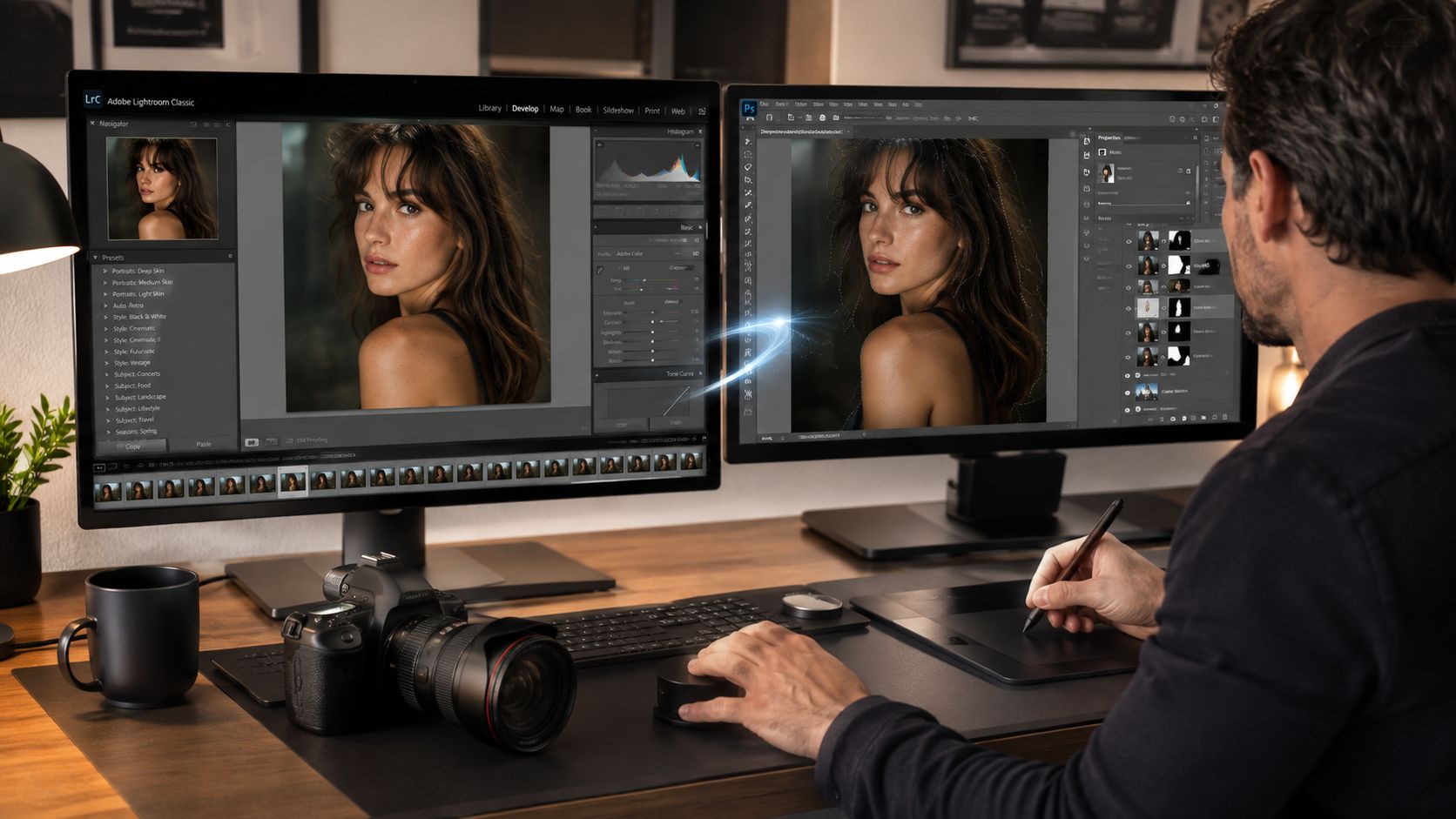
Lightroom Classic and Photoshop work best when each program stays focused on its own job. Lightroom handles ingest, culling, cataloging, and the broad adjustments that keep a large project aligned. Photoshop handles the frames that need exact cleanup, layered composites, stitched work, or selective fixes that would be awkward inside Lightroom alone.
Why the pair still works for commercial photographers
That split matters in architecture and brand work because the assignment is a set, not a single hero frame. The interiors, corridor views, exterior elevations, and detail shots all need to feel like they belong to the same delivery. Lightroom Classic is suited to the repetitive work of moving through similar frames and making controlled global changes, while Photoshop is where the problem files get resolved.
The combination also helps when a client expects both speed and polish. You can build a base look across the full project, then spend more time on the deliverables that will go into presentations, bids, or portfolio use. That keeps average frames from consuming too much attention and lets the strongest images get the finishing they deserve.
A survey of 657 photographers found that 58% use Adobe Lightroom for editing, while 24% chose Photoshop. It also reported that 37% of respondents were professionals and 63% were amateurs. The main reason photographers gave for avoiding Lightroom was subscription cost (Shotkit survey on photo editing software). That mix shows something practical. Lightroom's reach extends across experience levels, but pricing still shapes who adopts it and how fully they stay inside Adobe's ecosystem.
The Capture One Advantage for Studio and Color Work
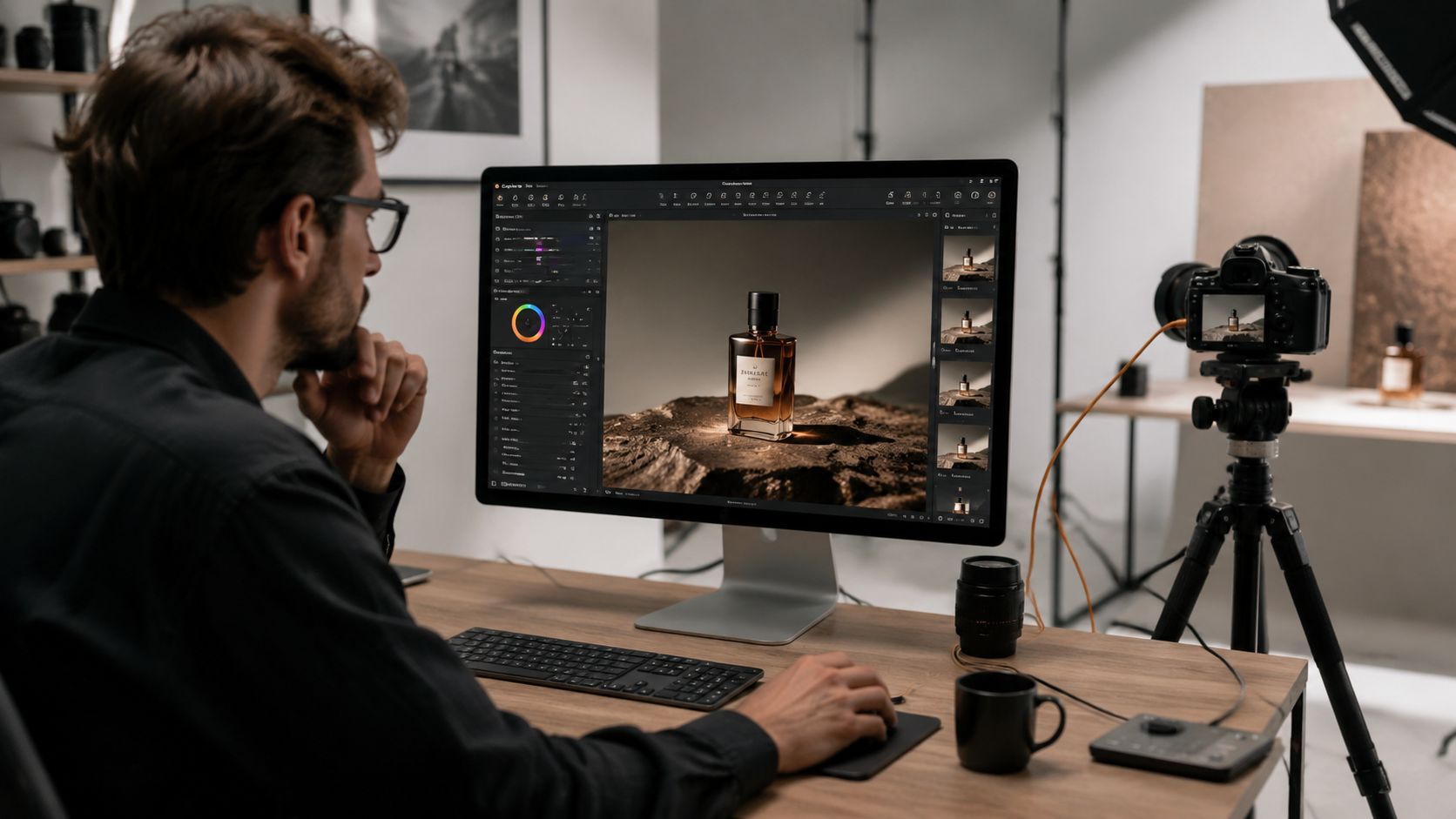
Capture One Pro earns attention quickly on controlled shoots where color has to stay predictable. Architectural and commercial photographers notice that on set, because tethered capture, disciplined color handling, and fast review can decide whether a frame moves forward or gets reshot. It remains a strong fit for color-accurate studio work and tethering, which is why it keeps a place in serious production workflows (worldmetrics comparison of professional photography software).
Why tethering changes the job
Tethered capture is not just a convenience. On an architectural set, it gives the photographer, designer, and client a shared view of composition, reflections, and line placement while the scene is still active. That lets you adjust a chair angle, shift a lamp, or refine balance before you waste time shooting several similar frames the wrong way.
Capture One is strongest when that feedback loop needs to stay tight. It fits shoots where the monitor matters as much as the camera in hand, especially product tables, interiors with mixed materials, and branded environments where color has to stay coherent from capture through delivery. For teams that rely on a professional photo editing service like Jimmy Clemmons Photographer professional photo editing services, that kind of consistency can reduce back-and-forth after the shoot.
The cost question still shapes the decision. As noted earlier, many photographers use Adobe Lightroom, and subscription pricing remains a common reason some avoid it. That matters because some professionals prefer software that feels more narrowly matched to daily production, especially when they are paying for the parts they touch every day, like tethering and color control.
Capture One still is not the only answer. It does not replace Photoshop for deep retouching, and it does not replace Lightroom Classic if your business depends on large archive management. For studio-led architectural and commercial work, though, it earns its place by reducing uncertainty at the moment you can least afford it.
Workflow in Practice An Atlanta Studio Case Study
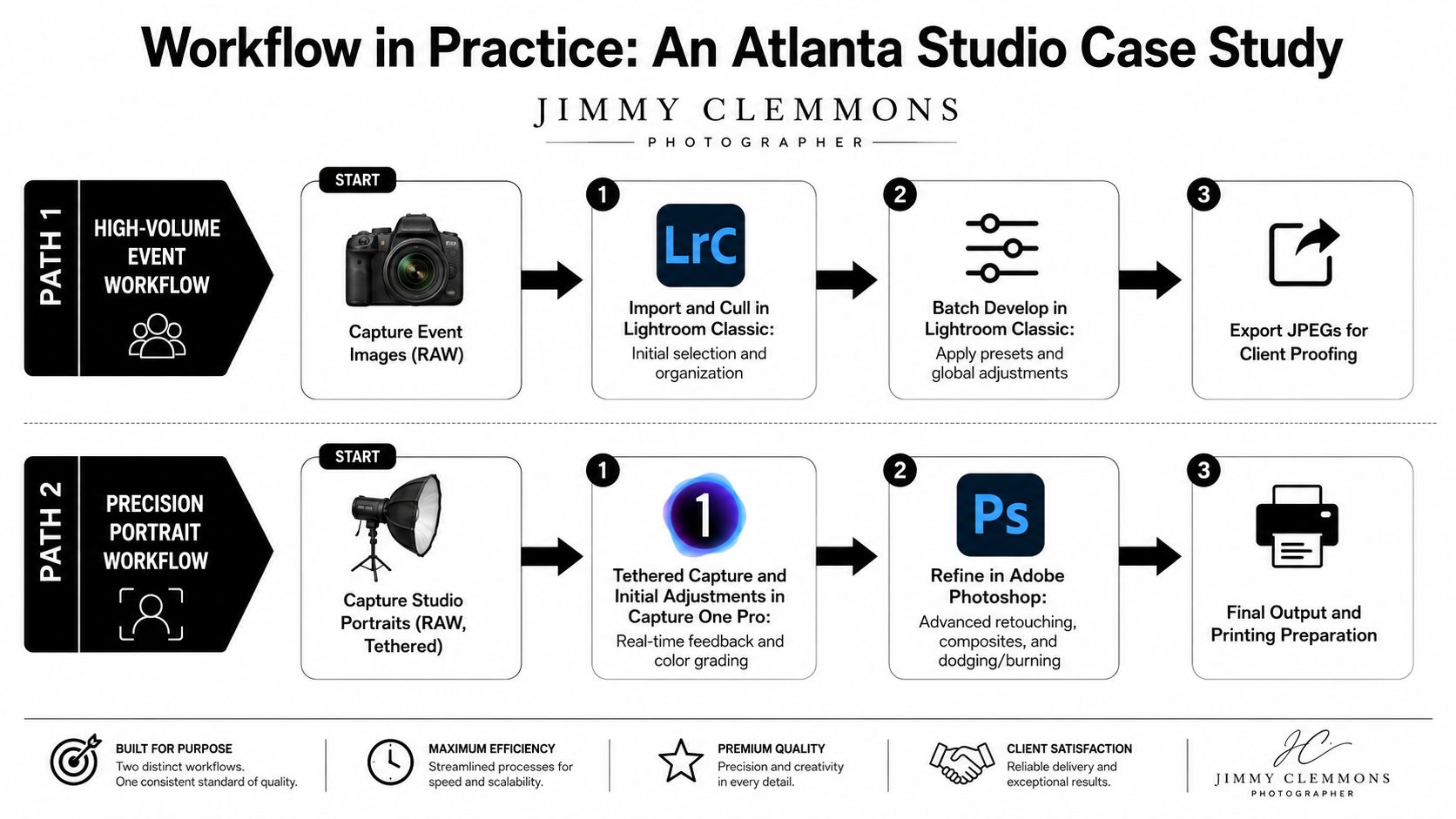
A built-environment job often splits into two very different editing paths. One path is the high-volume delivery job, where the goal is to keep a large image set consistent and useful. The other is the precision job, where a small number of hero frames need more detailed attention before they go to the client or the printer.
Architectural shoot path
On an architectural assignment, I'd lean toward Capture One Pro at capture if the client is on set and wants to review images in real time. That makes it easier to confirm composition, color, and lens behavior before the crew moves on. After that, a batch edit pass keeps the interior series aligned, then Photoshop handles the stubborn frames that need cloning, window balancing, or layered cleanup.
That path suits jobs where perspective correction and line fidelity matter more than experimentation. It also keeps the architect or designer engaged during the shoot, which can save revisions later. The software is doing the job it's best at instead of asking one app to imitate three others.
Brand and commercial shoot path
A commercial brand shoot usually starts differently. Lightroom Classic is the natural starting point when you're ingesting a lot of files, making a first cull, and applying broad consistency across a campaign. That's especially helpful when the deliverables include environmental portraits, product details, and supporting images that all need the same color temperature and tone.
After the base edit, Photoshop comes in for the hero frames. That's where I'd clean edges, refine highlights, remove distractions, or do anything layered that the client will notice immediately in a campaign deck. In other words, Lightroom gets the set organized and believable, Photoshop gets the showcase images finished.
For studios that also handle editing as part of a broader service package, Jimmy Clemmons Photographer's professional photo editing services fit naturally into that kind of production workflow. The right service model matters when the shoot volume is high and the turnaround window is tight.
Making the Switch Hardware and Licensing
Software choice only works if the machine underneath it keeps up. Real-world throughput matters more than spec-sheet bragging, and UL Solutions' Procyon Photo Editing Benchmark simulates a professional workflow by importing and processing DNG files in Lightroom Classic and then applying layered edits in Photoshop, so it reflects how a system handles common demanding tasks rather than a synthetic test (UL Solutions Procyon Photo Editing Benchmark).
For a serious editing station, prioritize a capable CPU, enough RAM to keep large files responsive, and a color-calibrated monitor. If you're moving between batch exports and layered retouching, weak hardware shows up fast as delays, dropped responsiveness, and second-guessing in color-critical work.
Cost and migration choices
Licensing also shapes the decision. Adobe remains tied to subscription-based access, Capture One has its own licensing approach, and Affinity Photo is often considered by photographers who want a different ownership model. The right choice depends on cash flow, client volume, and whether your business values the ongoing ecosystem or a lower recurring commitment.
If you're migrating from Lightroom Classic to another platform, don't try to move everything at once. Start with one client archive, verify your folder structure, check whether your metadata survives the trip, and make sure your delivery path still feels predictable before you commit your whole catalog. The safest switch is the one that preserves your best habits instead of forcing you to rebuild them under deadline pressure.
For architectural and commercial photographers, software is a business tool first and a creative tool second. Choose the system that keeps your files organized, your perspective corrections controlled, and your final deliverables consistent across the whole job. If you want that built into a broader Atlanta workflow, visit Jimmy Clemmons Photographer and see how a commercial studio approach can support architecture, interiors, and brand content from capture through final edit.