
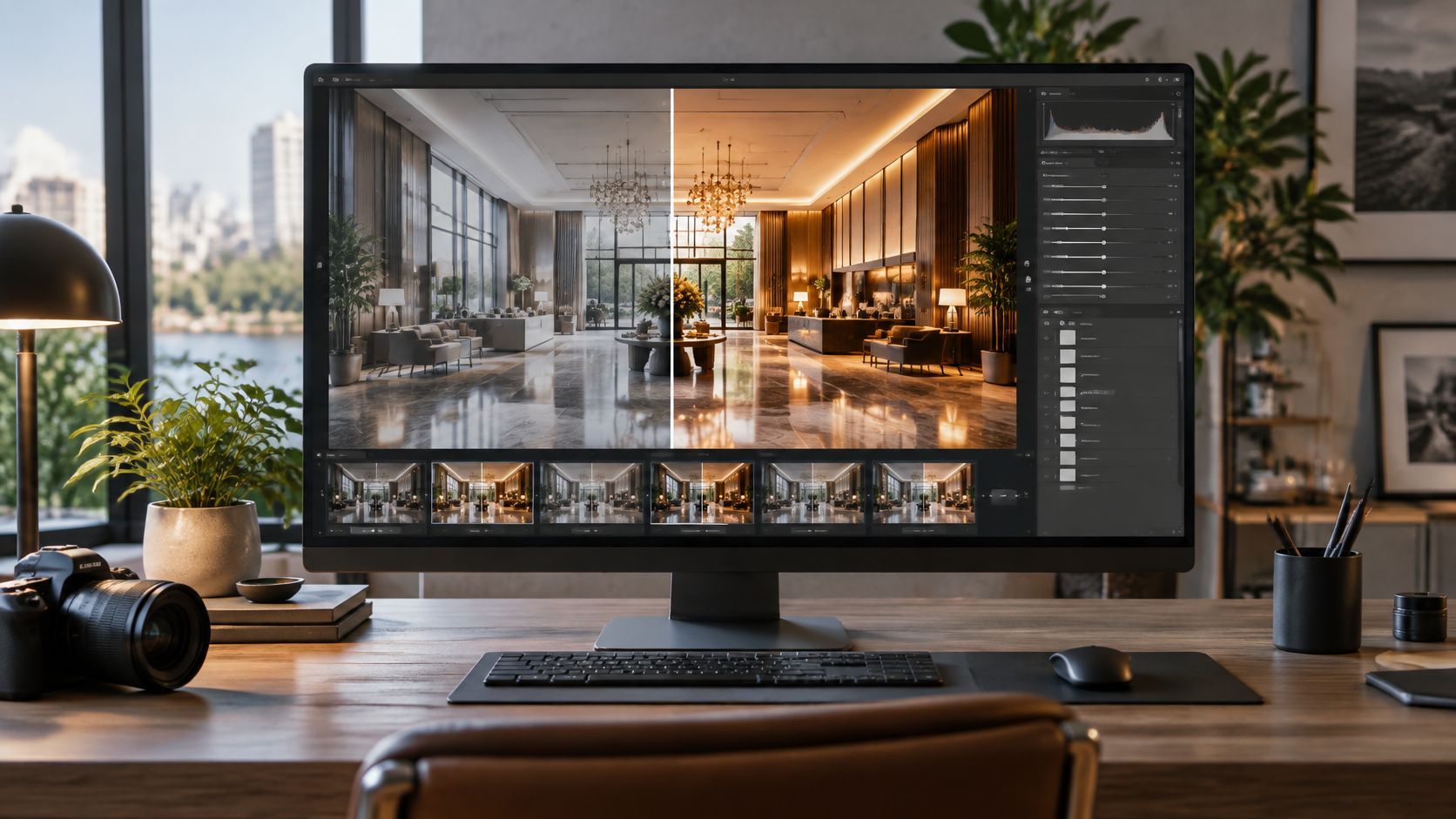
You have a set of interiors that look almost right, a launch date that is closer than you wanted, and a folder full of frames that still need the same treatment. The lobby is sharp, the exterior has a cable across the facade, and the portraits do not share a color. Someone on the team says "just clean them up," and three vendors reply with three different prices for what sounds like the same job.
That gap is where photo editing services either protect a project or cause damage. Price per file is the easy comparison. It ignores the delivery record, what you disclose when a frame is altered, and whether the files can be published accessibly. Those obligations sit inside image production, not after it.
Photo Editing Services at a Glance
Most confusion starts because buyers assume every provider means the same menu. Match the photo type to the row before you compare quotes.
| Service | What It Changes | Typical Use |
|---|---|---|
| Retouching | Blemishes, dust, sensor spots, stray surface marks | Portraits, product shots, interior surfaces |
| Color grading | Overall palette, contrast and mood across a set | Campaigns, brand series, multi-image projects |
| Compositing | Combines several captures or replaces parts of a frame | Skies, window views, multi-exposure interiors |
| Batch editing | Repeats one adjustment set across many files | Catalogs, property sets, event galleries |
| Object removal and perspective correction | Removes distractions and straightens lines | Architecture, real estate, commercial exteriors |
Retouching clears temporary marks from skin, stone, glass, and product surfaces. The risk is over-smoothing. Plastic skin and wiped texture read as fake even when the color is good.
Color grading sets one visual voice across a campaign so frames feel related. The risk is drift. A warm lobby next to a cool corridor makes the set look unfinished.
Compositing joins captures, such as a cleaner sky or a window view from a second exposure. If the light direction or shadow softness does not match, the join shows.
Batch editing applies one adjustment set to dozens or hundreds of files, with exceptions only where a frame needs them. It fails when every file is treated as identical and the exceptions never get flagged.
Object removal and perspective correction clears cables, stray signage, or passersby and straightens converging verticals. Push the correction too far and the building no longer matches the site.
Editing cannot invent missing light, fix a badly framed room, or recover a frame that is badly underexposed. Those problems need a reshoot, not more layers.
If you are delivering portraits or products, start with retouching plus grading. If the job is a building, a property set, or a commercial exterior, start with perspective, object removal, and a consistent grade. Compositing is the add-on when one capture cannot hold both the interior and the view.
How a Typical Editing Workflow Runs
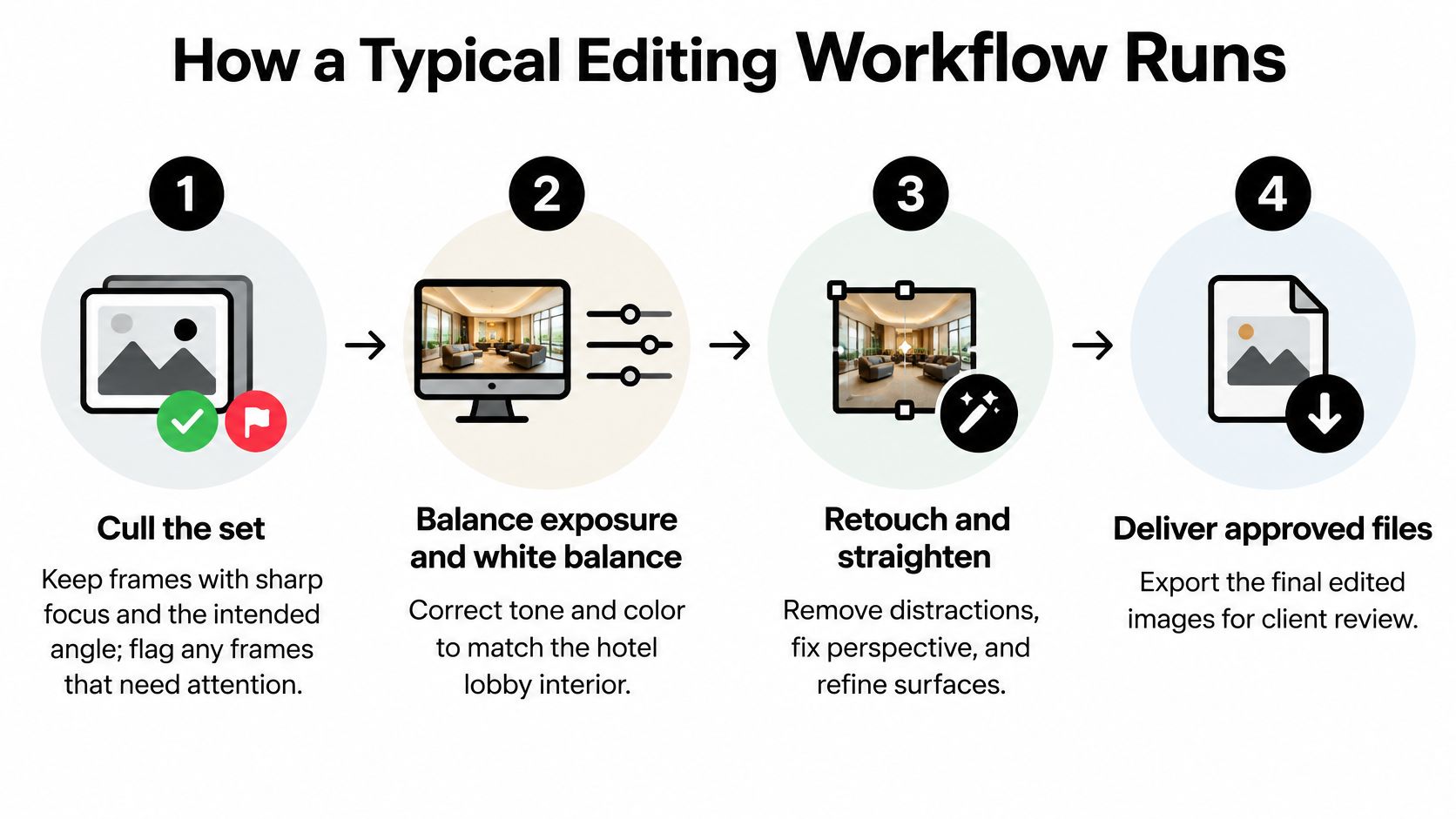
Say a hospitality group needs a lobby set for a website refresh and a printed leave-behind. The frames are sharp, the chandelier is slightly warm, and two windows blow out. A usable job runs in eight steps, each with a reason and a common slip.
- Cull the set. Keep frames with sharp focus and the intended angle, and flag any that need a second exposure for the windows. Culling first stops you from grading files you will never deliver. The slip is keeping near-duplicates "just in case," which inflates the count and the bill.
- Write the brief. List deliverables, aspect ratios, banned edits, and whether you need a disclosure record. Skipping the brief is the main cause of rework, because the editor guesses at crops and removals.
- Import with the camera profile intact. The embedded profile keeps the color numbers tied to how the camera recorded the lobby. Stripping it on import makes later prints drift even when the screen looked fine.
- Make base corrections. Set exposure, white balance, lens distortion, and perspective before any local work. Doing this late forces you to repaint masks.
- Retouch and composite on separate layers. Dust, a scuffed floor, and a blended window view each live on their own layer so a change can be reversed. Flattening early makes the next revision expensive, because the editor has to rebuild the file.
- Run a quality pass on a calibrated display. Check edges, color across the set, and anything that looks unreal at 100 percent. A laptop in a bright office hides halos that a print will show.
- Export derivatives from the master. Print, web, and social crops come from the layered file after final color and size decisions. Exporting the web file from an already compressed JPEG softens signage and stone joints.
- Deliver a file log and a short edit note. The note says what changed, which frames were composited, and where the originals sit. Without it, the next person on the team cannot tell a correction from an alteration.
The shorter view of that same lobby job looks like this.
Timing you can plan around
A tight set of about forty interiors, with a few window blends and no generative additions, often clears a standard queue in a few business days once the brief is locked. A catalog or a full property gallery, running into the hundreds, more often needs about a week. Rush work can return in one or two days, and you pay for the compression of the queue.
Practical rule: Lock the brief and the banned-edit list before the first file is opened. A late "please put the crane back" costs more than the original removal.
If you want the sequence written as a handoff your own team can follow, the photo editing workflow notes spell out selection, consistent color, and restrained cleanup in the same order.
Turnaround Times and How Pricing Works
The headline rate is a poor guide. Scope decides the invoice: how many composites, how deep the retouching goes, how many revision rounds you use, and how many distinct files you need back.
| Billing Model | How It Is Charged | Best For | Watch For |
|---|---|---|---|
| Per image | Fixed rate for each delivered file | Small, well-defined sets | Composites and heavy retouching raise the cost |
| Per hour | Hourly rate for time spent | Open-ended or custom retouching | Hard to forecast the final total |
| Volume tier | Lower per-file rate above a set count | Catalogs, property sets, event galleries | Tier thresholds may not match a small job |
| Monthly retainer | Fixed allowance of files each month | Brands with steady output | Unused allowance is wasted |
| Rush surcharge | Extra fee for compressed turnaround | Launch deadlines | Adds cost on top of any model |
Per image is predictable when every file is a straight grade and a light cleanup. A window blend or a crane removal is a different file, and honest quotes price it higher.
Per hour fits a portrait sitting where you do not yet know how far skin work should go. It is a weak fit for a fixed launch, because the total moves with every extra pass.
Volume tiers drop the per-file price once you cross a count. They suit a property set or a catalog. A twenty-file shoot often never reaches the cheaper tier, so the "volume" quote is theater.
A retainer buys a monthly allowance for a brand that publishes steadily. If output dips, you still pay for files you did not send.
Rush sits on top of any of those models. Standard return is often a few business days, large batches about a week, and a compressed queue one or two days.
A short estimate without fake precision
Take forty lobby and corridor frames. Billed per image, with one included revision, the total is forty times the agreed rate, plus a higher rate on the three frames that need a window composite. Move the same forty onto a volume tier and the base rate falls, but only if forty clears that vendor's threshold. Add a second revision round. If that round is hourly, the cheaper tier can lose its advantage once the editor reopens layered files. Ask both quotes to show the composite count, the included round, and the price of a second round as separate lines.
Rates vary widely by region and by how long someone has been doing this work. Compare quotes against the same scope, the same crops, and the same disclosure record. Do not compare a bare per-file number with a quote that already includes print and web derivatives.
I would start with a sample on two or three representative files, paid or free, before you send the batch. One ordinary corridor, one hard window, and one portrait tell you more than a portfolio of hero frames.
Delivery Files and Specs Every Brief Should List
The master is the asset. Everything else is a derivative made from it after color, size, and sharpening are decided. Repeated saves of an already compressed file chew up fine lines, signage, and skin texture, and you cannot get that detail back.
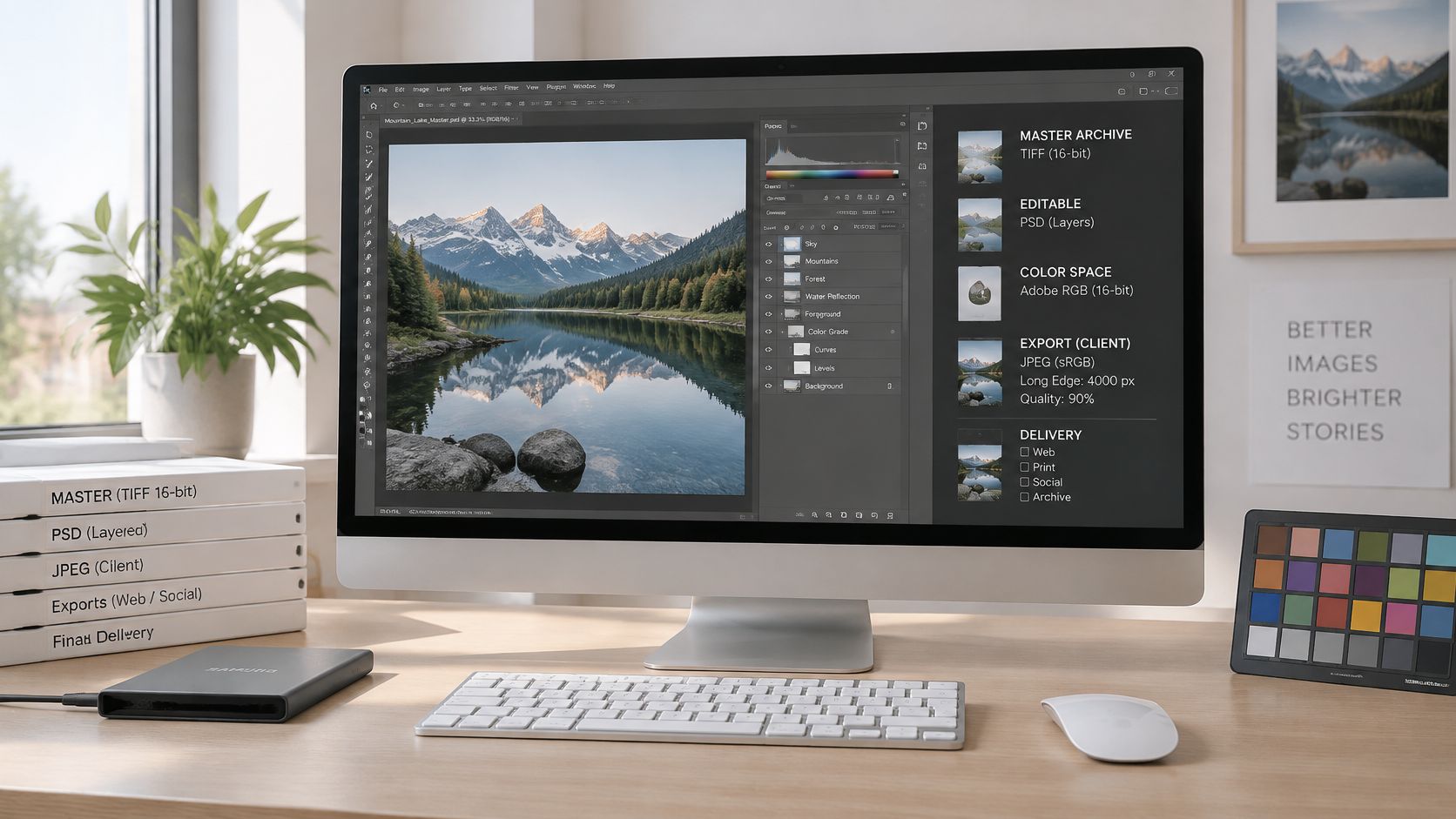
For long-term keeping of architectural and commercial images, the U.S. Library of Congress preservation guidance recommends retaining the highest-resolution version available without rescaling or interpolation, keeping the highest available bit depth, 16 bits per channel when you have it, and preserving an embedded color profile or otherwise stating the color space of the published version.
| Deliverable | Format | Key Setting |
|---|---|---|
| Master archive | Layered PSD or TIFF | Full resolution, no rescaling, 16 bits per channel where available |
| Print file | TIFF or high-quality JPEG | Print output profile embedded, sized to press dimensions |
| Web image | JPEG | Web color space, sized to the widest display, moderate compression |
| Social and ad crops | JPEG or PNG | One file per aspect ratio, generated from the master |
| Spec sheet | Document kept with the files | Dimensions, crop, color space, sharpening, compression, naming, releases |
What the brief should record
Write the spec sheet before export, not after someone asks why the banner looks soft.
- Pixel dimensions and crop ratio: State both, because a 16:9 web hero and a square ad are different files.
- Output color space: Print can stay in a wider working space with the press profile embedded. Browser delivery is converted to the web color space you named.
- Sharpening intent: Screen sharpening and press sharpening are not interchangeable.
- Compression, names, metadata, releases: Record the JPEG quality, the filename pattern, whether location metadata stays, and whether a model or property release travels with the file.
Social and ad crops are generated from the master for each ratio. Cropping them out of the web JPEG stacks a second generation of compression onto lines that were already thin.
A clear pattern is project-room-sequence-master and project-room-sequence-web, for example harbor-lobby-014-master. Your team can find a file without a second email. If you also need the paperwork that travels with a commissioned set, the photography documentation guide is the place to line up releases and file notes with the images.
The export choices are easier to see in motion than in a spec table alone.
Keeping Edits Honest When AI Is Involved
A common assumption is that the best edit is the one nobody can see. For a building, a workplace, or a public claim, an untouched look can be the less honest choice. Viewers cannot reliably spot a generated frame, so a written record does more for trust than a flawless sky.
A September 2025 U.S. consumer study, reported in a Clutch press release on AI imagery, found that 57% of participants failed to identify AI-generated photos in testing, even though 66% initially believed they could spot them. In that same study, 84% said brands should disclose AI imagery, and 40% said undisclosed AI use would reduce their trust. A separate 2025 study covered in that release found that only 9% of respondents correctly identified at least 70% of real and AI images, while 30% were uncertain whether marketing content was AI-generated.
Sort every change into three bands before you publish.
Technical corrections cover exposure, white balance, dust, and lens distortion. They rarely need a public label. They still belong in the delivery record so the next editor knows the file was touched.
Material alterations change what a viewer believes about a place. Moving a wall, removing a construction crane, adding people, or swapping a view should be disclosed. The frame can still be useful. It should not pretend to be a straight record.
Generative additions or removals get a label, and the original files stay in the archive. If you are weighing tools for that kind of fill, it helps to compare AI image generator pricing against the disclosure cost, not only the speed.
An editorial-safe policy in plain language
Preserve architectural geometry and the conditions that were present. Keep the originals. Log AI involvement per file, including whether geometry, lighting, people, or objects changed. Provenance metadata belongs on the master when your pipeline supports it.
Transparency builds more trust than an image that looks completely untouched.
Say a leasing team wants a street-level exterior without a parked car in the foreground. The removal is a material change to the curb, even if the building is accurate. The one-line note that should travel with the file is simple. "Parked car removed from the curb. Building, lighting, and landscaping unchanged. Original on file."
Writing Alt Text and Accessibility Notes for Edited Images
A polished JPEG is not a finished web deliverable. Someone using a screen reader needs to know what the picture is for, and the editor who saw the space is often the person who can say that accurately.
The W3C Web Accessibility Initiative image tutorial sorts images by role. Informative images need a text alternative that conveys the essential information shown. Decorative images should use a null alternative such as alt="". Functional images, including linked images and image buttons, need text that describes the action or destination, not a tour of what the pixels look like.
One example of each role
A faint stone texture behind a headline is decorative. The alt attribute is empty, and you do not write a description of the texture.
A lobby photograph on a project page is informative. The alternative might read, "Double-height lobby with a stone stair and daylight from the west glazing." Purpose and the key feature come first. A list of every pendant light does not.
A thumbnail that opens a project is functional. "Open the harbor lobby project" beats "photo of a modern lobby," because the link's job is the destination.
The handoff package
Send more than the pixels.
- Optimized files: One web derivative per intended placement, already in the agreed color space.
- One alt-text suggestion per image: Short, with the important fact first, and without a lead-in such as "image of" unless the medium itself matters.
- A caption and a context note: Where the space is, what the light was doing, and which materials are real.
- A decorative or informative flag: So the developer does not invent a description for a background.
Do not list everything visible, and do not add subjective claims such as "stunning" or "welcoming." The client should review every line for accuracy and inclusion before it goes live, because the text is read in the context of the page, next to headlines you may not control.
Photographers are well placed to draft this. You know which wall is limestone, which glow is practical lighting, and which person is a staff member rather than a passerby. A developer guessing from the JPEG will get those wrong.
How to Judge Editing Quality Before You Commit
Ask for two or three representative files shown beside the originals. A hero frame with no original tells you about taste, not about control.
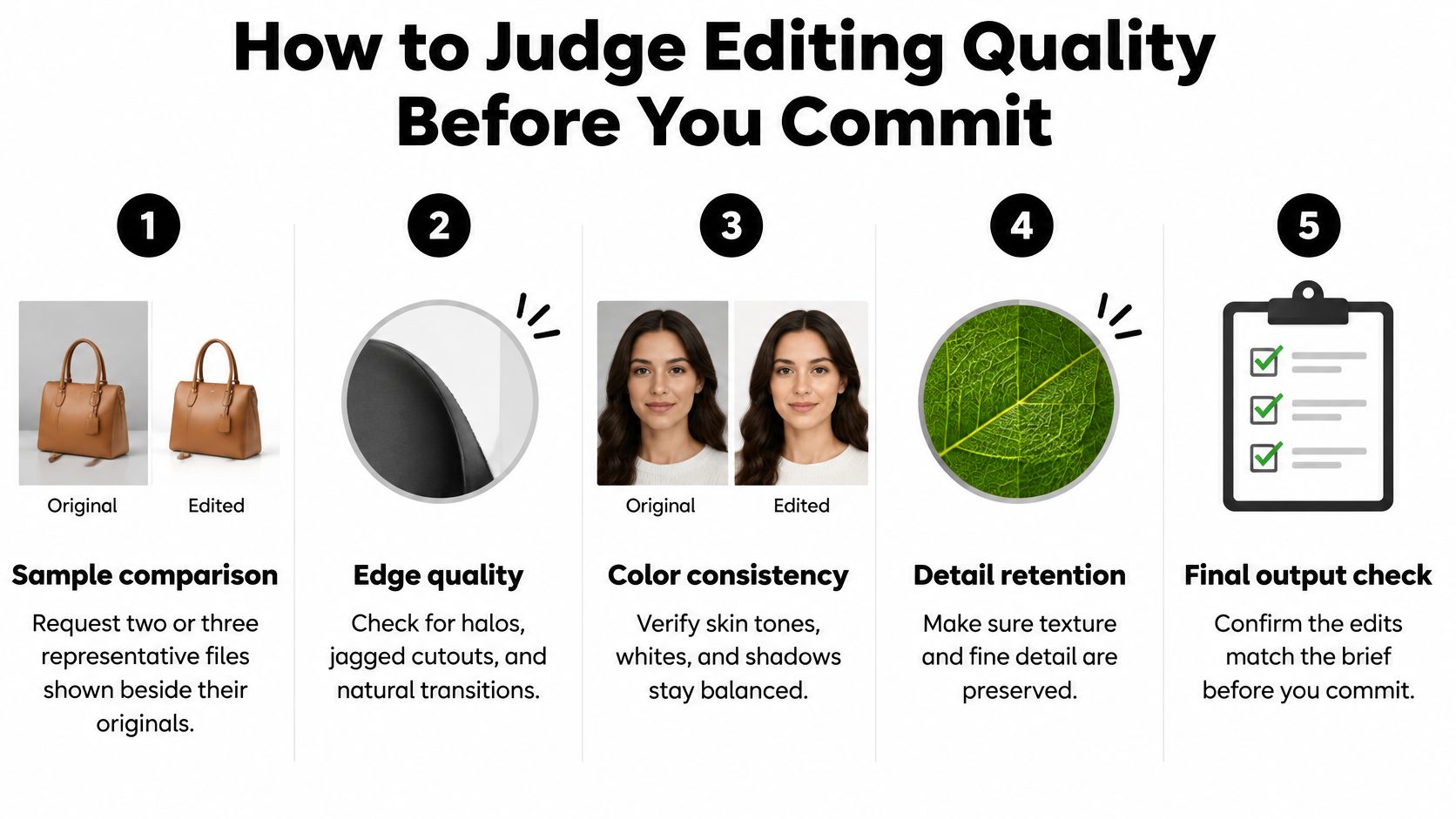
Run five tests on that sample, then a revision test. Score each from 1 to 5 and use the same files with every provider.
- Edge fidelity at 100 percent. Straight lines and masked edges should show no halos. Zoom into a window mullion and a cut-out sky.
- Color consistency on a calibrated display. The files should read as one series. Whites, skin, and shadow color should not jump between frame 1 and frame 3.
- Skin and surface texture. Plastic smoothing is a red flag on faces, stone, and fabric. If pores and grain are gone, the retouch went too far.
- Composite realism. Light direction, shadow softness, and perspective must agree across joined elements. A noon sky on a dusk interior fails this test.
- Geometry and conditions. Architectural lines and the lighting of the photographed space should still match the site. A "straighter" building that changes the massing is not a correction.
Then request one specified change, such as restoring a removed sign, and time how cleanly it lands. Afterward, confirm the original files are still intact and the layered master was the file they edited.
What a healthy delivery looks like
Consistent color, a short edit note, clear filenames, and a log that says which frames were composited. If alt text is part of the handoff, the W3C tips on image alternatives give you a publication check. Alternatives should be concise, with the most important information first, and should avoid generic words such as "image," "icon," or "picture," because screen readers already announce an image, except where the medium itself matters. A decorative frame uses an empty alt attribute with no space between the quotation marks.
Stop the search when you see halos, color that shifts between frames, vague answers about process, or no originals kept. Those failures get more expensive after you have sent a hundred files, not less.
Add the revision test as a sixth score beside the five tests. A provider who looks perfect on a still sample and slow on a one-line change will miss your launch.
Decide Whether to Outsource or Edit In-House
Outsource when volume spikes, when a composite or a heavy retouch needs a specialist, or when the people who can shoot are the ones stuck at a desk. Keep the work in-house when daily volume is steady, brand rules are tight, and same-day return is part of how you publish. A hybrid is the setup I would pick for most architecture and brand teams. Cull, base-correct, and export internally. Send composites and batch retouching out.
| Criterion | Outsource | In-House |
|---|---|---|
| Volume handling | Scales up for spikes without hiring | Fixed capacity set by staff time |
| Specialist skill | Access to compositing and retouch specialists | Limited to the skills already on the team |
| Turnaround control | Fixed by provider schedule, rush costs extra | Set by your own schedule |
| Cost predictability | Per-job or retainer pricing | Salary and software overhead, steady monthly |
| Brand and confidentiality control | Requires clear brief and contract terms | Direct control over every file |
| Revision speed | Set by feedback loops and time zones | Immediate, in the same room |
Check the rows against your own month. Count files, count composites per set, count how often a deadline falls inside 48 hours, and name who answers revision requests. If three or more rows favor sending the work out, pilot one set externally before you reassign anyone.
Commercial photography covers products, people, and spaces for brands, and professional editing is one of the specialties we keep on that work rather than treating it as a cleanup pass. The tools behind a consistent grade and a reversible master are covered in our notes on photo editing software.
Choose one representative set this week. Write the brief with the delivery spec sheet, request two quotes that each include a sample edit, and score both with the six-point sheet. The lower per-file rate loses when it cannot hold geometry, name the files, or tell you what changed.
Editing is part of image production, not a finishing afterthought. Scope, volume, and how much control you need should decide the model.
Jimmy Clemmons Photographer handles architectural imagery, commercial brand content, and portraits, with professional editing built into the production of those files rather than added as a cosmetic pass. If you need a set that holds its geometry, its color, and a clear record of what was changed, visit Jimmy Clemmons Photographer and tell us about the project, the crops, and the date you need files in hand.