
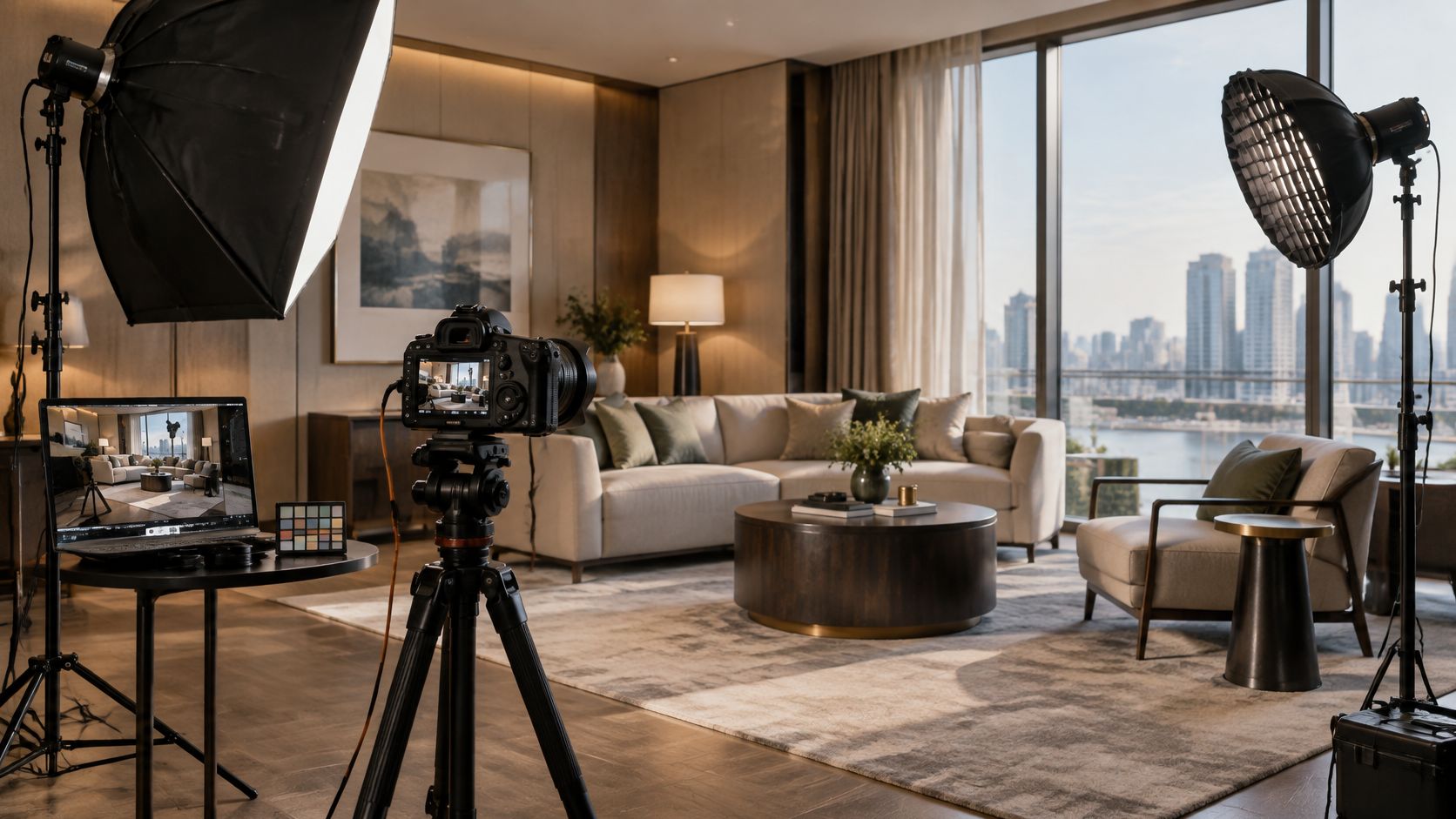
You're setting up in a working lobby. Daylight crosses the reception desk, decorative lamps warm the seating area, and employees need a clear path through the frame. The client wants the space to look inviting, the finishes to look accurate, and the building to keep operating. A useful commercial photography lighting setup has to satisfy all of those conditions, not just produce a pleasing exposure.
Why Lighting Decides the Commercial Image
Consider a hypothetical hospitality assignment where the lounge looks balanced to the eye but uneven on camera. The window side feels cool, the lamps read warm, and adding an unmodified flash makes the furniture look disconnected from the room. More light isn't automatically the answer. The photographer needs to decide which existing sources describe the space and which need correcting.
That distinction separates commercial lighting from merely making a scene brighter. An architectural photograph must preserve the designer's materials. A portrait needs convincing skin and intentional facial modeling. A product image must describe shape without hiding the finish the customer is buying.
From illumination to control
The progression runs from limelight in 1839, magnesium wire by 1864, and flash powder in 1887 to commercial flashbulbs in the 1920s, Harold Edgerton's studio electronic flash in 1939, and widespread professional adoption of electronic flash by the 1960s, as documented in the history of photographic studios.
The practical inheritance is control: repeatable exposure, brief bursts for moving subjects, and modifiers that direct light rather than spread it indiscriminately. Contemporary flash and continuous fixtures serve those priorities differently, but neither excuses an unclear lighting intention.
Field principle: Preserve the light that explains the location. Change the light that prevents the client's subject from reading accurately.
In an occupied interior, that might mean keeping a decorative lamp visible while preventing its spill from contaminating a portrait. In a product scene, it might mean retaining a window reflection because it describes the surface convincingly. The useful question isn't whether the image looks artificially lit. It's whether each intervention helps the viewer understand the subject without misrepresenting it.
The Four Roles of Light in a Commercial Setup
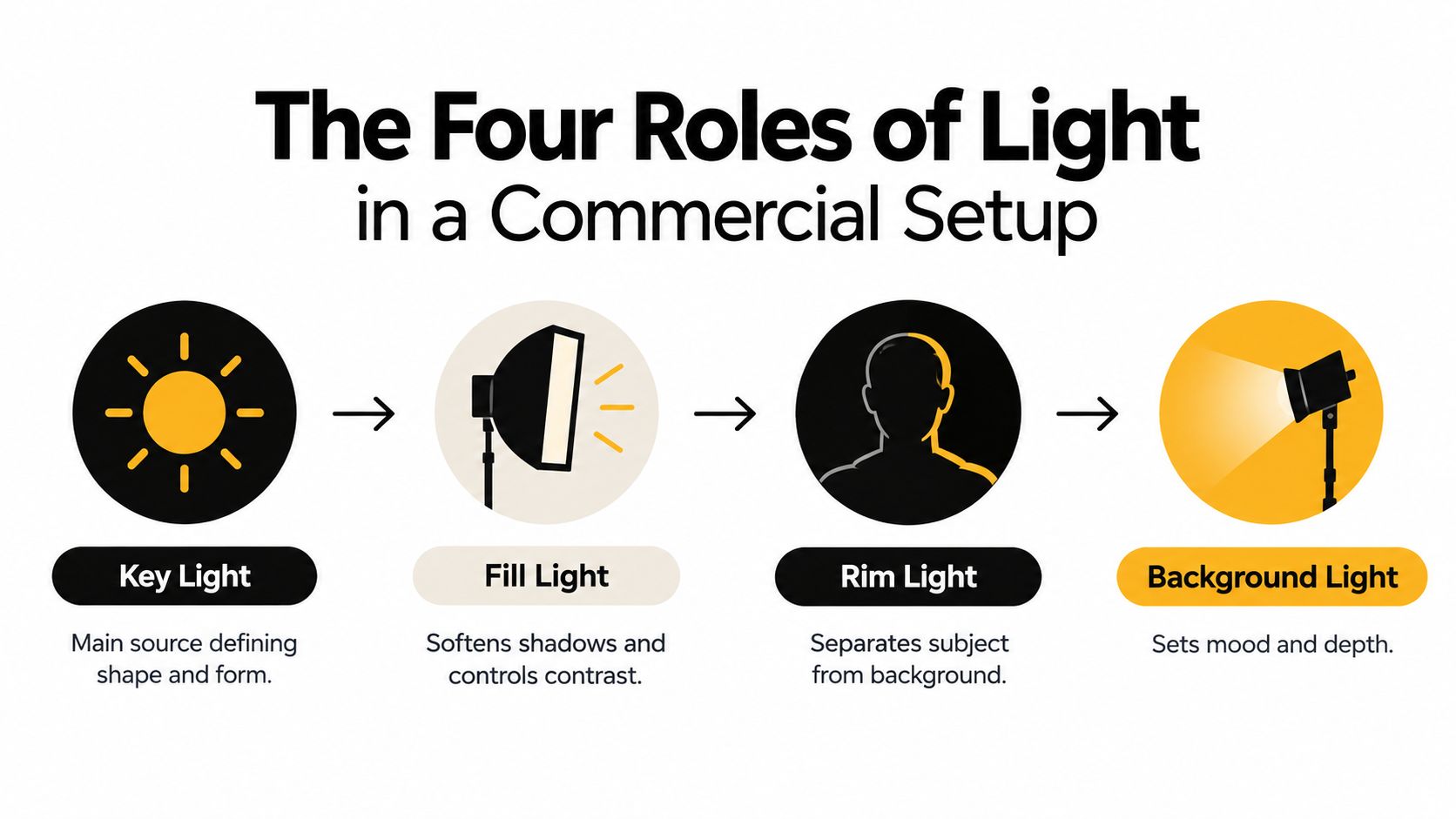
Key, fill, separation, and background describe jobs, not a shopping list. A window can provide the key, a white card can supply fill, and an existing wall fixture can illuminate the background. You don't need a separate powered head for every role.
Establish shape before adding polish
Start with the key light, the source that establishes the dominant direction and modeling. For a portrait, position it to give the face dimension rather than choosing its location solely because a stand fits there. For a product, judge the highlight it creates as carefully as the shadow.
A large softbox or octagonal modifier is a practical starting point for broad, soft illumination. A beauty dish is an alternative when you want more pronounced facial structure. Neither is universally preferable. Choose according to the texture, contrast, and visual character the assignment needs.
The other roles should solve identifiable problems:
- Fill light: Use a bounce card or controlled source to open shadows without erasing the key's direction. If the image becomes flat, remove fill before adding contrast elsewhere.
- Rim or separation light: A strip box can define an edge, while a grid helps restrict spill. Add it when the subject merges with the background, not merely because a diagram includes it.
- Background light: Set the brightness and character of the environment independently. Watch for distracting patches behind heads, uneven product backdrops, and reflections that reveal the equipment.
Choose modifiers around the location
Umbrellas suit fast repositioning when broad coverage is welcome. They're less convenient when uncontrolled spill reaches glass partitions or changes a carefully balanced wall. Softboxes offer a more bounded working source, while flags and grids refine where that source reaches.
Choose the lighting technology after identifying the job. The comparison between continuous light and strobes is most useful when tied to movement, ambient conditions, and whether the team needs to judge the illumination continuously. Don't choose solely by the equipment already sitting closest to the door.
Controlling Falloff and Exposure Trade-Offs
Moving a light changes more than its brightness at the subject. It also changes the exposure relationship between nearby and distant surfaces. That's why adjusting distance can solve a foreground problem that power adjustments alone won't fix.
Under the inverse-square law, doubling source-to-subject distance reduces illumination to approximately one-quarter; moving from 1 meter to 2 meters therefore costs roughly two stops, as explained in the inverse-square relationship for illumination. Treat this as a planning model, then meter or test the actual modified source.
Use distance to set the relationship
A close key can give a tabletop subject prominence while allowing the background to darken. That same arrangement can be troublesome for a team portrait if people occupy different depths. Moving the source farther away makes their relative distances from it more similar, helping distribute illumination more evenly.
The trade-off is output. A distant source may provide the coverage you want but demand more energy, a different aperture, or greater reliance on existing light.
Exposure Trade-Offs at Increased Light Distance
| Compensation | Effect on Depth of Field | Effect on Motion Control | Best Use Case |
|---|---|---|---|
| Increase source output | Preserves the selected aperture | Higher flash energy may lengthen duration, depending on the system | Interiors or products needing the existing camera settings |
| Open the aperture | Reduces depth of field | Avoids extending shutter time | Environmental portraits where selective focus is acceptable |
| Lengthen shutter time | Preserves the selected aperture | Increases movement risk and ambient contribution | Static interiors photographed with stable camera support |
These are the distinct exposure options described in the lighting buyer's guide on distance and exposure compensation. A longer shutter exposure gathers more continuous or ambient light; it doesn't replace lost flash illumination when the full flash pulse is already captured.
Let the assignment decide
For a deep architectural interior, retain the aperture needed for the scene and increase flash output if the added light must reach farther. Alternatively, let a longer exposure build the ambient component while using flash selectively.
For a moving product shot, don't compensate casually with shutter time. Keep motion requirements intact and reconsider source distance or available flash energy.
For an environmental portrait, opening the aperture may be the right creative compromise if the location only needs to remain recognizable, not uniformly sharp.
Move the light to establish the brightness relationship. Adjust exposure only after that relationship looks right.
Setups for Architecture, Product, and Corporate Portraits
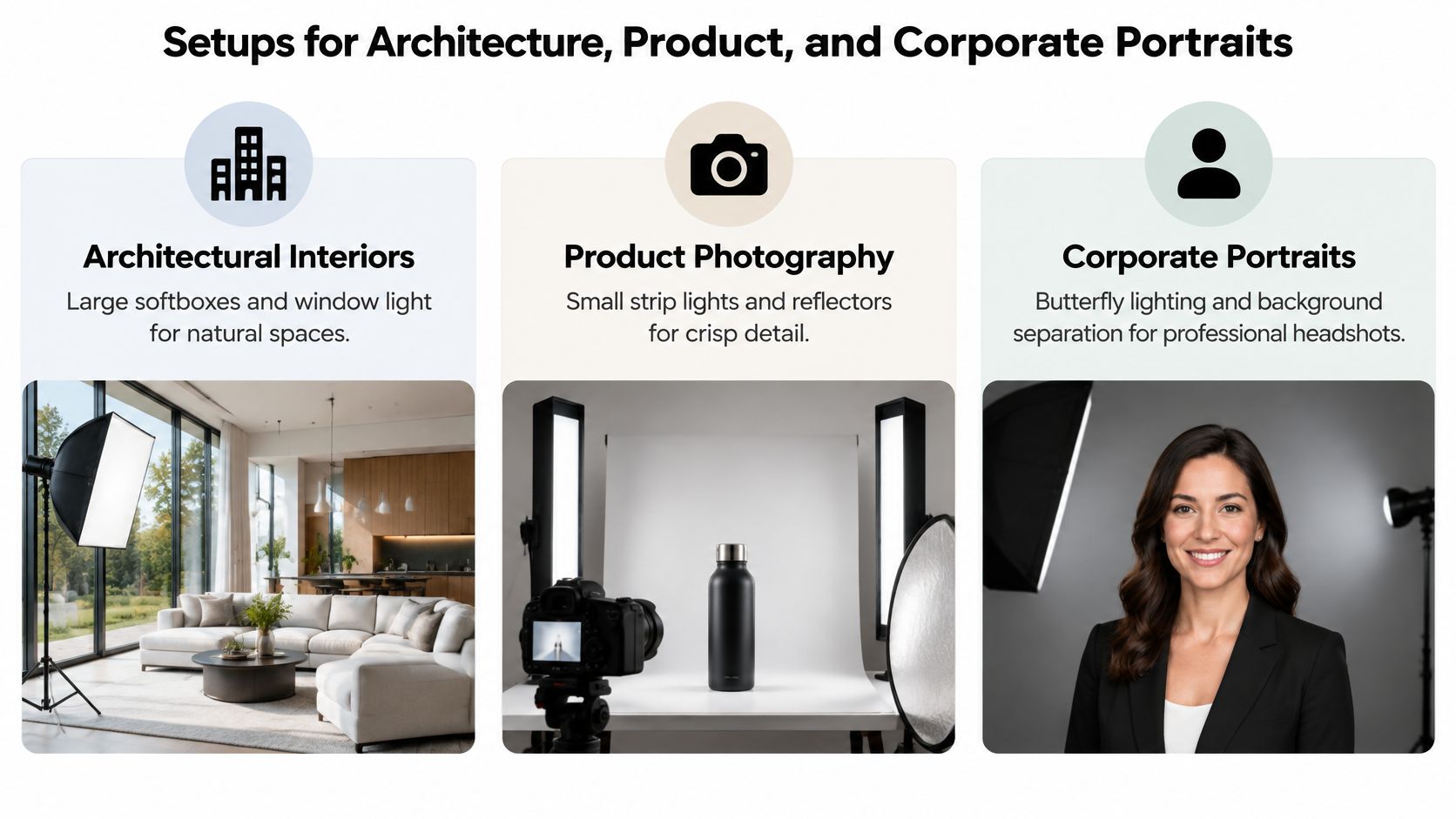
A lighting arrangement earns its place by solving the assignment's constraints. The following starting points are adaptable rather than fixed recipes. Each prioritizes a different problem: preserving a space, describing a surface, or keeping people consistent.
| Assignment | Gear and modifier | Exposure target | Typical pitfall |
|---|---|---|---|
| Architectural interior | Daylight, battery strobes, compact softbox or gridded strip, gels | Preserve important window and practical-light detail while lifting selected surfaces | Making the room look brighter but less believable |
| Tabletop product | Overhead softbox, flags, cards, independently controlled background source | Describe material and shape without losing important highlights | Lighting the object without checking what it reflects |
| Corporate portrait | Angled key softbox, bounce card, restrained rim, optional gridded hair light | Consistent skin exposure and deliberate background brightness | Adding edge light that becomes more conspicuous than the face |
Architecture and hospitality
Use daylight as the directional reference when it contributes to the design. Place battery strobes where they can lift a dark seating area or reveal joinery without producing a competing lighting direction. A compact softbox or gridded strip is useful for localized correction rather than flooding the room.
Gel to the source you intend to match, not automatically to whichever source is easiest to identify. If the flash already agrees with the window light, correction may be needed toward a warmer interior source instead. Keep selected practicals when they communicate how the room functions.
Where the building must stay open, choose deliberately among overpowering ambient, matching it, or retaining it with localized shaping. Exposure bracketing can support a static interior, but moving occupants complicate that approach. The operational considerations in this guide to setting up photography lighting are especially relevant when access and existing illumination can't be treated as disposable.
Tabletop and editorial product
Begin with a large overhead softbox when the subject benefits from a broad highlight. Add flags to keep the key from washing across every surface, then use cards to define edges and a separate background source only if necessary.
For reflective subjects, inspect the reflection from the camera position. Moving a strip box or card may solve the problem more effectively than changing power. A polarized twin-light arrangement is worth testing when glare obscures important detail, but don't assume removing every reflection improves the product. Some reflections explain gloss and curvature.
Corporate and team portraits
Start with the key softbox above eye level and angled across the face. Use a bounce card to regulate shadow depth, then add a restrained rim if wardrobe merges with the background. A gridded hair light is optional, not an obligation.
Mark the subject and stand positions before rotating people through. Check glasses, hair, and reflective clothing individually. A repeatable setup still needs small adjustments for the person standing in it.
Color Quality Beyond Kelvin and CRI
Matching color temperature is a starting point, not proof of accurate color. Fixtures with the same Kelvin setting can render wood, fabric, packaging, and skin differently. That matters when a photograph looks attractive yet misrepresents the client's materials.
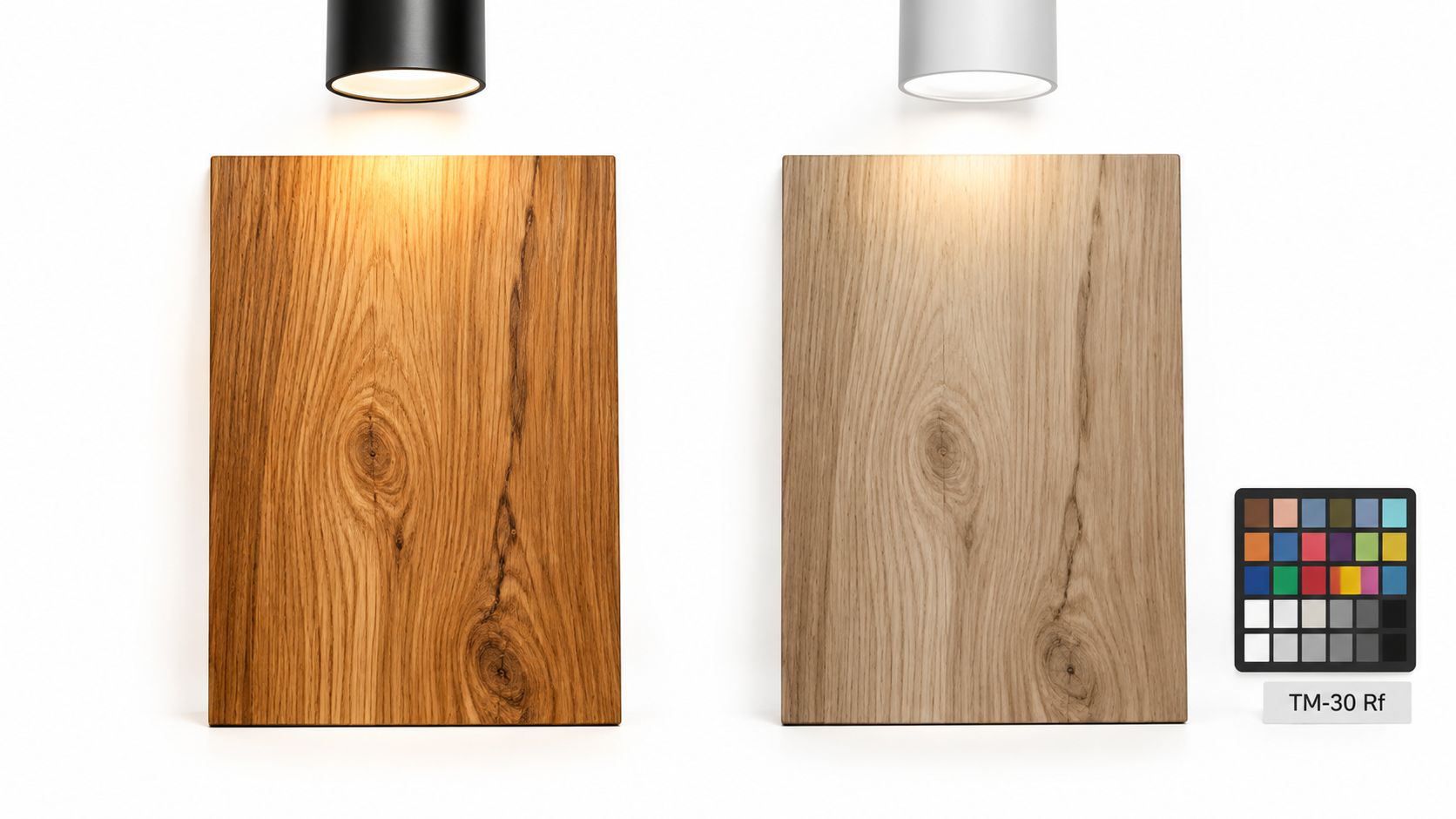
Evaluate fidelity, not just temperature
CRI alone shouldn't settle a fixture choice. Consider spectral quality and newer evaluation approaches such as TM-30, including the Rf fidelity metric, when comparing lights for color-sensitive assignments.
Industry commentary reports that in January 2025, the CIE recommended transitioning from CRI toward Rf for more accurate fidelity assessment, alongside a practical emphasis on reference frames and controlled viewing in this discussion of lighting and commercial color accuracy. Treat such metrics as useful selection evidence, then test the actual materials you'll photograph.
A fixture specification can't tell you whether the client will accept a particular rendering of their signature fabric. Bring a representative sample into the lighting test whenever possible. Compare it under the intended capture and viewing conditions rather than relying on memory.
Build a checkable color workflow
- Capture a reference: Photograph a color reference under the intended lighting before production frames.
- Fix white balance: Avoid automatic changes between otherwise comparable captures.
- Use a calibrated display: Judge tethered files under consistent viewing conditions.
- Recheck changed equipment: Capture another reference after changing the source, gel, modifier, or lighting combination.
The mixed-lighting photography workflow becomes especially important when different parts of the subject receive different source combinations. A global white-balance adjustment won't necessarily reconcile every local cast.
Buying judgment: Once a fixture provides enough usable light, spectral consistency can matter more commercially than additional output.
That's a purchasing priority, not a claim that weaker lights are automatically better. Choose the light that lets you preserve the relevant materials consistently. A brighter fixture creates little practical advantage if the team must keep correcting unreliable color during an otherwise repeatable shoot.
Freezing Motion with Flash Duration
A sharp static test doesn't prove a lighting setup can freeze movement. When flash supplies the motion-stopping exposure, the important variable is flash duration, not the camera's shutter setting.
Read the duration specification correctly
T.5 measures the interval above 50% of peak flash intensity, while T.1 measures the interval above 10%; T.1 is the more demanding motion-sharpness measure because the longer light tail can contribute blur, as explained in this guide to motion and levitation photography. A shorter T.1 duration is the more useful specification when comparing a flash's ability to arrest movement.
Don't assume maximum power gives the best action result. Some systems shorten their pulse at lower energy settings. One documented studio system reaches approximately 1/63,000 second at its lowest power, and its dedicated freeze mode makes duration more than twice as fast on average, according to this technical explanation of freezing motion with studio flash. Those figures describe that system, not every flash.
Test the movement and the ambient separately
- Select usable flash energy: Find a setting that supplies sufficient exposure with an appropriately short duration.
- Make a no-flash test: At the intended camera settings, check whether continuous room light records enough exposure to create a moving ghost.
- Suppress unwanted ambient: Block daylight, reduce practical-light contribution, or limit modeling lights where the location permits.
- Inspect real movement: Test a representative gesture, falling object, or splash and inspect the tethered capture at a useful magnification.
If ambient light remains prominent, a crisp flash exposure can coexist with a blurred continuous-light exposure. Raising flash power won't necessarily solve that combination.
In an occupied workplace where lights can't be switched off, reconsider the shot's location or schedule. Sometimes the responsible solution is a controlled capture area, not a more aggressive lighting arrangement in the middle of an active room.
The Pre-Shoot Checklist and Common Pitfalls
A repeatable commercial photography lighting setup starts with decisions made before the first stand opens. Scout the working conditions, agree on access, and establish which parts of the location must remain usable throughout the shoot.
Record the plan
- Assign lighting roles: Identify what provides the key, fill, separation, and background illumination.
- Confirm positioning: Sketch source locations and check that the planned distances suit the subject's depth.
- Choose an ambient strategy: Decide which existing sources to preserve, match, overpower, or exclude.
- Prepare color control: Pack reference targets, gels, and the equipment needed for consistent tethered review.
- Protect the site: Secure stands, manage cables, preserve exits, and keep equipment away from visitor routes.
- Plan continuity: Charge batteries, prepare replacements, and document settings and positions.
For context, daylight-balanced flash is conventionally near 5,500 K, tungsten around 3,200–3,400 K, and indoor fluorescent commonly around 4,000–5,000 K, according to this color-temperature reference. Identify the actual sources rather than assuming the room follows a single standard.
Catch the expensive mistakes early
Overpowering a practical source can be unnecessary when matching it would preserve the atmosphere with less equipment. Ignoring modifier reflections can leave a product technically exposed but visually unreadable. Moving through a hospitality property without a battery plan can interrupt an otherwise efficient schedule.
Use a photo shoot checklist to make those checks routine, including a fresh tethered color check after equipment changes. Before leaving each setup, save the lighting diagram and confirm that the team has the required frame, not merely an attractive variation.
Jimmy Clemmons Photographer offers architectural imagery, commercial brand photography, and professional portraits, with location scouting, lighting design, and on-set direction. Visit Jimmy Clemmons Photographer to discuss your location, its operating constraints, and the images your team needs to produce.