
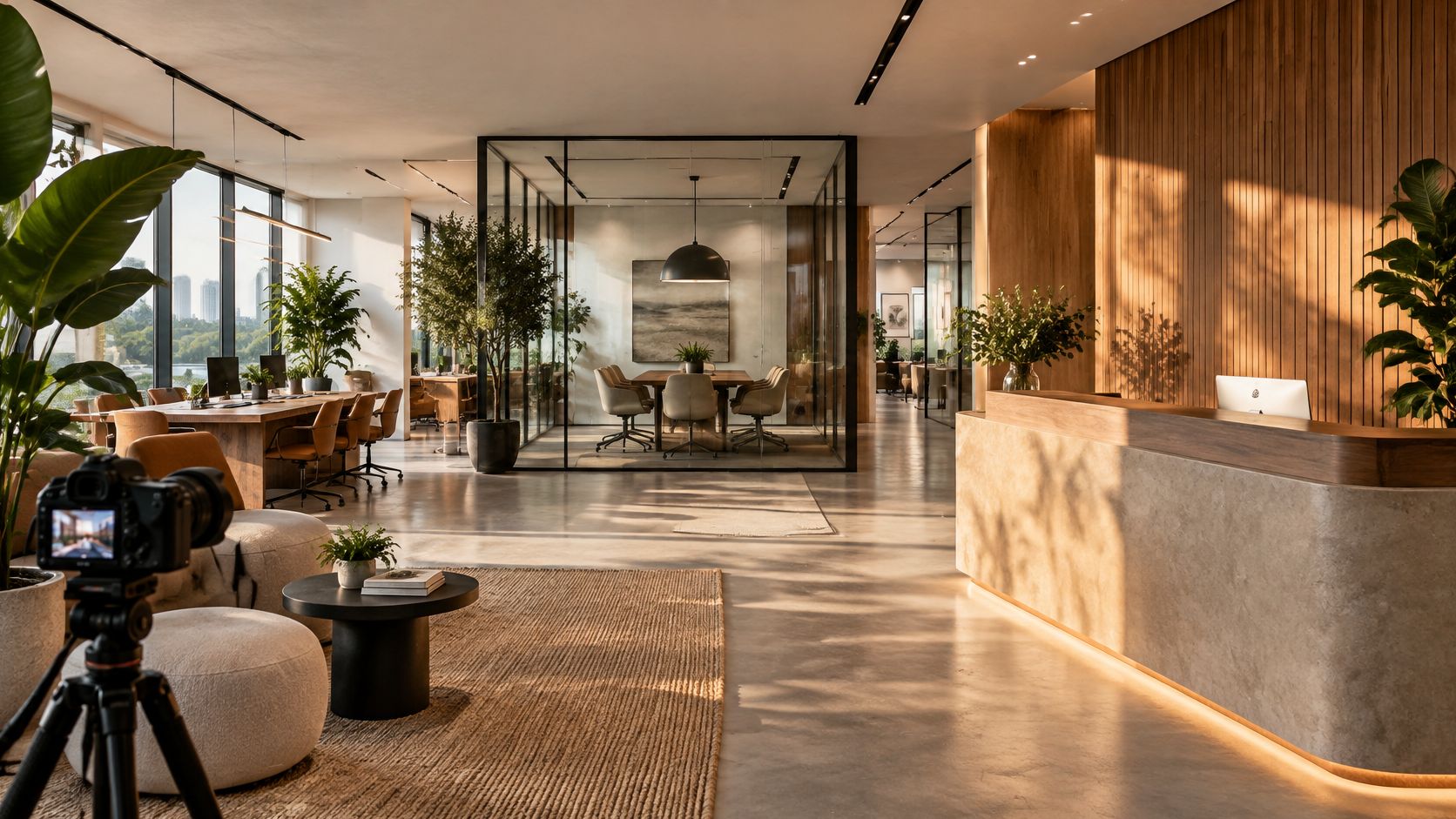
You're standing in a mid-sized office at 4 p.m. Overhead fluorescents are fighting the window daylight, the reception wall reflects every light source, and the meeting room looks smaller through the camera than it feels in person. Moving a chair won't solve the problem. You need to decide which light to preserve, where to place the lens, and what the finished photographs must explain.
Office interior design photos succeed or fail before the shutter clicks. A polished room can photograph badly when reflections hide its materials or a wide lens stretches its proportions. A modest workplace can read clearly when the photographer controls vertical lines, preserves useful shadows, and connects rooms through a deliberate sequence.
The seven gallery types below are useful reference tools for different shoot problems, from commercial brand presentation to historic-office details. Read each backward: identify the result, then work out the lighting, camera position, and coverage needed to produce it.
- For designers: Borrow ways to explain layout, materials, and employee choice.
- For clients: Separate attractive styling from evidence that the office functions.
- For photographers: Build references around decisions you can reproduce on location.
If your reference folder mixes photographs with proposed spaces, compare interior render types before treating every image as an achievable photographic setup. Renderings help communicate intent; photographs must negotiate the room that's there.
1. Commercial
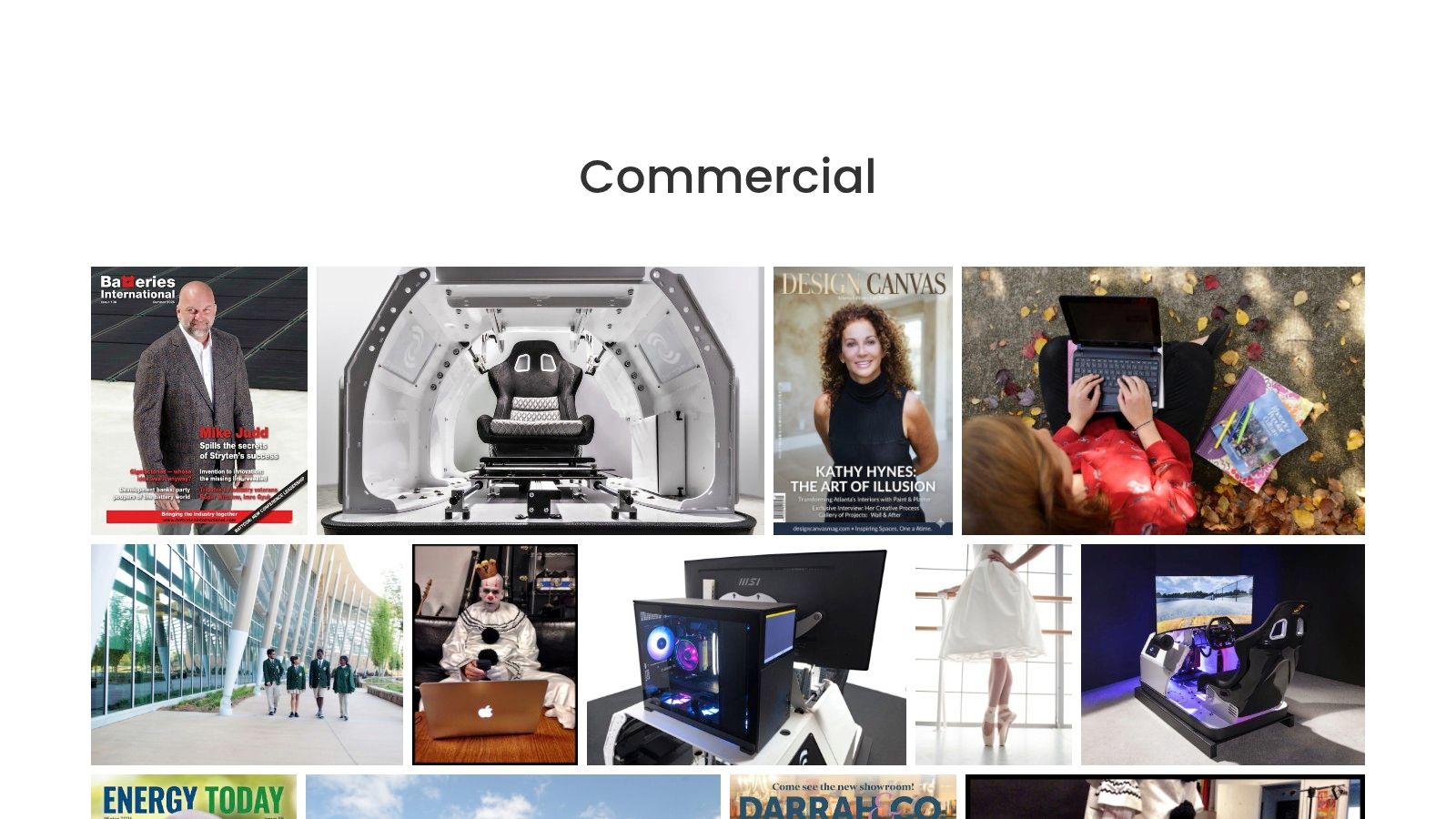
Best for matching architectural clarity with a business's visual identity. A focused commercial photography gallery is a more direct commissioning reference than a general portfolio that mixes unrelated subjects. Evaluate whether the photographer makes workplaces feel purposeful without turning every room into an advertisement.
Read the images backward from the reception wall. If its finish remains visible without distracting reflections, the photographer likely solved the camera angle and lighting position together rather than relying entirely on retouching. On your own shoot, move the camera laterally before adding light, then check reflective panels, glazing, and polished desks from the final position.
Keep the camera level and adjust its height until the foreground furniture supports the composition instead of blocking it. A lower viewpoint can give a reception desk presence, but it can also hide circulation and exaggerate nearby chairs. The right lens height explains the room's hierarchy without misrepresenting its proportions.
What to Borrow From the Sequence
A useful commercial sequence starts with the business environment, moves into how people use it, and finishes with identifying details. That editorial approach makes the photographs usable together rather than leaving the client with disconnected hero images.
- Establish the space: Show the entrance, reception, or main workplace with a readable route through it.
- Explain the function: Include meeting areas, workstations, and the transitions between them.
- Resolve the identity: Photograph materials, graphics, and details that distinguish the office.
There's a human reason to document more than finishes. In a global study of office workers, 33% said office design would unequivocally influence their decision about whether to work for an organization, according to the workplace design and natural-elements report. Photograph the workplace someone would encounter in everyday use, not just its most photogenic corner.
The trade-off: A curated gallery helps you judge composition and brand fit, but it doesn't establish pricing, availability, or the scope of an assignment. Ask what preparation, lighting, editing, and usage the proposed commission includes before comparing quotes.
2. Global Design Firm, Workplace Projects
Use a broad workplace project collection as a comparison tool, not a shot list to copy wholesale. Its value lies in seeing reception, meeting, lounge, and open-work areas within different project contexts. Descriptions can explain why a setting exists, which makes the accompanying photography more useful than an isolated image.
Start with a meeting-room photograph and trace the lighting problem. Windows may look inviting from the doorway while producing distracting reflections across the display from the intended camera position. Place the camera where the relationship between table, screen, and circulation remains legible, then adjust blinds and supplementary lighting without concealing how the room works.
For closer reference work, use these meeting-room photography examples to distinguish a room portrait from a functional view. A room portrait emphasizes atmosphere; a functional view explains seating, access, technology, and the relationship to adjacent spaces.
Practical rule: Don't choose a camera position solely because it makes the table look impressive. Choose it because the viewer can understand the meeting.
Preserve the Difference Between Daylight and Fill
A peer-reviewed office-lighting study found that natural light improved alertness, visual comfort, satisfaction, and workers' preference. That makes lighting accuracy part of the subject, not merely a technical concern.
Expose to retain meaningful window detail, then add restrained fill where furniture or finishes disappear. Avoid lifting every shadow until the room loses depth, and check that artificial lighting hasn't shifted neutral materials toward green or orange.
Strength: Broad portfolios let designers compare workplace types and understand design intent. Limitation: They require selective browsing, and they aren't stock-photo libraries. Confirm permission before reusing an image, even in a client-facing presentation.
3. Multinational Architecture Practice, Workplace Portfolio
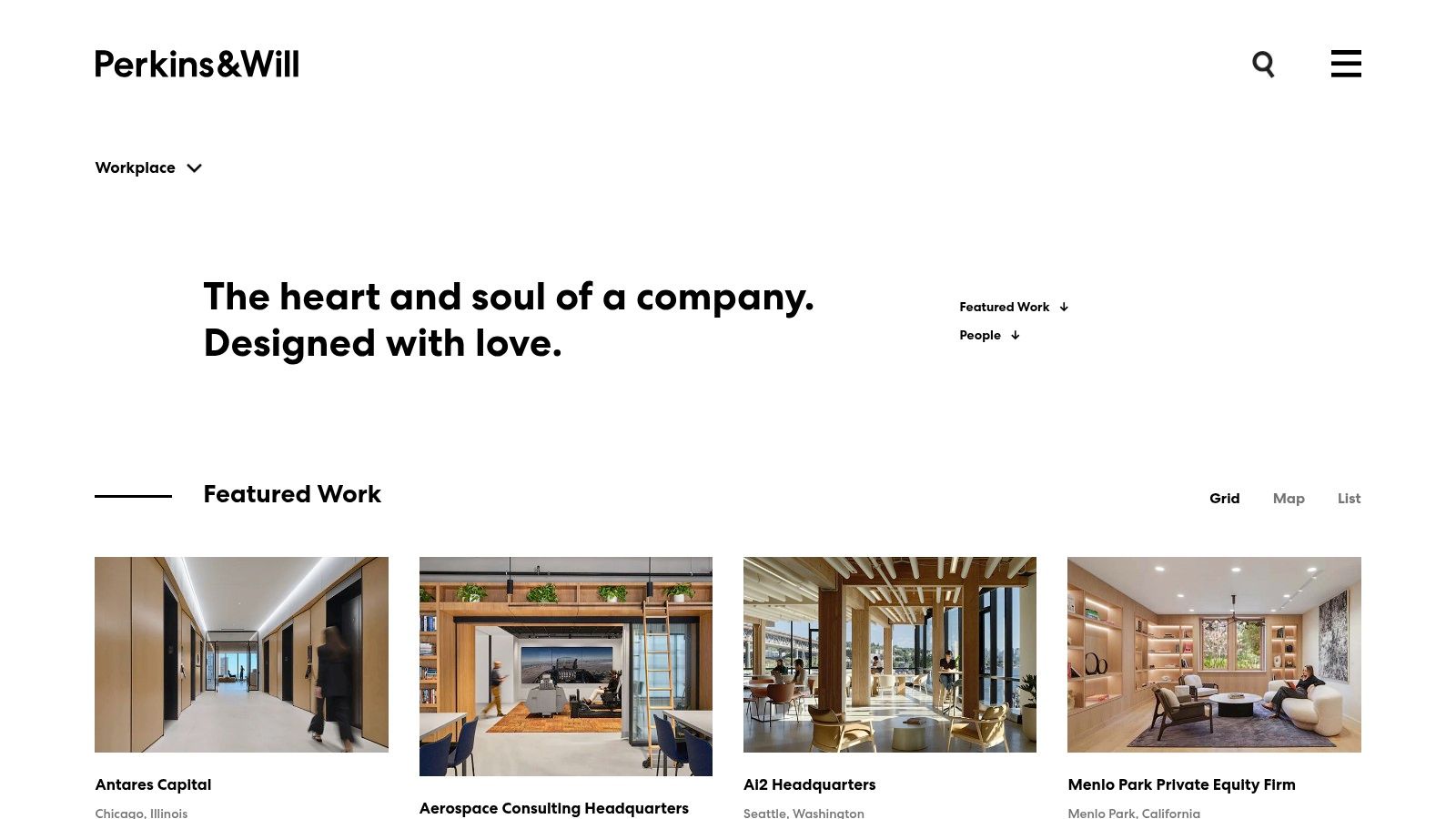
An expansive workplace can look convincing in a wide frame and still leave viewers unsure how anyone concentrates there. A browsable architecture workplace portfolio is useful for comparing the physical relationship between open desks, enclosed rooms, shared amenities, and quieter settings.
Read the gallery as a circulation study. Look for photographs that connect neighboring zones rather than treating each room as a separate destination. A doorway, change in ceiling treatment, or visible corridor can explain a boundary without requiring a floor plan.
Camera height matters particularly in open offices. Too low, and workstation screens can become an uninterrupted barrier; too high, and desks flatten into a diagram. Choose a position that shows both the work surface and the separation beyond it, then make a complementary frame where enclosure is clearer.
- Borrow the planning view: Show how collaborative and focused settings sit beside each other.
- Add the acoustic detail: Include screens, absorptive ceilings, and meeting-room boundaries.
- Keep the limitation visible: Don't crop out an open connection that changes how private a setting feels.
Research on office screens identifies improved concentration and privacy when the Speech Transmission Index falls below 0.50, according to the office-screen acoustics paper. A photograph can document acoustic provisions, but it cannot prove that the completed office achieves that result.
Compare Like With Like
Use location and project descriptions to narrow the portfolio to offices with comparable constraints. A hospitality-influenced lounge isn't automatically a useful reference for a workplace dominated by confidential calls.
The trade-off: A substantial collection offers variety, but photographic coverage and explanatory detail can vary by project. Treat the images as references for spatial decisions, not as a standardized, purchasable image collection.
4. Architecture Studio, Workplace Project Gallery
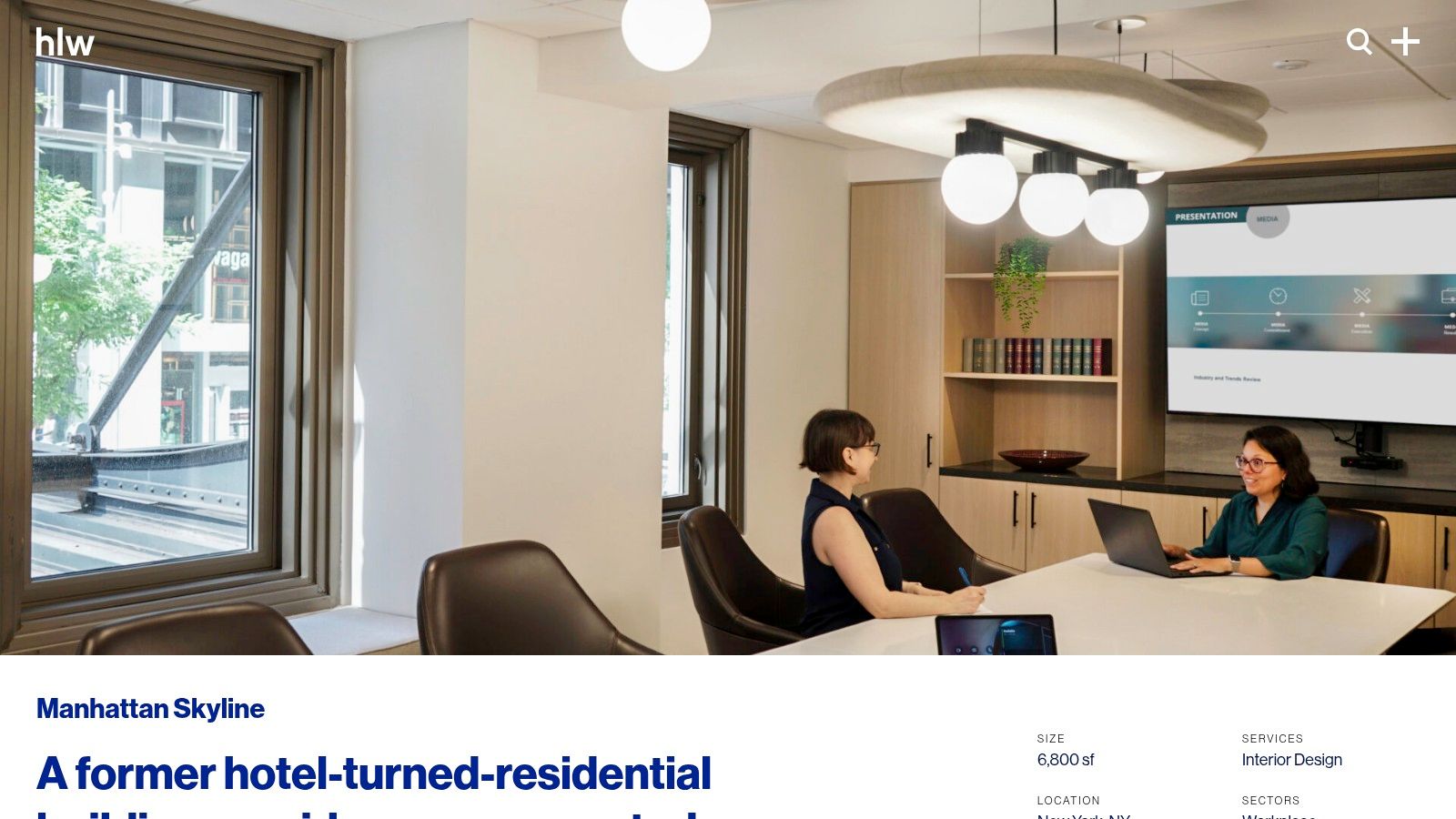
A renovation inside a building that wasn't originally planned as an office presents a different photographic problem from a new corporate floor. Existing openings, awkward room depths, and inherited details may be central to the design story. A contextual workplace renovation project page helps connect those constraints with the finished photographs.
Say a former residential room becomes a meeting space. Photographing only from its widest corner may disguise the original proportions and make the intervention harder to understand. A more useful sequence shows the approach, the room in context, and the junction where new workplace elements meet the existing fabric.
Don't correct away the design problem. Keep verticals controlled, but preserve the relationships that explain why the designer chose a particular layout. Move furniture only when it creates a temporary obstruction, not to invent a circulation route that occupants don't have.
Make Renovation Comparisons Credible
A pre- and post-occupancy workplace study recorded average occupant satisfaction increasing from 3.86 to 4.62 after renovation. If a client has comparable evaluation results, the photographs should identify the intervention those results accompany rather than implying the finish palette caused the improvement.
- Repeat the viewpoint: Match camera position, height, focal length, and viewing direction where practical.
- Identify the change: Caption revised layouts, privacy settings, daylight access, or acoustic treatments.
- Separate evidence types: Pair photographs with measured outcomes instead of treating appearance as measurement.
The advantage: Detailed project pages can explain materials, planning, meeting rooms, pantry areas, and workstations within a coherent design response. The limitation: A single project offers depth rather than breadth, and portfolio publication doesn't establish image-reuse rights or commissioning prices.
5. Boston Design Studio, Historic Office Gallery
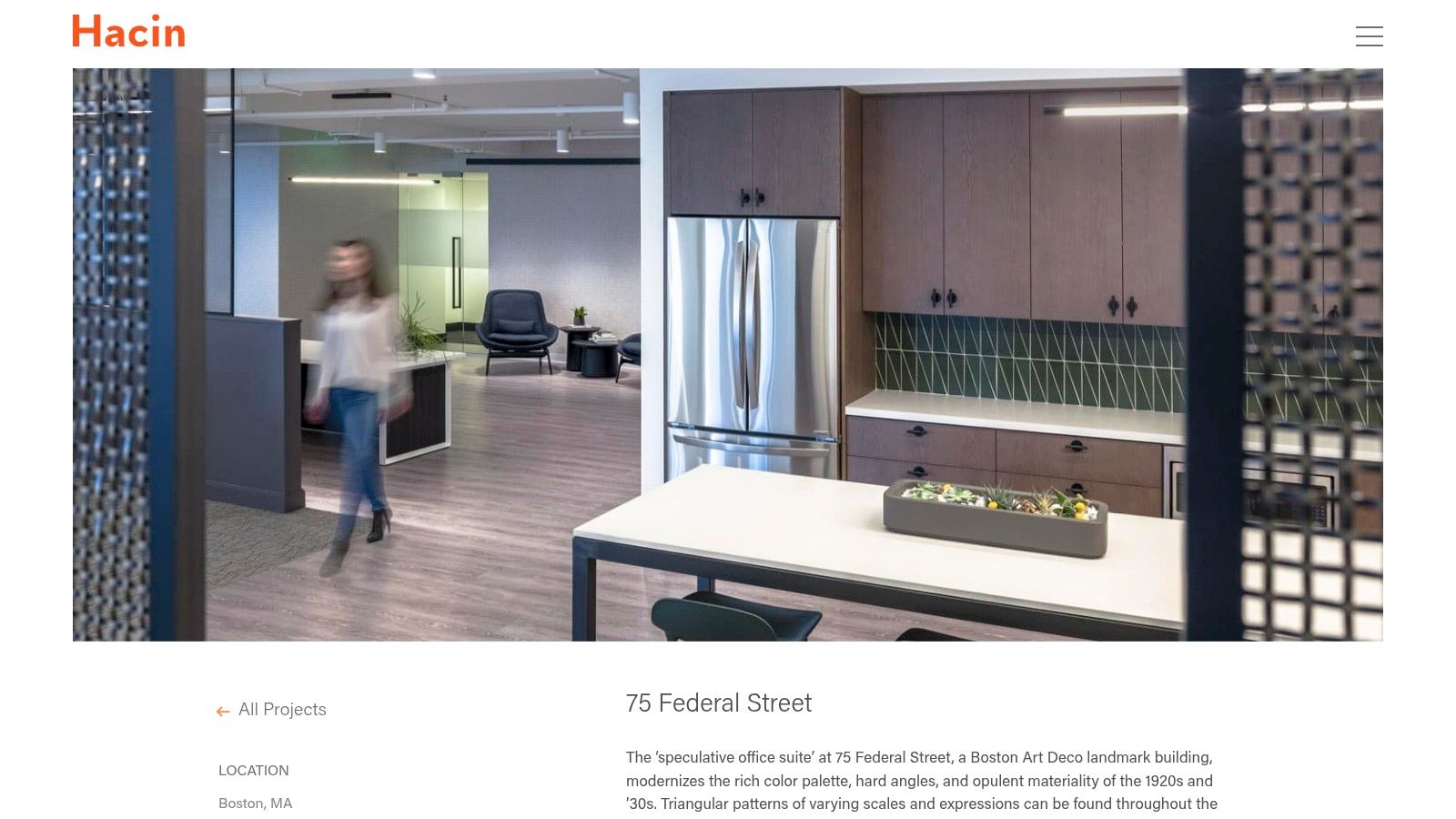
Historic offices need selective light, not indiscriminate brightness. A focused historic-office project gallery is useful for studying how period character and contemporary workplace elements can share the frame. The photographer must retain texture without making the office feel dark or museum-like.
Start with the material that would be easiest to lose. Glossy stone may reflect a light source directly, while textured timber may look flat under frontal fill. Change the light's direction before increasing its output, and inspect the transition between old and new materials at the actual shooting angle.
A polarizing filter can help manage certain reflections, but don't expect it to remove every highlight. Check glazing and screens carefully, and compare the filtered frame with an unfiltered exposure before deciding which better represents the finish.
A material detail belongs in the gallery when it explains a design decision, not merely because it makes an attractive close-up.
Keep the Office Legible
Sequence a contextual room view before the close details. Follow it with lighting, screens, custom seating, or junctions that explain how contemporary functions sit within the inherited architecture.
A daylight study of offices in a tower building found that interior core areas still needed supplementary electric lighting despite sufficient ambient daylight across much of the year. For a deep historic office, that's a useful reminder to photograph the transition inward rather than showing only the bright perimeter.
Best use: A tightly scoped gallery helps designers study a cohesive material approach. Main compromise: It offers fewer spatial comparisons than a large portfolio. Check photographer credits and permission requirements before borrowing images for anything beyond private reference.
6. Atlanta Photography Studio, Office Space Gallery
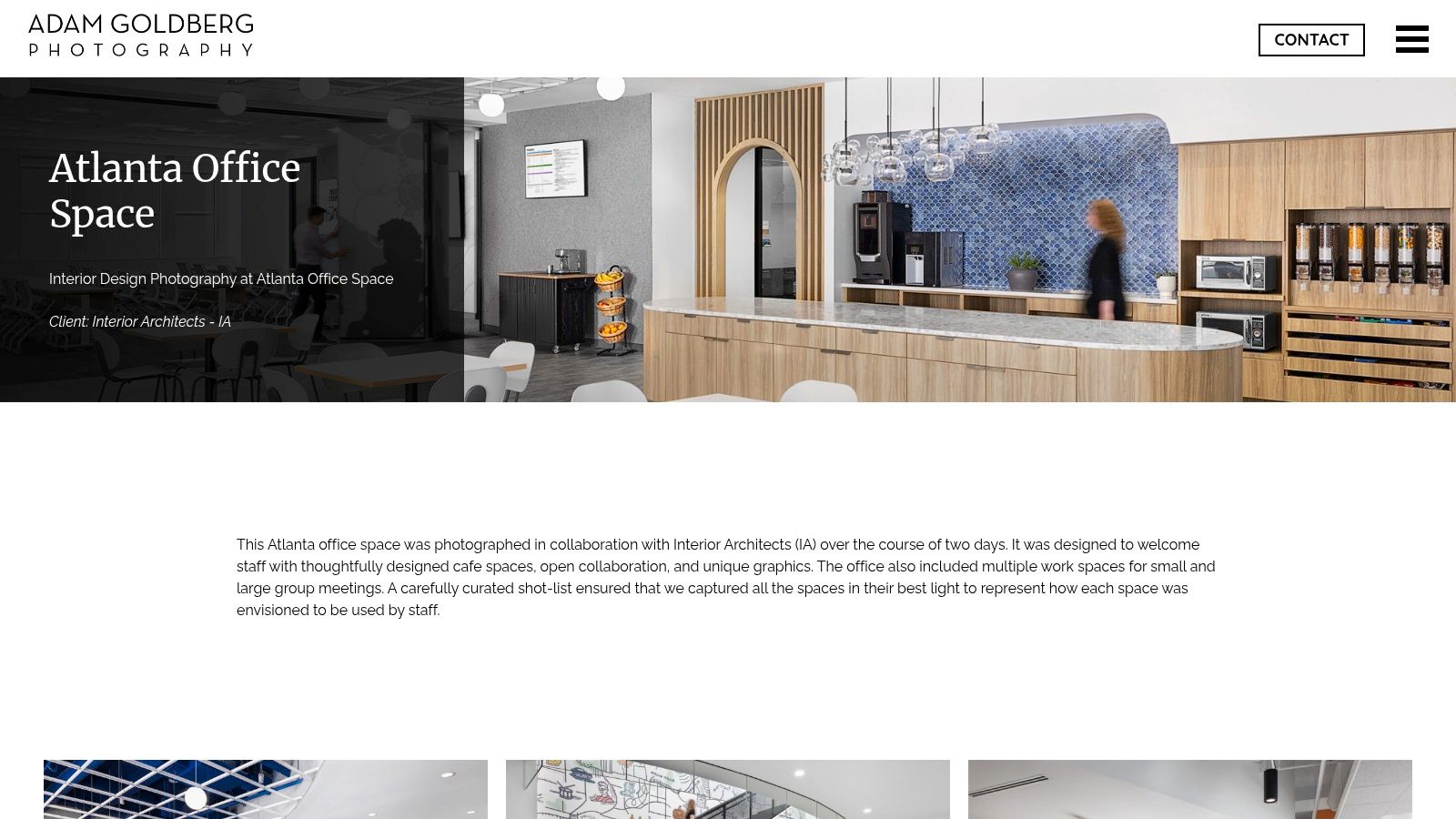
The difficult part of photographing a café, collaboration zone, and meeting suite isn't finding attractive angles. It's covering them in a sequence that feels like the same workplace. A project-based office-space photography gallery is especially useful when its accompanying notes explain preparation and shot-list planning.
Plan by light first, then by room. Photograph a window-facing café while its contrast is manageable, and reserve interior meeting spaces for periods when exterior conditions matter less. Walking through the office in floor-plan order may be convenient, but it can put the most demanding room in the worst light.
Use a consistent visual language across the assignment without forcing identical camera heights everywhere. A café composition may need to reveal seating depth; an open-work view may need to show circulation beyond desk screens. Keep the camera level and let the subject determine the elevation.
Show Use Without Stock-Photo Gestures
Build functional coverage around credible activities. Show someone joining a remote meeting, reviewing work at a shared table, or using a quiet setting, provided the participants consent and confidential information is controlled.
- Café areas: Keep a clear route between seating and service points.
- Collaboration zones: Show the working surface and the people using it, not just decorative furniture.
- Meeting spaces: Make the relationship between participants and technology visible.
For leasing-oriented assignments, compare that approach with commercial office real-estate photography. A designer may prioritize material decisions, while a property team needs readable amenities, circulation, and occupiable space.
Strength: A single-office assignment can demonstrate consistent coverage across varied settings. Limitation: It remains a commissioned portfolio example, not a ready-to-license image library. Ask how access, staff participation, editing, and intended uses affect the proposed scope.
7. Specialist Workplace Photographer, Office Portfolio
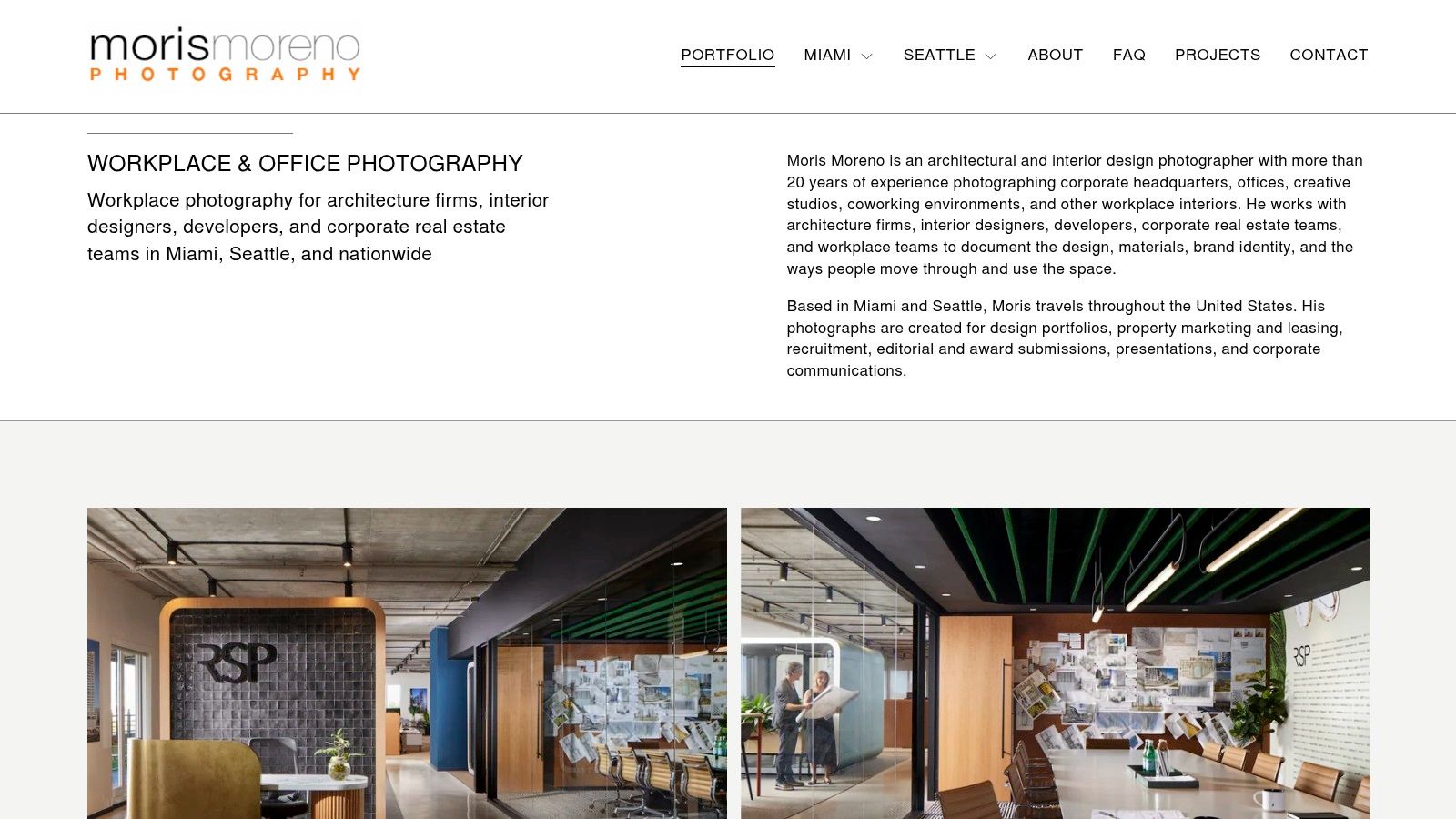
Choose a specialist workplace photography portfolio when the deliverables must serve different audiences. Architects need spatial relationships and details; leasing teams need amenities and usable layouts; recruitment teams need a believable account of working life. Similar rooms can require different framing for each purpose.
Read the gallery backward from the final use. A recruitment image may benefit from people and room for surrounding page copy, while an architectural publication may need an uninterrupted composition. Resolve those needs before the shoot rather than trying to crop every deliverable from the same wide frame.
For people-led coverage, review employee photography approaches alongside interior references. Direct participants toward credible tasks, keep faces clear of distracting background edges, and protect personal or confidential material on screens and desks.
Commissioning advice: Specify what each image must communicate and where it will appear. A room name alone isn't a sufficient shot description.
Photograph Choice, Not Just Style
Include quiet rooms, varied seating, adjustable workstations, accessible routes, and lighting controls where they form part of the design. Show how someone reaches and uses these settings, rather than treating inclusion as an isolated detail.
Keep performance claims separate from visible provisions. A review of indoor-air-quality and productivity studies connects workplace performance with ventilation and pollutant conditions that a photograph cannot establish. Grilles and operable windows document design features, not verified air quality.
The advantage: Specialist coverage can combine full-room compositions, details, and human activity within a coherent assignment. The constraint: A portfolio doesn't confirm availability, travel arrangements, rates, or usage fees. Establish those terms directly and make sure the proposed deliverables match the actual publication plan.
How the seven office photography sources differ in scope, best use, and access
| Item | Scope | Best For | Usage or Pricing Info | Location |
|---|---|---|---|---|
| Commercial | Business and commercial-space photography gallery | Assessing a photographer's style for brand or workplace projects | Pricing and availability are not listed | Not specified |
| Global Design Firm, Workplace Projects | Workplace portfolio with project galleries and design context | Comparing office types, layouts, and design styles | Not a stock-photo service; confirm image permissions | U.S. and international |
| Multinational Architecture Practice, Workplace Portfolio | Workplace projects across industries and locations | Scanning and comparing workplace design approaches | No standard purchase or licensing option presented | U.S. and international |
| Architecture Studio, Workplace Project Gallery | Office project galleries with design details | Exploring workplace functions, renovations, and corporate environments | Image-use terms and prices are not listed | Manhattan, New York |
| Boston Design Studio, Historic Office Gallery | Single office project in a historic building | Historic-office inspiration and cohesive project details | Image licensing and pricing are not listed | Boston, Massachusetts |
| Atlanta Photography Studio, Office Space Gallery | Photography of one commercial office project | Atlanta office photography and planned shoot examples | Commissioning prices are not listed | Atlanta, Georgia |
| Specialist Workplace Photographer, Office Portfolio | Office, headquarters, and coworking photography | Workplace photography for marketing, leasing, or communications | Rates and usage fees are not published | Based in Miami and Seattle; travels nationwide |
Turn These Frames Into a Workplace Visual Plan
Before commissioning an office shoot, sort each reference by the problem it solves: lighting control, room sequence, or material detail. A beautiful image without an identified purpose is a weak instruction. Add a short note explaining what you want to borrow, whether that's preserved window views, readable circulation, restrained reflections, or a convincing transition between spaces.
Build the shot list around those decisions rather than accumulating room names. For each setting, identify the audience, the design point, the required viewpoint, and any supporting detail. If the project needs both architectural documentation and recruitment content, distinguish those deliverables before choosing camera positions or arranging employee participation.
Schedule for the Actual Office
Scout the light your windows receive instead of assuming the entire assignment belongs in the brightest part of the day. Record which rooms depend on daylight, where direct sun creates glare, and which interiors can be photographed with controlled supplementary light. Check reflective walls and displays from likely camera positions, not just while walking through the space.
- Prepare the rooms: Remove temporary clutter, tidy cables, and confirm that furniture reflects the intended layout.
- Coordinate people: Arrange access, participant consent, screen content, and quiet periods for spaces that must remain operational.
- Protect continuity: Record blind positions, lighting states, and camera settings when comparisons or repeat visits matter.
- Define delivery: Agree on formats, crops, retouching expectations, credits, and permitted uses before production begins.
Confirm usage rights and pricing with each photographer or portfolio owner before assuming you can reuse an image. Permission to view a portfolio isn't permission to publish its photographs, and commissioning a shoot doesn't remove the need to define licensing terms. Put intended website, editorial, recruitment, leasing, and partner uses into the agreement.
Deliver Files That Remain Useful
Maintain clearly named master files, then prepare separate copies for publication. For externally shared images, decide whether embedded location information is appropriate and, when necessary, remove location metadata before saving JPEGs. Keep approved captions and image credits alongside the delivery so marketing teams don't have to reconstruct them later.
The strongest office interior design photos explain the workplace without overstating it. Ask for enough spatial context to understand the plan, enough detail to appreciate the materials, and enough functional coverage to see how people can use the space. That gives designers, property teams, and prospective employees something more useful than a polished impression.
Jimmy Clemmons Photographer offers architectural imagery, commercial brand content, and professional portraits, with location scouting, lighting design, on-set direction, and editing for a cohesive office image set. Visit Jimmy Clemmons Photographer to discuss your workplace, intended image uses, and the room compositions, material details, and employee coverage your assignment needs.