
Your annual report deadline is getting close. Marketing has a draft. Investor relations has key messages. Leadership wants the photography to feel polished, credible, and current. Then the familiar problem appears: everyone agrees you need images, but not everyone agrees on what those images are supposed to do.
That's where most annual report photography goes off track.
The weak version looks fine at first glance. It has a headshot of the CEO, a few office scenes, maybe a facility exterior, and some smiling employees in a conference room. The stronger version does something harder. It supports the report's claims. It shows how the company operates, how leadership makes decisions, what standards are followed, and why a skeptical reader should believe the story on the page.
Annual report photography works best when it's treated as evidence, not decoration. Investors, board members, lenders, partners, and internal stakeholders all read images quickly. Before they study a chart or read a shareholder letter, they're already deciding whether the business looks disciplined, transparent, and real.
Why Your Annual Report Photography Matters More Than Ever
A marketing director usually reaches this stage with two pressures at once. The report needs to look strong, and it needs to feel believable. Those aren't the same thing.
A beautiful image can still weaken a report if it feels generic. Readers know the difference between a real operating environment and a staged brand photo with no connection to the business. In annual report photography, credibility matters more than polish alone.
The stakes are not small. The U.S. photography industry, which includes the specialized niche of annual report photography, is projected to reach $16.2 billion in 2026 according to IBISWorld industry data. Companies continue to invest in visual communication because the right imagery helps carry complex messages quickly and clearly. If you're weighing whether the shoot deserves serious planning, that market size is a useful reality check.
Investors read visuals as signals
An annual report image does more than fill layout space. It signals how a company sees itself.
When leadership is photographed in a way that feels stiff, overlit, or disconnected from the business, the report can feel manufactured. When operations are shown only as tidy abstractions, the company may appear reluctant to show how the work happens. On the other hand, images that show real environments, real people, and real processes give the report weight.
Practical rule: Every image in an annual report should answer one of two questions. What does this company do, or why should a stakeholder trust how it does it?
That shift in thinking changes everything. You stop asking, “What photos do we need?” and start asking, “What visual proof does the report require?”
For teams thinking about visual investment more broadly, the same logic behind the ROI of professional photography applies here. Strong imagery doesn't just improve appearance. It can clarify value, reduce doubt, and make the report feel coherent from cover to back page.
Trust is the real deliverable
The annual report lands in front of your most demanding audience. These readers aren't looking for mood. They're looking for signs of competence, continuity, and substance.
That's why annual report photography matters more than ever. In a skeptical environment, generic brand imagery rarely helps. Specific, grounded, evidence-rich photography does.
Strategic Pre-Production and Planning
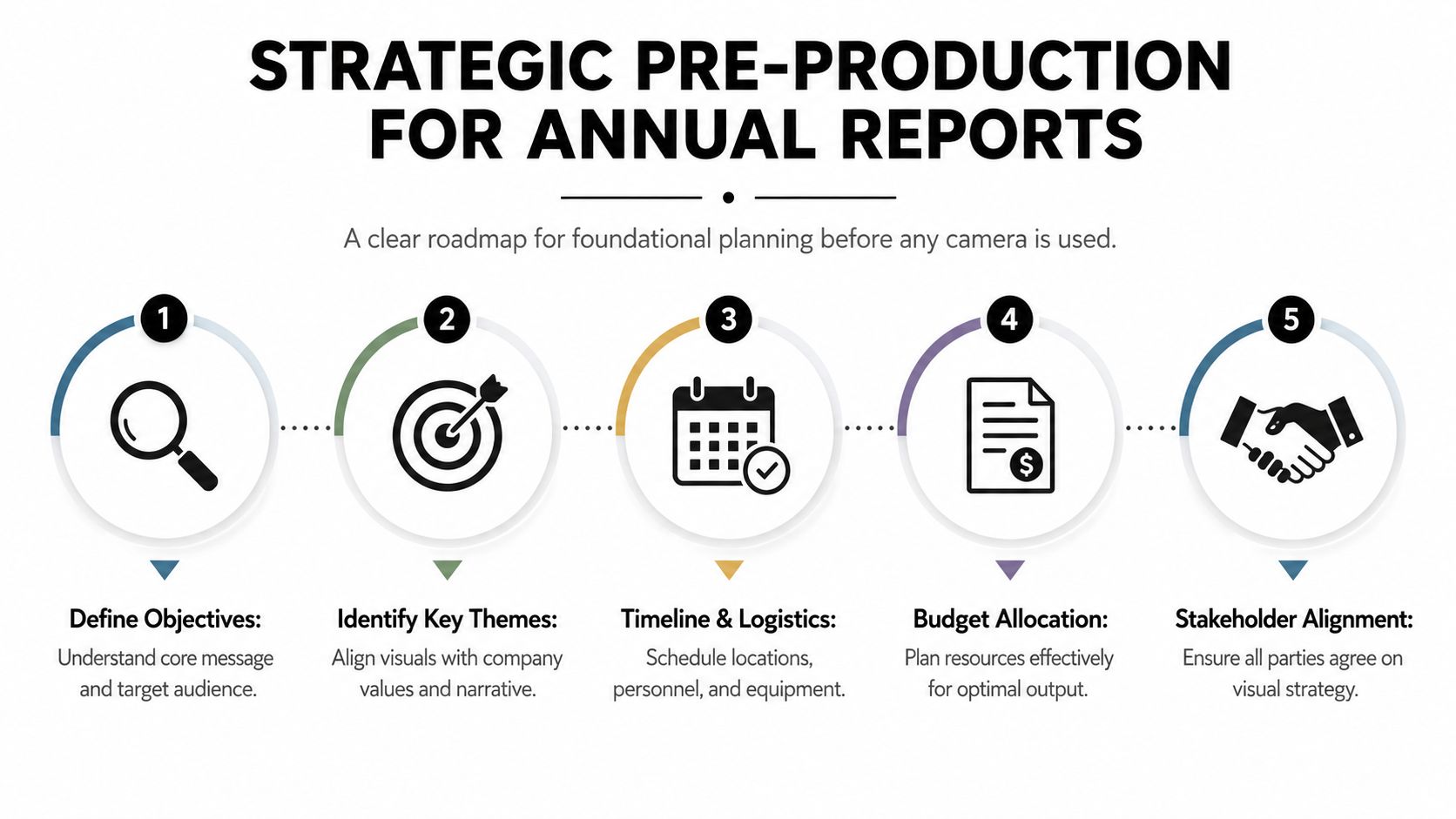
Most annual report shoots succeed or fail before shoot day. The camera isn't the main variable. Alignment is.
Best-practice guidance for annual report photography structures the workflow across four phases: a unified brief with the designer, location and shot-list planning, the production shoot, and post-production including captioning and file delivery, as outlined by Annual Report Best Practice. That sequence matters because each decision affects the next one.
Start with one shared brief
If the photographer, designer, and internal lead aren't working from the same brief, the images and layouts will fight each other later.
The brief should define the report's central message in plain language. Stability. Expansion. Operational rigor. Innovation. Community presence. Pick the ideas that matter most and make them concrete. “Innovation” means very little by itself. “Innovation shown through live testing, prototyping, and cross-functional review” is something a photographer can plan for.
A useful brief also settles practical issues early:
- Primary audience: Investor audiences need different proof than recruiting audiences. Decide who the report must reassure.
- Required deliverables: Confirm whether images will live only in the report or also on the website, in presentations, or in broader marketing use.
- Priority pages: Flag the spread openings, leadership pages, facility sections, and operational pages that need custom imagery.
- Approval structure: Name who can approve concepts, locations, wardrobe, and final selects. Too many reviewers create hesitation on set.
When clients handle this stage well, the whole production becomes calmer. If you need a location-readiness checklist, a practical reference is how to prepare a site for a photoshoot, especially for active offices, plants, campuses, or job sites.
Scout for proof, not just aesthetics
Location scouting for annual report photography isn't a search for the prettiest room. It's a search for the clearest visual evidence.
A polished lobby may work for one opening spread, but it won't carry the report alone. The stronger locations are often the ones where the company's claims become visible: a quality-control station, a distribution checkpoint, a design review wall, a training area, a testing lab, a managed warehouse aisle, a field inspection, a safety meeting.
The best location is usually the place where your process becomes visible to an outsider in one frame.
During the scout, look for three things at once. Operational relevance, visual order, and manageable light. If a space proves the story but looks chaotic, plan how to simplify it. If a room looks beautiful but says nothing about the business, it probably belongs in marketing collateral, not the annual report.
Build a schedule that protects the story
A rushed schedule produces shallow images. People get pulled in and out too quickly, executives become impatient, and no one has time to shape scenes properly.
A working schedule should group by location and by story type. Photograph leadership when everyone is fresh. Schedule operational images when the process is happening, not during downtime. If you need employee groupings, avoid stacking them all late in the day when expressions and energy flatten out.
This is also where you decide whether to feature real employees, which I usually prefer. Real teams understand tools, workflows, and spaces naturally. The trade-off is time. They need direction, context, and breathing room. If you want authenticity, you have to budget for it in the schedule.
Developing a Narrative-Driven Shot List
A standard shot list usually includes the obvious items. CEO portrait. Team meeting. Exterior. Facility interior. Employees at work. That checklist is not useless, but it rarely produces a report that feels persuasive.
The stronger approach is to build the shot list around stakeholder questions. What would a cautious investor want to see? What would a board member need visual confirmation of? What would make a claim about quality, governance, execution, or long-term value feel more believable?
Guidance on annual report coverage often misses this point, but one especially important idea is that annual report imagery should function as a trust-building tool, with verification-ready proof points such as supply-chain traceability or compliance workflows, not just attractive brand scenes, as discussed in this annual report photography guidance.

Four categories that actually carry a report
Instead of listing shots by department, build them by narrative role.
Leadership with context
A headshot alone says very little. A stronger leadership image places the executive in an environment connected to the company's real work. That might be on the production floor, inside a design lab, at a site review, or in a purposeful architectural setting tied to the organization's operations. The point isn't to make them look busy. It's to connect decision-makers to the business they describe.
Operational proof
Trust is often won through operational proof. Show a real process in progress. Capture inspection, verification, tracking, calibration, quality review, training, safety checks, or regulated handling. If the report speaks about standards, efficiency, oversight, or resilience, these images give those words something to stand on.
Assets and environment
Facilities, equipment, infrastructure, logistics, campuses, and project sites matter because they show scale and investment. But they need intention. A building exterior is weak if it's only a pretty facade. It becomes useful when it communicates access, activity, capability, maintenance, or occupancy.
Culture under pressure
A lot of companies ask for “culture shots” and receive staged laughter around a laptop. That image has become visual wallpaper. Better culture images show real collaboration, mentoring, training, review, problem-solving, or customer interaction. They show how people work together, not just that they exist in the same room.
The shot list should test the report's claims
I often tell clients to place the draft report beside the shot list and challenge every key claim.
If the report says the company has strong compliance discipline, where is that visible?
If it says operations are resilient, what process or environment shows that?
If it says leadership is close to the business, where do we see that proximity?
A useful way to build this is through a simple working grid:
| Report claim | Visual evidence needed | Best location |
|---|---|---|
| Operational reliability | Process oversight, inspection, workflow continuity | Production floor, service bay, operations center |
| Long-term investment | Infrastructure, equipment, maintained facility | Plant exterior, lab, campus, site |
| Strong leadership | Executive in meaningful business context | Office, site walk, production area |
| Employee capability | Training, review, collaboration, technical work | Workshop, conference room, field setting |
For teams brainstorming categories, a broader commercial reference like 10 must-have shots for your next portfolio can help spark ideas, but the annual report version should always be focused on stakeholder trust, not general marketing variety.
If a planned image could appear in any company's report, it probably doesn't belong in yours.
Mastering the Shoot with On-Set Direction
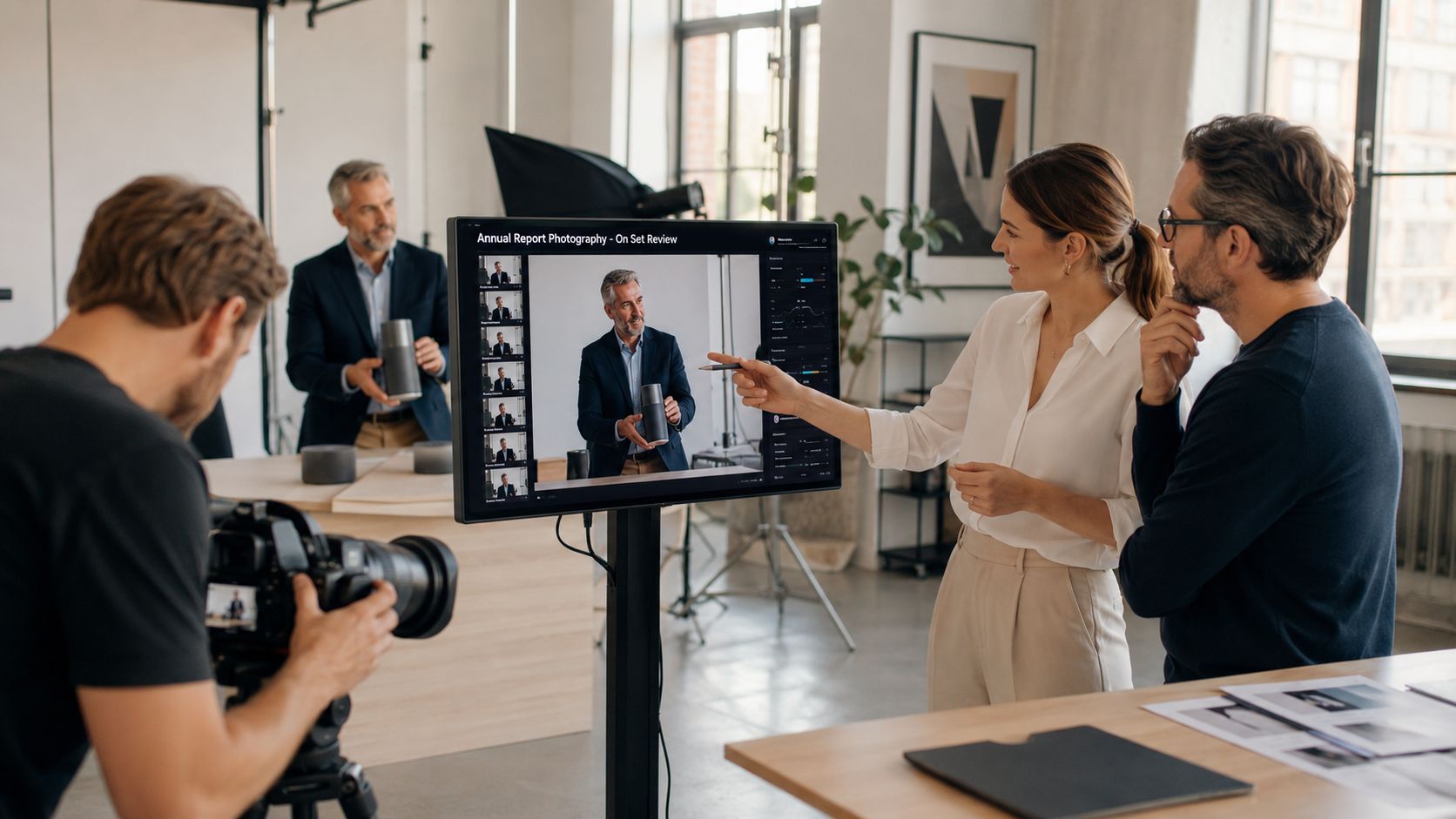
Shoot day usually starts with confidence and gets complicated fast. The CEO has ten minutes. A conference room that looked good during scouting has gone dark under storm clouds. Operations can spare only two employees at a time. Someone from leadership asks for “more candid shots,” while also wanting every frame approved in real time.
That's normal. Annual report photography is a live negotiation between schedule, people, space, and message.
Direct people like people, not props
A nervous executive often tries to “perform” confidence. That usually creates the exact opposite on camera. The posture gets rigid, the smile becomes fixed, and the eyes disconnect. The best correction isn't more pressure. It's a clearer task.
Give the subject something specific to do. Stand here. Turn slightly toward the window. Look at the edge of the table, then back up. Put one hand on the chair. Take a breath. Think about the point you're making in the shareholder letter. These instructions sound small, but they replace self-consciousness with action.
The same goes for employee groups. If you tell a team to “act natural,” they won't. If you ask them to review a drawing, inspect a component, discuss a screen, or walk a route they know well, their body language improves immediately because the action is familiar.
Consistency is what saves the final layout
One of the most common technical failures in annual report imagery is inconsistency, and design guidance recommends plain backgrounds, natural light, and extra headroom and torso space so editors can crop flexibly and standardize color in post, according to annual report design photography recommendations.
That sounds technical, but the practical meaning is simple. Don't make the designer solve avoidable problems later.
Here's what usually works on set:
- Keep backgrounds quiet: Walls, architectural lines, and workspaces should support the subject, not compete with them.
- Protect crop flexibility: Leave room above the head and around the torso when the image may run in multiple layouts.
- Stay disciplined with light: If portraits are made under different color temperatures and directions, the report starts to feel patchy.
- Watch visual clutter: Exit signs, tangled cables, random paperwork, and bright objects become distracting faster on the page than they do in person.
A cohesive set of images often matters more than any single standout frame.
A short behind-the-scenes example helps illustrate the pace and judgment involved:
What authenticity actually looks like
Authenticity in annual report photography doesn't mean loose or sloppy. It means believable.
That usually comes from controlled conditions with natural behavior inside them. You choose the cleaner background. You shape the light. You position the team where the space reads clearly. Then you direct interaction that fits the actual work. That's very different from asking people to fake a moment and hoping it feels real.
On architectural and environmental frames, composition carries a similar burden. A facility photo should show order, access, scale, or workflow. If the angle is dramatic but confusing, it may impress for a second and then fail the report. Clarity wins more often than visual tricks.
Post-Production and Delivering for Impact
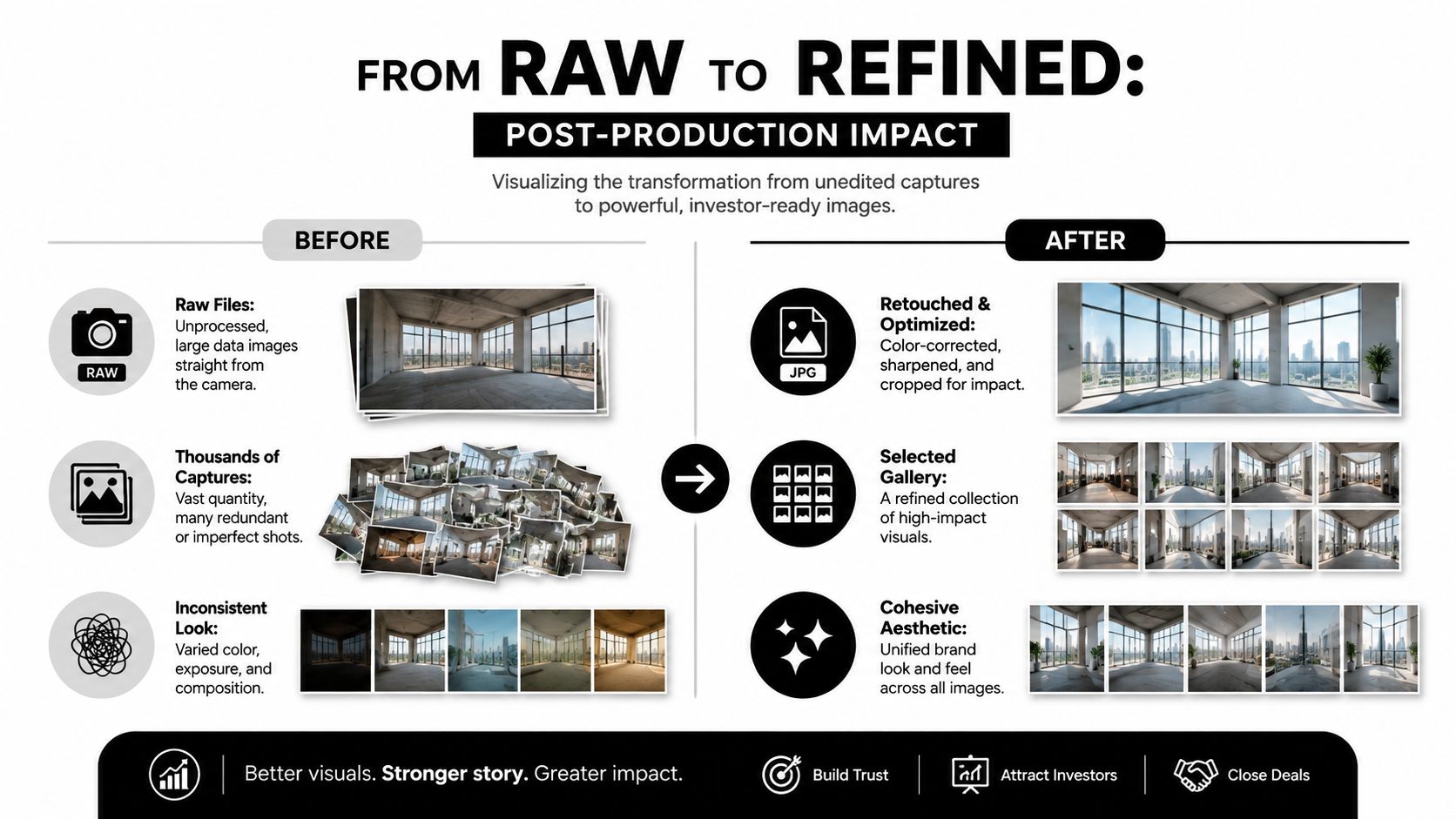
Annual report images earn their real value after the shoot, when they are edited, organized, and delivered in a way that supports the story your report needs to tell.
A strong post-production process does more than polish files. It turns a large set of captures into visual evidence the design, investor relations, and communications teams can use with confidence. That matters because annual report photography is rarely judged one frame at a time. It is judged as a system. Do the images support the claims on the page? Do they show operational discipline, capable leadership, and real assets with enough clarity to strengthen trust?
Edit for clarity, not fiction
Selection comes first.
On a typical report assignment, there may be several versions of the same setup that look similar at a glance but communicate very differently on the page. One frame shows confident body language. Another has a distracted expression. A third places a piece of equipment in a way that better supports the message about capacity, safety, or process. Editing is where those differences get decided.
Retouching should protect credibility. Good post-production removes temporary distractions, evens out color, corrects exposure, and keeps the image set visually consistent across locations and shoot days. It should not rewrite reality. If a workplace is active, it should still look active. If a facility is highly controlled, the final image should show that order accurately, not by stripping out every trace of actual use.
A simple test helps. If an investor, board member, or analyst visits the site later, the photograph should still feel truthful.
Delivery affects the design process more than clients expect
Design teams need files they can place quickly and trust immediately. If handoff is disorganized, the cost shows up in layout delays, caption errors, duplicate review rounds, and last-minute requests for missing crops.
I usually prepare delivery around how the report will be built, not around how the files came off the camera card. That means clear selects, predictable naming, and exports that match likely use cases instead of forcing the design team to guess.
What helps most:
- Selects separated by priority: Hero images, supporting images, and alternates should live in clearly labeled folders.
- Consistent file names: Include subject, location, and sequence so anyone on the team can identify a file without opening it.
- Caption notes: If the image shows a facility, process, executive, or team function, include the approved terminology to reduce factual errors in layout.
- Alternate crops prepared in advance: Vertical, horizontal, cover-safe, and web-ready versions save time and protect composition.
- Color and export consistency: Files should match each other well enough that the report feels unified across spreads.
The strongest delivery package helps the report team move faster while making the company look more credible.
Deliverables should match business use, not just report specs
Annual report photography often has a longer life than the report itself. The same images may show up in investor decks, press materials, recruitment pages, internal presentations, or next year's communications planning. That is why deliverables should be defined by actual business use, then exported with those uses in mind.
A practical handoff usually includes final high-resolution selects, secondary supporting frames, ready-to-use crops, caption references, and a folder structure that mirrors how your internal team works. When that package is done well, the photography keeps producing value after publication instead of sitting in an archive that no one wants to sort through.
Budgeting Timelines and Final Considerations
Annual report photography budgets often feel confusing because clients think they're buying a day of shooting. In practice, they're buying planning, production judgment, post-production labor, and usage rights.
That distinction matters. A quote that looks simple at first can become expensive later if it leaves out scouting, assistants, retouching, file prep, or licensing for broader use beyond the report itself. The right budget is the one that reflects the actual scope of work.
What you're actually paying for
A professional annual report assignment usually includes several cost categories. Not every project needs every line item, but most serious shoots include more than camera time.
- Creative and planning time: Briefing, concept alignment, calls, shot-list refinement, coordination with design and marketing.
- Production day rates: Photographer time on site, often shaped by number of locations, talent complexity, and schedule demands.
- Crew and equipment: Assistants, lighting support, grip, backup gear, and any specialty tools needed for architecture, portraits, or active operations.
- Post-production: Editing, color correction, retouching, file organization, alternate crops, and delivery prep.
- Licensing and usage rights: Permission to use the images in the annual report and, if negotiated, in other channels such as the website or marketing collateral.
Clients should also confirm what happens if they need an additional half day, weather rescheduling, leadership reshoots, or expanded usage later. Those are normal conversations. They're much easier before the first invoice goes out.
Timelines need room for approvals
Many annual report photography problems are timing problems in disguise. If the schedule is too compressed, there's no room for scouting changes, internal reviews, executive availability shifts, or post-production rounds.
A practical planning view looks like this:
| Phase | Duration | Key Activities |
|---|---|---|
| Briefing and alignment | Varies by project scope | Message alignment, audience priorities, page needs, usage discussion |
| Pre-production | Varies by location and approvals | Scouting, scheduling, shot-list development, coordination with stakeholders |
| Production | Varies by number of locations and subjects | Leadership portraits, operational coverage, environmental imagery, team scenes |
| Post-production | Varies by image volume and review needs | Selects, retouching, color consistency, caption support, export and delivery |
The point isn't to force every project into one template. It's to avoid pretending that approvals happen instantly or that file delivery is automatic.
Usage rights deserve plain English
Usage rights are where many clients get surprised.
Owning a copy of the image file is not the same as owning unlimited rights to use it anywhere forever. The agreement should spell out where the images may appear, for how long, and whether future marketing, website, recruiting, or campaign use is included. If the annual report images may become a larger brand asset library, say that early.
That conversation isn't legal fine print. It affects how the assignment is priced and how useful the images become over time.
The smartest annual report photography investment usually isn't the cheapest shoot. It's the one planned well enough to produce credible, flexible images that still work after the report is finished.
If your team needs annual report photography that shows real operations, leadership, and built environments with clarity, Jimmy Clemmons Photographer can help plan and produce imagery that fits both the report layout and the business story behind it.