
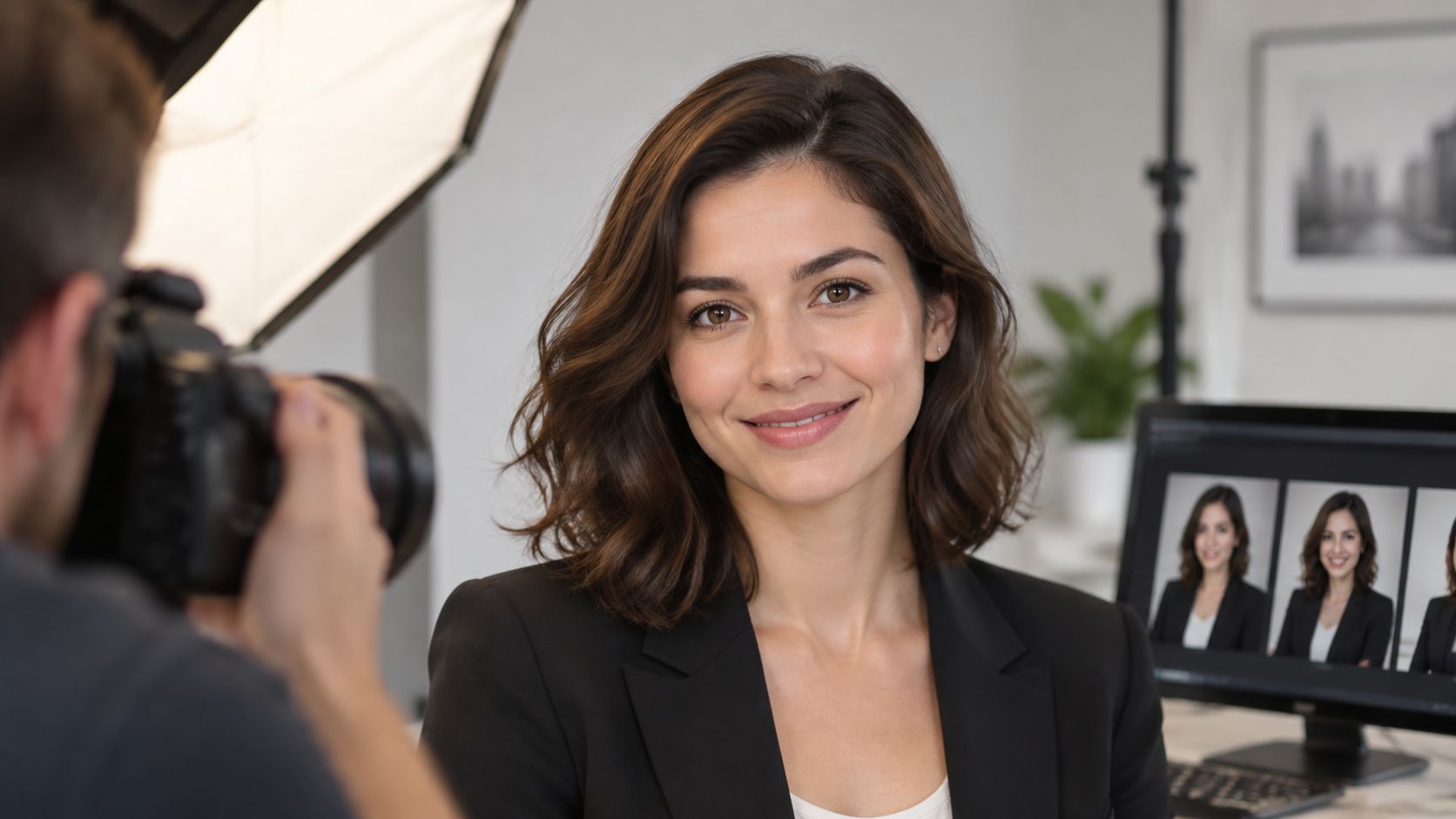
You're updating a staff page, and the portraits look polished on a laptop. Then they shrink into small circles, where one person's chin disappears, another image has a different background, and the team no longer looks like it belongs together. That's a common failure of professional headshots for work: the photo was chosen as a standalone image, not prepared for the places people will see it.
A better approach treats headshots as a two-file visual system. Give every person a clean primary portrait for directories and profiles, plus a lightly contextual image that shows something about their workplace or role. The first file supports recognition; the second gives viewers a clearer sense of the person's work and the organization's culture.
Work Headshot Crops and Framing by Use
Attach this crop table to the booking so the photographer and coordinator agree on the deliverables before the session.
| Use | Crop target | Framing | Background | Expression |
|---|---|---|---|---|
| Professional networking profiles and directories | 1:1 square | Head and upper shoulders, eyes in the upper third | Neutral or soft workplace blur | Relaxed genuine smile, both eyes visible |
| Company staff page | 1:1 or 4:5, same for every person | Identical headroom across the team | One shared backdrop | Matched to the team, slight smile |
| Website biography | 4:5 or 3:2 | Head and shoulders plus a little environment | Restrained workplace context | Approachable and role-appropriate |
| Proposal or pitch page | 1:1 grid plus 3:2 page frame | Tight crop for the grid, wider for the page | Clean site or studio | Confident, direct gaze |
| Speaker bio and press | 2:3 vertical, around 2000 pixels on the long edge | Head and shoulders, nothing crossing the face | Simple and press-safe | Neutral to warm, no sunglasses |
| Email signature or round avatar | Small circle, often under 100 px displayed | Face centered with cheek and chin room | Plain | Clear eyes, simple expression |
The square crop is useful, but it shouldn't be the only deliverable. A tight portrait that looks strong at full size may fail once a page template turns it into a circle. Leave space around the cheeks and chin, and check the actual circular mask before approving the file. That catches clipped shoulders, a jaw pressed against the edge, or a face that becomes too small to recognize.
Make the second file earn its place
Use the primary portrait where consistent identification matters: profiles, directories, and grids. Make the second image lightly contextual, with a workplace setting, equipment, materials, or a room that helps communicate the subject's role without distracting from their face. A designer's portrait might include a restrained studio backdrop; an educator's might show a familiar learning environment. Keep the person visually recognizable in both.
A guide to LinkedIn profile photos can help clarify how a profile portrait needs to work at small display sizes. But visibility isn't credibility. The purpose of the contextual frame isn't to attract attention at any cost. It's to help a viewer form an accurate expectation of the person's work, manner, and setting.
Recruitment advice often reduces portraits to rules about smiling or looking formal. A more useful guide to headshots and role context argues for matching background, posture, wardrobe, and lighting to the work and audience. Keep headroom, camera height, and background consistent across a team, while letting each person retain a natural expression. A shared system looks cohesive; a single “perfect” pose imposed on everyone can look stiff and unlike the actual workplace.
Brief, Check, and Run the Session
A reliable team session doesn't begin when the camera comes out. It begins with decisions about who will use the images, what each person will receive, and how the team will approve the results.
A survey of more than 200 HR professionals, managers, and business owners found that 8 in 10 respondents considered a LinkedIn profile picture an important ranking factor, while 71% said they'd rejected an otherwise qualified candidate because of a poor profile picture. Those figures come from a survey, not a controlled hiring experiment, so treat them as a reason to manage image quality, not a promise that a portrait will change an employment outcome.
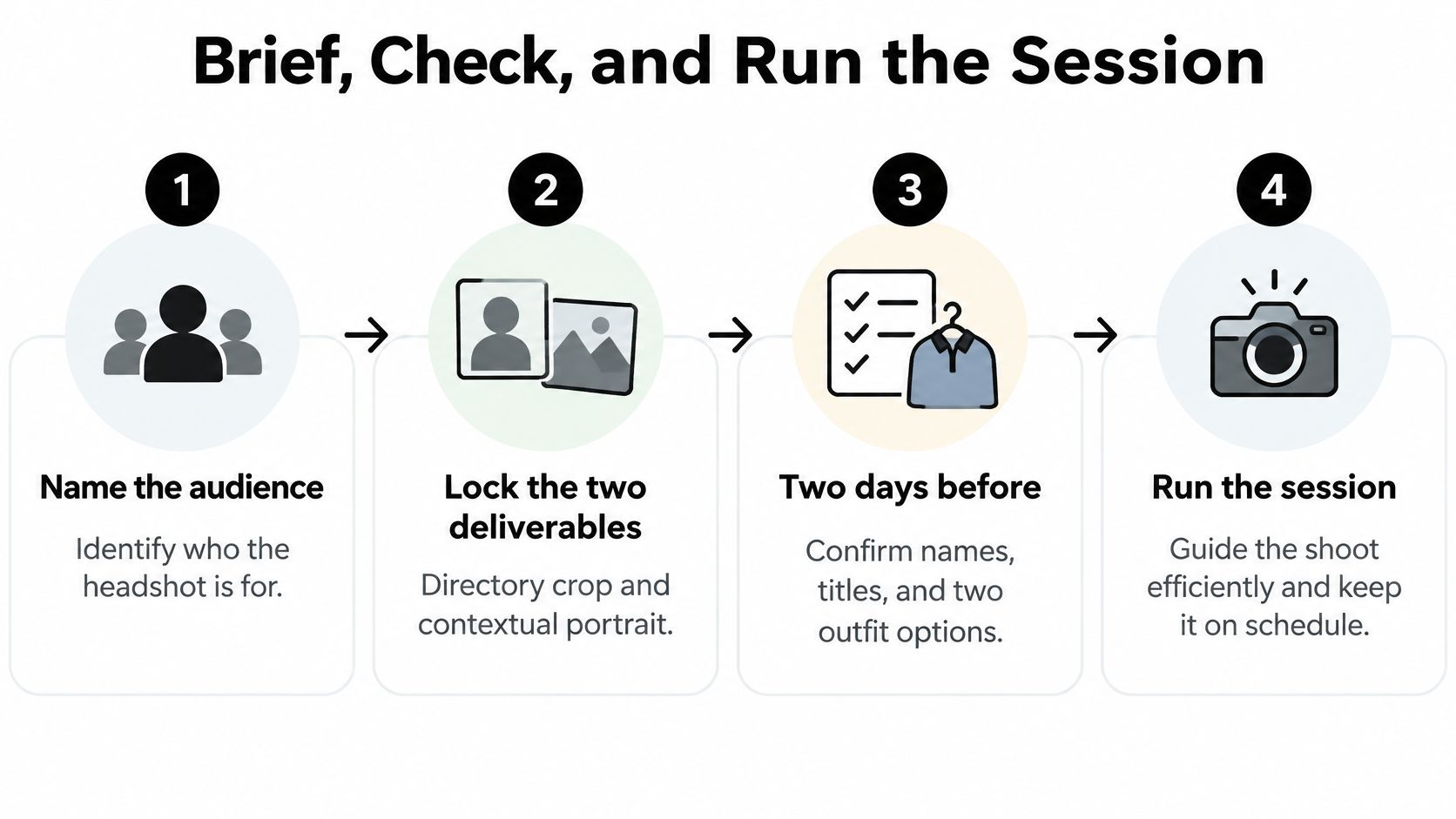
Run the session with these eight steps. They give the coordinator a clear sequence and reduce avoidable rework.
Name the audience. Decide whether the images serve prospective clients, job candidates, students, partners, or the public. The intended audience determines how formal the wardrobe and setting should feel.
Lock the two deliverables. Specify a clean directory crop and a lightly contextual portrait for each person. Decide which image goes to each page or platform before anyone selects an outfit.
Confirm details two days before. Check names and titles, ask for two outfit options, and confirm whether the person normally wears glasses at work. Ask them to arrive with their hair as they usually wear it, and note any mobility or access needs that affect the setup.
Write a one-page brief. State the dress code, shared backdrop, expression range, retouching limits, and who approves the selections. List items to avoid, such as sunglasses and loud logos. A written standard prevents casual clothing or an unexpected background from becoming a last-minute debate.
Group people by role. Schedule similar roles together when that helps wardrobe and energy stay coherent. Allow 10 to 15 minutes per person to capture more than one expression and posture instead of rushing through a single frame.
Keep the setup fixed. Place the camera at eye level, use one focal length, and mark a standing position for the whole team. Guide each person through a relaxed smile, a calmer closed-mouth expression, and a small posture adjustment.
Review before the person leaves. Check thumbnails on a laptop for sharp eyes, natural skin tone, a recognizable likeness, and the absence of sunglasses. Select with the subject, confirm in writing that the likeness still looks like them, and get their approval.
Deliver by use. Name files for their purpose, such as “directory” and “contextual,” rather than sending a folder full of near-duplicates. The recipient should be able to tell which image belongs on which page without guessing.
Catch inconsistencies early
A corporate employee photography workflow can help a coordinator plan consistent images across a team. Use this quality check to catch common production problems before they spread across staff pages.
| What you see | Usual cause | Fix |
|---|---|---|
| Mixed background colors | No shared backdrop in the brief | Limit the set to one backdrop or reshoot the outliers |
| Chin or shoulders clipped in a circle | Frame too tight for the mask | Leave cheek and chin room and test the circle before delivery |
| Dark eye sockets | Overhead ceiling light | Move a soft key to 30–45 degrees and add gentle fill |
| Plastic or waxy skin | Heavy smoothing | Stop at color, stray hairs, and temporary blemishes |
| Clothes that fight the role | Dress code never defined | Match what that person wears with clients, including clean work layers |
| Portrait looks older than the person | No refresh rule | Reshoot after a major change or within a few years |
Wardrobe, Pose, and Light by Role
A headshot reads like a quick preview of someone's work. Choose clothes, posture, and lighting that reflect how the person meets clients and colleagues, not an imaginary dress code that doesn't exist in the workplace.
Wardrobe and pose
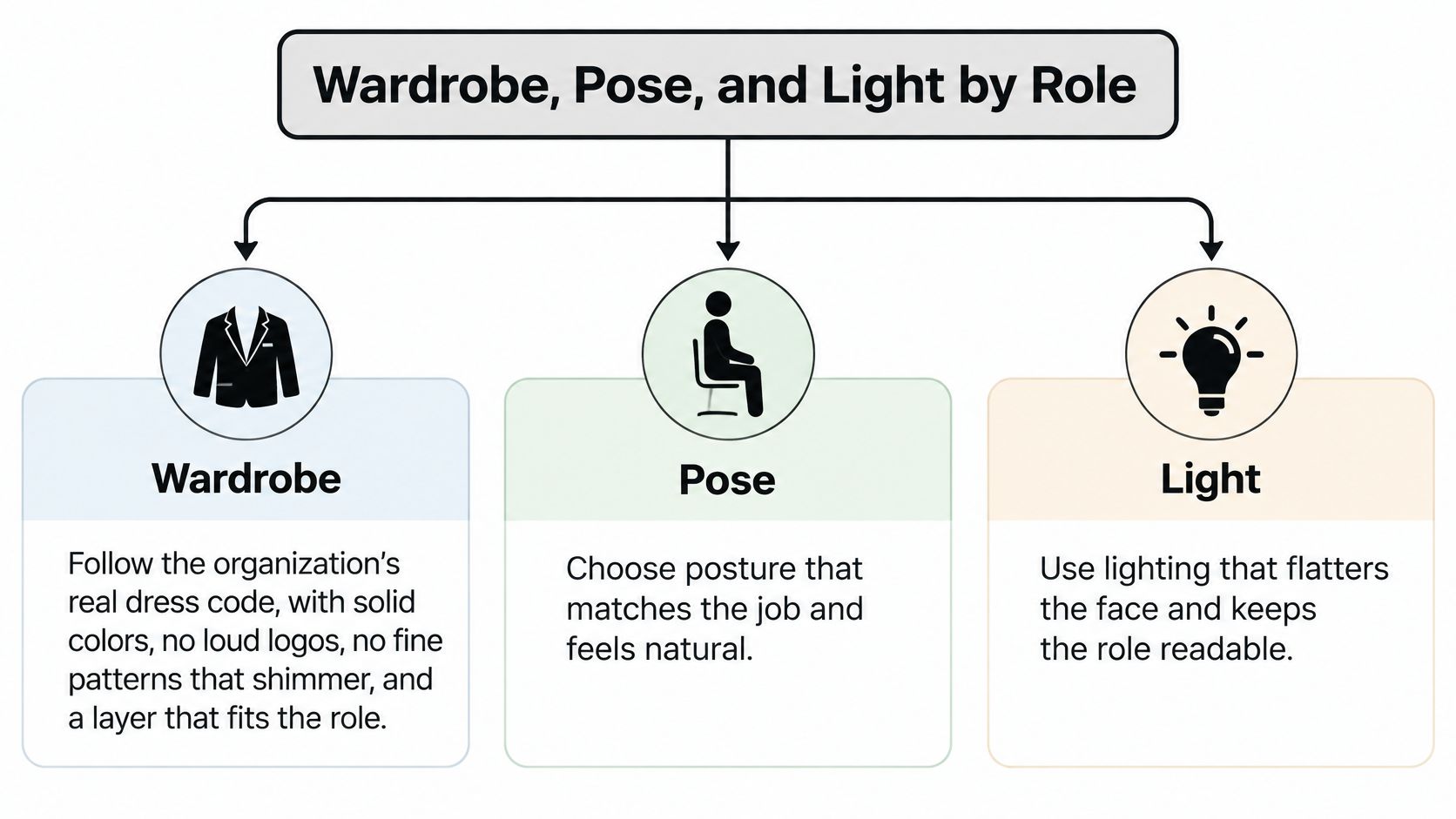
Start with the organization's real expectations. Solid colors usually keep attention on the face; loud logos and fine patterns that shimmer on camera compete with it. Choose a layer the person would wear with a client. A clean work shirt or jacket may suit a field professional better than a formal suit they never wear.
Pose should feel composed, not rehearsed. Angle the shoulders slightly, shift weight onto the back foot if standing, and keep the chin level. Hands can stay out of a tight head-and-shoulders frame. A small, natural smile tends to suit client-facing roles; a calmer closed-mouth expression may fit a technical or leadership page. Ask for both rather than making every person hold a grin until their eyes tighten.
Light that keeps the person recognizable
Place a soft key light about 30–45 degrees off the camera axis, with gentle fill to retain detail in the eyes and darker areas of the face. Avoid relying on a ceiling fixture directly overhead, which can cast deep shadows into the eye sockets. Keep the camera near eye level so the nose and jaw don't look distorted by an extreme angle. For glasses, raise the key slightly if reflections appear, then check that the light still looks natural.
A recruiter-perception study involving 11 recruitment professionals found that smiling and eye contact positively influenced perceived credibility; profiles with photographs were also judged more attractive and competent than profiles without photographs, according to the study on recruitment professionals' perceptions of online profiles. The practical takeaway is to make the eyes visible and expression genuine, not to apply a forced smile to every role.
Window light can work if the subject faces the window and the background stays controlled. If the window turns the person into a silhouette or blows out the room, reposition or add light rather than accepting a weak compromise. For more context on shaping a face with controlled illumination, this resource on portrait lighting techniques offers a useful visual reference. The light should help people recognize the subject, not draw attention to the lighting setup.
Fix Failed Frames and Set a Refresh Rule
A portrait that fails in its actual display size isn't ready to publish. Don't try to rescue every problem with increasingly aggressive editing. Match the visible issue to its cause, then correct the setup or reshoot the frame.
| What you see | Usual cause | Fix |
|---|---|---|
| Mixed background colors | No shared backdrop in the brief | Limit the set to one backdrop or reshoot the outliers |
| Chin or shoulders clipped in a circle | Frame too tight for the mask | Leave cheek and chin room and test the circle before delivery |
| Dark eye sockets | Overhead ceiling light | Move a soft key to 30–45 degrees and add gentle fill |
| Plastic or waxy skin | Heavy smoothing | Stop at color, stray hairs, and temporary blemishes |
| Clothes that fight the role | Dress code never defined | Match what that person wears with clients, including clean work layers |
| Portrait looks older than the person | No refresh rule | Reshoot after a major change or within a few years |
The table's fixes are publishing controls, not merely personal taste. If a portrait only works when viewed large, test the crop again. If an edit has smoothed away recognizable features, return to the original and keep the subject's likeness intact. A directory image has to represent the person who will answer the call, join the meeting, or welcome the visitor.
Set a refresh rule when the team approves the images. Replace portraits after a major appearance change, and schedule a review within a few years rather than allowing old images to remain indefinitely. A refresh policy also gives coordinators a chance to update names, titles, and crops when team pages change.
Approval rule: Don't publish a frame the subject can't recognize as themselves or that fails in its intended crop.
When an AI Headshot Is Wrong for Work
AI headshots can look polished and still be wrong for a workplace. The important distinction isn't “real versus AI.” It's modest finishing versus identity-changing synthesis. Correcting color, removing a stray hair, or softening a temporary blemish can preserve the person's likeness. Generating a different face, age, hair, or body changes what the portrait claims to represent.
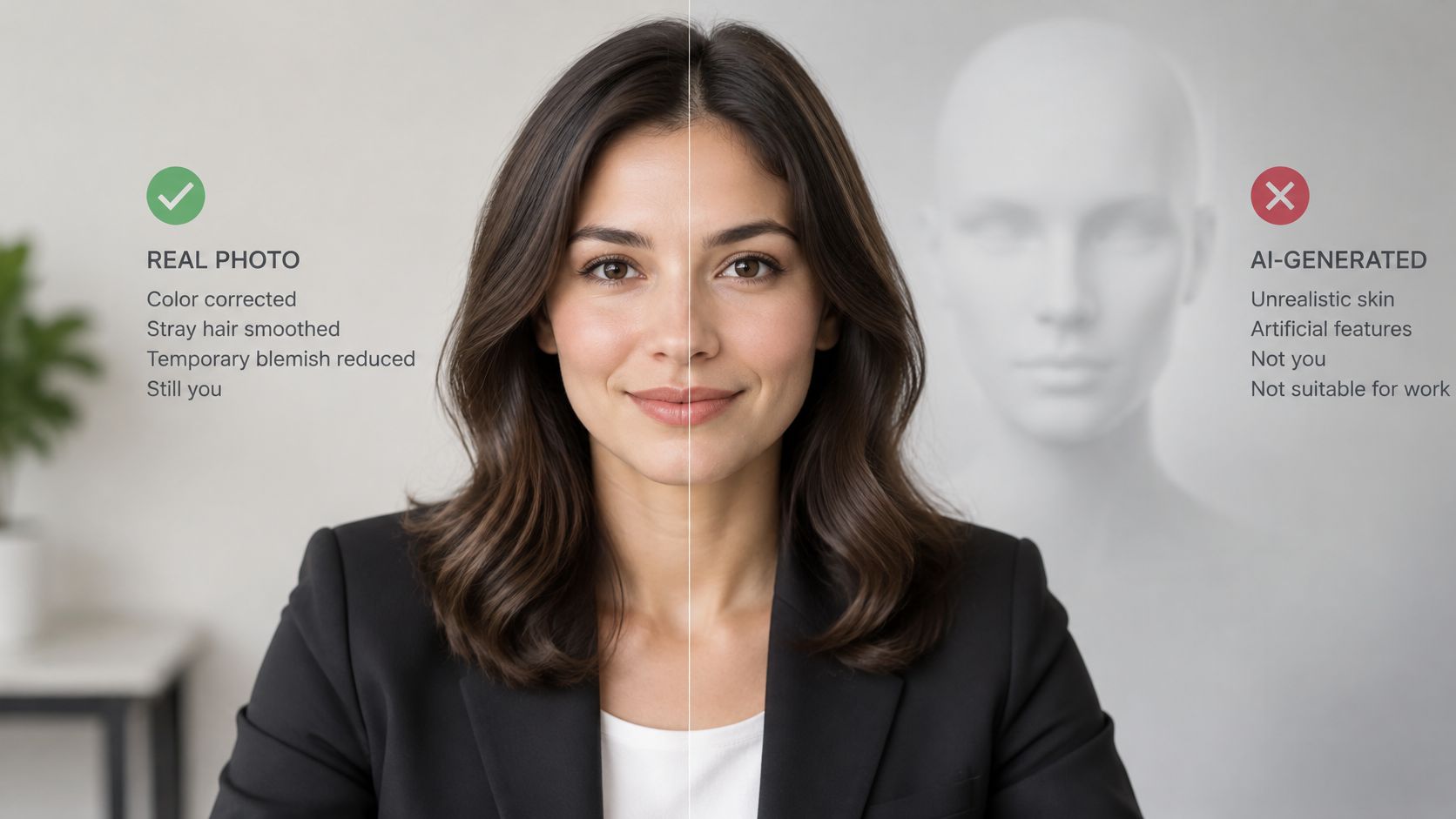
A 2025 study of generative-AI headshots created from professional CVs found that systems could invent visual details when information was missing and reproduce stereotypes associated with occupation and identity. The same source describes analyses in which women were underrepresented in senior and technology roles, Black people were nearly absent, and people with visible disabilities were absent across the categories examined. A synthetic portrait can therefore impose a narrow idea of who “looks right” for a job while misrepresenting the actual person.
Decide what the image is allowed to claim
Don't publish a fully generated face in a staff directory, proposal, school or contractor team page, press kit, or client-facing profile where someone needs to recognize the person who arrives. A blind preference for a polished image doesn't solve the trust problem if the person on screen won't match the person in the meeting. If a portrait has been synthetically rebuilt, disclose that fact and get the subject's approval before use.
A useful boundary is to keep retouching consistent across the team: color correction, stray hairs, and temporary blemishes are reasonable; changing age, facial structure, ethnicity, disability, or other identity cues is not. This gives the subject a meaningful say in how they're represented and prevents an artificial visual standard from becoming the company's default. For teams working with identity verification, even resources on spotting forged ID headshots reinforce why a face presented as evidence of identity should remain authentic.
Watch this video for another perspective on synthetic portraits and identity:
If the only purpose is a low-stakes avatar, set that limitation before an image is uploaded to a biography or staff page. For professional use, a photographer-led process can document consent, agree on the retouching boundary, and create a consistent set without asking a generative system to invent the details it doesn't know.
Publish the Portraits and Book the Shoot
Before uploading a portrait, decide what it does on the page. The right alternative text depends on whether the image identifies someone, leads to an action, or adds no information beyond nearby text.
The Web Content Accessibility Guidelines 2.1 classify text alternatives for non-text content as a Level A requirement. When a portrait conveys information about a person or role, its alternative text should provide an equivalent, useful description. A biography image might use “Portrait of the project lead,” rather than the vague label “headshot.”
Match the alternative text to its function
- Informational image: When the portrait sits beside a biography, identify the person or relevant role.
- Functional image: If clicking the portrait opens a profile, describe the destination or action.
- Decorative image: If nearby text already names the person and the portrait adds no information, use an empty alternative so assistive technology doesn't repeat the name.
Write alternative text in the page's default language, and keep it concise enough to serve its purpose. Don't rely on automatic descriptions that could misidentify someone or omit their role. Accessibility belongs in the publishing checklist alongside crop, file name, approval, and page placement.
If a staff set has mixed backgrounds, outdated likenesses, or no shared retouching rule, one coordinated session is more useful than patching profiles one by one. Before booking, use a guide to selling personal photos to think through how a portrait can be prepared for professional presentation. Then send the studio the crop table, wardrobe note, and approval process so the photographer can plan the work without another round of basic decisions.
A corporate headshot pricing guide can help with booking preparation. Look for a process that directs people into authentic expressions, uses flattering lighting, and keeps professional editing within the approved likeness. A portrait should be crafted, not caught.
Our Atlanta-based Jimmy Clemmons Photographer creates professional portraits focused on authentic expression and flattering light, with editing as part of the work. If your team needs a consistent pair of files for profiles and workplace storytelling, get in touch to plan a portrait session that fits the way your organization works.