
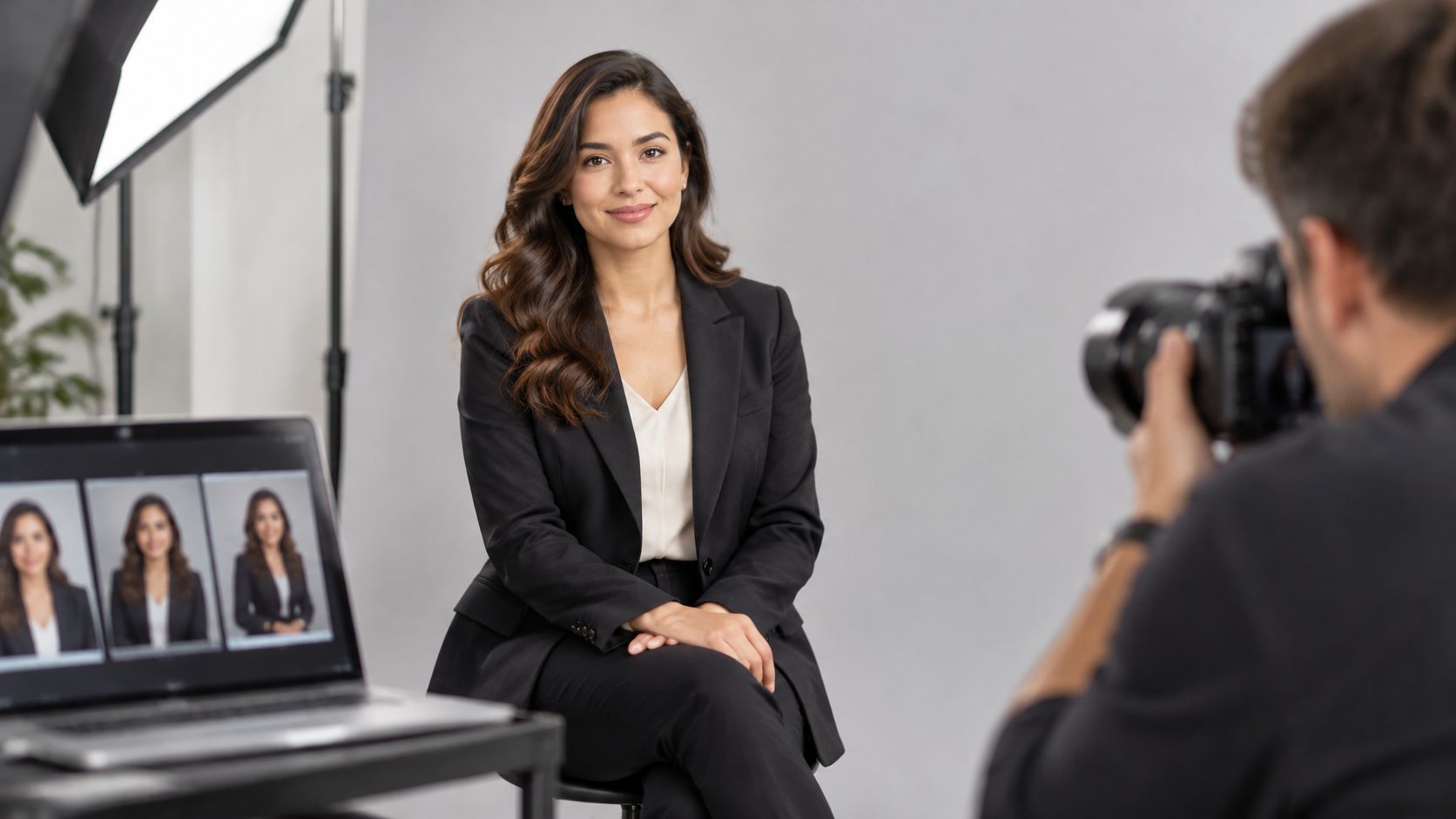
Profiles with a photograph can receive up to 21 times more profile views and as many as 36 times more messages than profiles without one, according to professional-network platform figures, which also cite a 2024 measurement of 14 times more profile views. A corporate headshot is a controlled, head-and-shoulders portrait made for professional use, not a casual photograph cropped around someone's face. Those figures compare platform users, so they don't prove that photography alone causes every additional view or message.
What Corporate Headshots Are and Why They Shape First Impressions
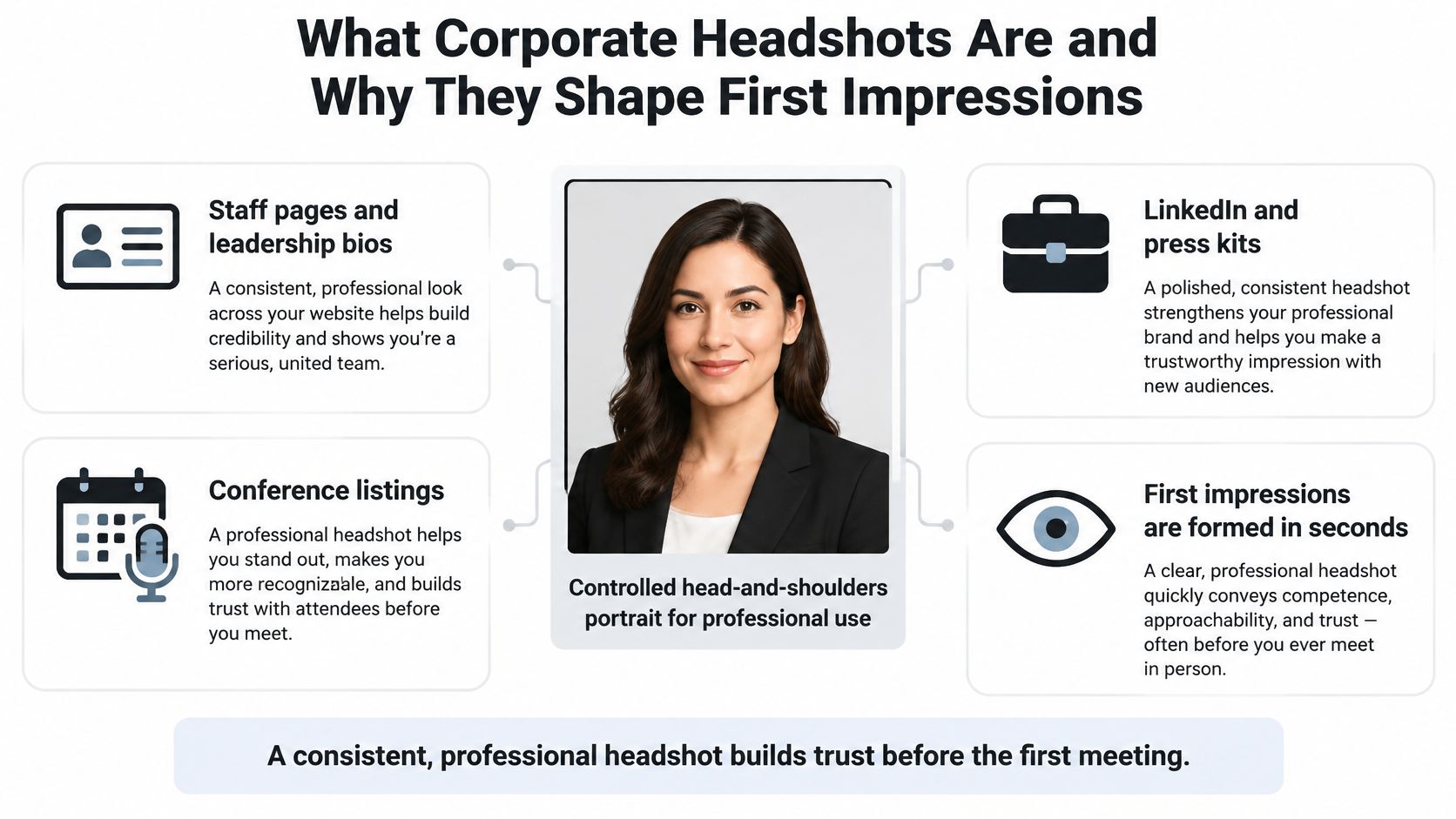
A corporate headshot has three practical jobs: identify the person, communicate professional competence, and fit the organization's visual identity. It might appear on a staff page, leadership biography, professional-network profile, press kit, or conference listing. Each placement asks the photograph to introduce someone before they can introduce themselves.
A headshot works like a handshake in your online presence. Viewers judge it quickly, and an awkward introduction can be hard to undo. That doesn't mean everyone needs a formal suit or a broad smile. It means the portrait should make the person recognizable and their professional context clear, and it should look like them on a confident day rather than like a stranger in costume.
What a polished portrait can and can't communicate
Perception research consistently finds that viewers rate people photographed in polished, professional portraits as more competent than the same people in casual self-taken photographs. That is a finding about first impressions, not evidence that anyone became more capable.
The distinction matters. Lighting, grooming, expression, and framing shape what viewers infer, but a portrait can't establish qualifications. Pair the photograph with an accurate biography, relevant credentials, and clear role information. Polish earns the second look. Substance has to hold it.
The visual below summarizes the portrait's principal uses.
Think beyond the individual photograph
The format has evolved from formal identification portraits through color brochure imagery and workplace portraits to today's continuing demand for digital content, as this history of corporate portraiture describes. The practical consequence is that teams need a reusable portrait library, not unrelated photographs collected whenever someone joins.
Consider a hypothetical design practice. Its directors appear in proposals, its specialists contribute expert biographies, and its recruiting team publishes staff introductions. The portraits need different crops, but they should still look related. Consistency is a system question: a shared lighting approach, compatible backgrounds, retouching agreed with each person before the session so they consent to how they will appear, and enough flexibility that nobody is pressed into a style that misrepresents them.
Planning principle: Treat the headshot as a shared business asset, not a personal photograph that marketing happens to borrow.
Reviewing corporate branding examples can help a team define that shared look before choosing backgrounds or clothing. Corporate headshots photography deserves the same planning as other brand assets, because a single well-run session can feed directories, proposals, press kits, and recruiting pages for a year or more.
Common Corporate Headshot Styles Compared
Choose the style for the page where the photograph will appear. A portrait that works beautifully in an editorial feature may feel distracting in a compact employee directory. The useful question isn't which style is best overall, but which one makes the person and the page easier to understand.
Corporate headshot styles and where each works
| Style | Setting and background | Lighting | Best for |
|---|---|---|---|
| Classic studio | Seamless neutral backdrop | Controlled large soft key with fill | Leadership pages, boards, press kits |
| Environmental | Workplace, lab or project site | Soft key balanced with ambient light | Experts, architects, engineers, editorial features |
| Lifestyle or candid | Relaxed setting with natural movement | Soft window or open-shade light | Recruiting pages, culture content, social profiles |
| Team grid | Same backdrop and framing for every person | Identical key placement across the session | Staff directories and team pages on websites |
| Outdoor natural | Open shade or overcast exterior | Diffused daylight | Approachable, client-facing staff profiles |
Compare the styles in practical terms
Classic studio gives the photographer the most control and creates the most formal presentation. A plain neutral background removes distractions, but without attentive expression direction, the result can feel impersonal.
Environmental portraits place someone in a workplace, laboratory, or project setting, making them useful for architects, engineers, and other specialists whose surroundings explain their work. The trade-off is visual complexity: equipment, signs, windows, and unfinished surfaces can compete with the face.
Lifestyle or candid images suit recruiting pages and culture content because movement and relaxed surroundings suggest everyday interaction. They require disciplined editing and retouching, since trying to polish away every informal detail can undermine the reason for choosing this style.
A team grid prioritizes the relationship between photographs rather than an individual portrait's dramatic impact. Matching the backdrop, framing, and key-light placement makes a directory cohesive, but a rigid pose imposed on everyone can make the people look uncomfortable.
Outdoor natural portraits work well for approachable, client-facing profiles when open shade or overcast conditions provide soft illumination. They're less predictable operationally because weather, reflected color, wind, and changing daylight can interrupt continuity.
Coordinate rather than mix at random
Avoid mixing unrelated styles within a single directory. A visitor shouldn't have to distinguish between a formal executive portrait, a holiday photograph, and a dramatic location image while scanning names and roles.
There's room for deliberate variation elsewhere. An environmental portrait can sit beside a studio-style series on a leadership page if the face occupies a comparable area and the color treatment remains consistent.
Match the visual language to the page, then give people room to look like themselves.
Before choosing, ask: Where will this image be seen, and what should a viewer infer about the person in the first two seconds?
Lighting and Expression That Make Headshots Look Right
Light determines how the face is described; expression determines how the person seems to engage. A technically sharp portrait can still feel wrong if overhead shadows obscure the eyes or the subject looks braced for the shutter.
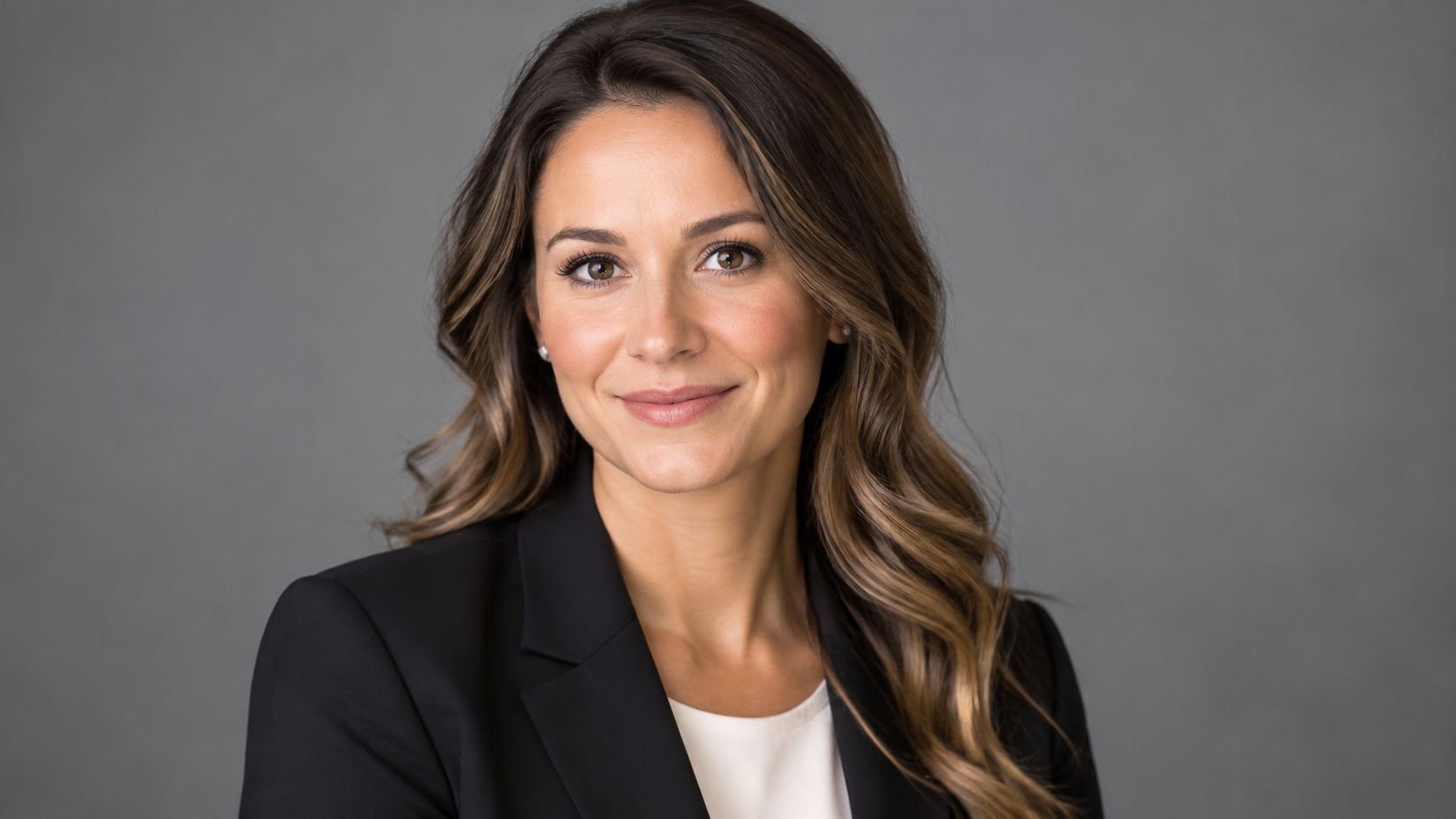
Use the portrait below to consider the relationship between facial lighting, clothing, and expression.
Start with a large, diffused source
Place a large diffused key light near the camera axis, slightly above eye level. Add a reflector or controlled fill to lift eye-socket and nose shadows without eliminating all facial shape. If the face looks flat, reduce the fill rather than immediately increasing contrast in editing.
A professional profile-photo lighting guide warns that harsh fluorescent light can alter color and create facial shadows, while direct sunlight can produce blown highlights. Open shade, overcast conditions, and window light are safer starting points.
Mixed lighting needs special attention. If daylight, overhead fixtures, and the key light have different color characteristics, skin can drift toward green, blue, or amber. Turn off conflicting fixtures, control window spill, or match the sources before setting a custom white balance.
Keep background exposure and subject-to-background distance repeatable. Otherwise, one person may have a clean shoulder outline while another blends into the backdrop. These portrait lighting techniques offer useful context for controlling direction, softness, and separation.
Direct expression without manufacturing it
Research on professional personal branding found that smiling and direct eye contact positively influenced perceived credibility. Test a natural smile and visible engagement with the lens, rather than assuming that a serious expression automatically looks authoritative.
Take three frames with different expressions: relaxed neutral, a slight smile, and a fuller smile. Choose the one that resembles how the person looks in a good meeting, not whichever expression seems most conventionally photogenic.
The following video provides an additional visual reference for portrait technique.
Agree on grooming before the session
In a study of 216 participants, bearded candidates were judged to have greater expertise than clean-shaven candidates, and perceived expertise predicted interview intent. That doesn't establish that facial hair improves hiring outcomes in every occupation.
Treat facial hair, hairstyle, glasses, and clothing as deliberate choices, not universal rules about professionalism. Agree on a wardrobe and grooming brief, but don't ask employees to adopt an appearance they wouldn't normally present at work.
Likeness check: The finished headshot should show the person on a good day, not a retouched stranger.
Deciding Between Real, Retouched and AI Headshots
More polished isn't automatically more credible. Use a real photograph as the default for leadership pages, expert biographies, speaker profiles, and editorial features, where recognition matters.
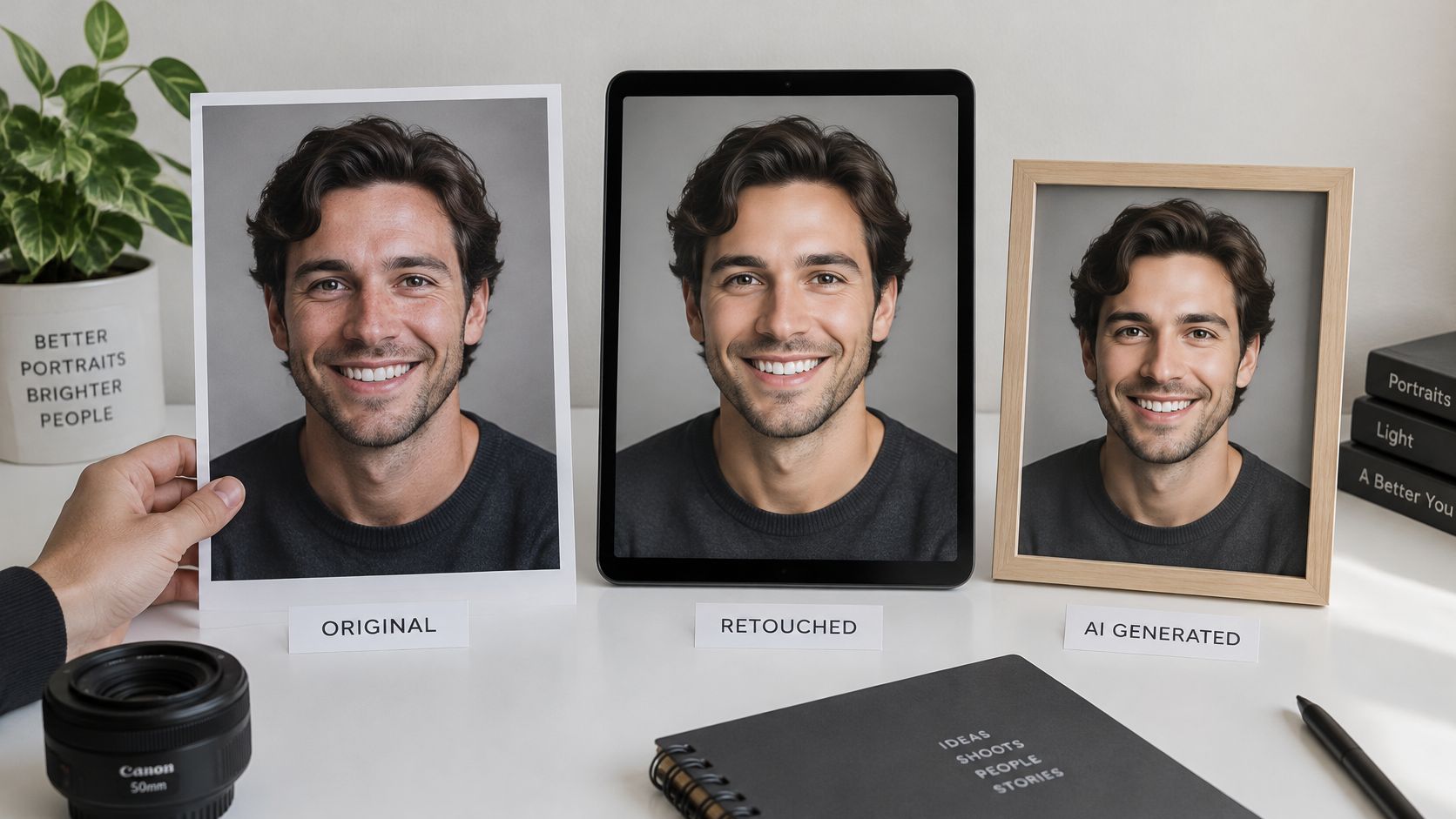
AI-assisted retouching can help with color, exposure, stray hairs, and temporary blemishes. Draw the boundary at changes to identity, age, body shape, or facial structure. For a practical reference when evaluating automated enhancement, consult MyImageUpscaler tips for natural headshots, then compare any result against the original photograph.
Evaluate authenticity before publication
Recruiter-oriented reporting on synthetic portraits describes a perception gap: AI headshots may be judged favorably when their origin is unknown, while stated awareness of AI generation reduces preference. Decide whether synthetic imagery is appropriate for the use, and whether disclosure is needed, before generating it.
Compare portraits for identity preservation, not smoother skin.
Document permission and preserve differences
Obtain written permission covering purpose, channels, territory, duration, and withdrawal or deletion procedures. Rules differ by jurisdiction, so check local requirements before publication.
In Germany, employee-photo use involves personal-data processing, with GDPR Article 6, Section 26 of the Federal Data Protection Act, and Sections 22–23 of the Art Copyright Act relevant; this employee-image legal analysis advises explicit, voluntary, informed consent specifying media and recognizing worldwide online access. In the United States, no general federal rule universally requires consent, but state privacy and publicity claims can arise, including in West Virginia; an employment-law analysis also describes a context-dependent incidental-use exception for images representing a type of employee.
Analysis of AI headshot bias raises concerns about skin lightening, altered features, reduced visible aging, and narrow beauty standards. Fix framing, dimensions, color treatment, and background logic while preserving differences in hair, clothing, religious dress, mobility aids, skin tone, and body type.
Offer seated and standing options, quiet scheduling, and extra preparation time. Before approval, ask:
- Likeness: Does this look like the person?
- Consistency: Does it belong in the set?
- Permission: Did the subject agree to this use?
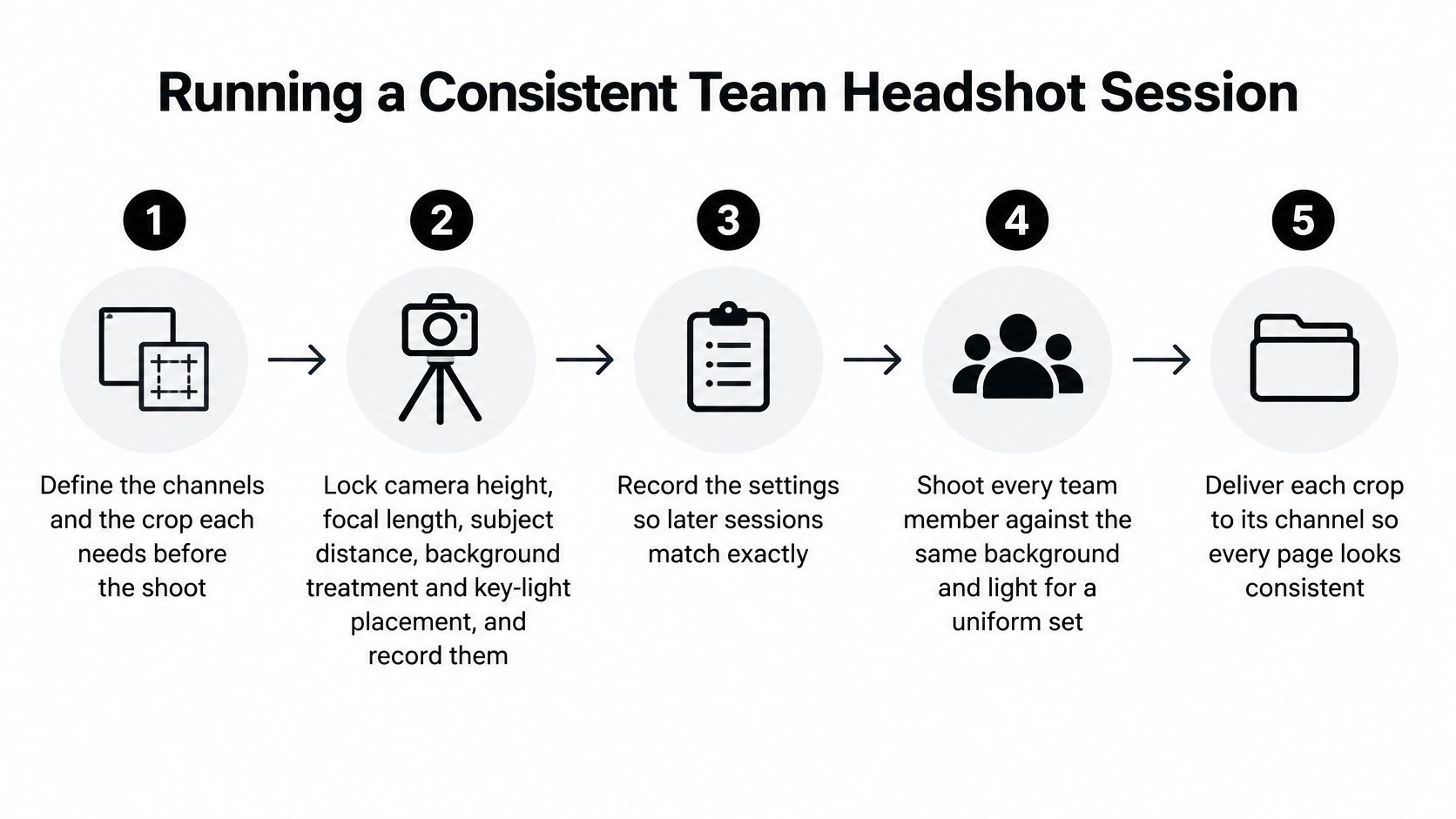
Running a Consistent Team Headshot Session
A repeatable session needs a written setup record, not just a photographer's memory. The record lets a later portrait join the existing library without looking like an unrelated assignment.
Build the session around repeatable controls
Define channels and crops before shooting. Ask marketing, communications, and HR where the images will appear. A layout needing space beside the subject requires different capture room from a tight directory thumbnail.
Lock and record the setup. Note camera height, focal length, subject distance, background treatment, and key-light placement. Mark the camera and subject positions with removable floor tape so perspective doesn't shift between appointments.
Test a subject before the queue begins. Check eye line, expression, glasses reflections, and clothing against the backdrop. Use the established marks for everyone, while adapting the setup thoughtfully for seated subjects and different heights.
Capture above delivery resolution. Preserve the full-resolution original and prepare a square master crop with enough breathing room. Insufficient source detail or aggressive cropping can leave hair, glasses, and clothing soft or jagged after platform compression.
Review at actual display size. Inspect both a large preview and a small thumbnail. A distracting collar, weak eye detail, or inconsistent head size may become more obvious when the portrait is reduced.
Deliver masters, exports, and a usage log. Store an archival master alongside clearly named channel exports. Record approval status and publication locations so replacing an image doesn't become a search through scattered folders.
The process graphic provides a compact production reference.
Export for the destination
The professional-network image requirements accept JPG or PNG images from 400 × 400 pixels to 7680 × 4320 pixels, with an 8 MB maximum file size, recommend avoiding excessive cropping, and require the image to reflect the subject's likeness. Treat destination requirements as export instructions, not a reason to capture a small original.
The other entries below are practical delivery recommendations rather than universal platform requirements.
Headshot specifications by channel
| Channel | Framing | Background | Format and size |
|---|---|---|---|
| LinkedIn profile | Head and shoulders, square crop | Neutral or subtle brand color | JPG or PNG within the platform requirements stated above |
| Company website leadership page | Head and shoulders, consistent crop | Brand-color or neutral backdrop | Archival master plus web export |
| Speaker or conference bio | Head and shoulders or waist-up | Neutral or stage-relevant | High-resolution master for print and event listings |
| Press and media kit | Head and shoulders, square master | Neutral | High-resolution archival master |
| Internal directory or intranet | Head and shoulders | Plain or studio backdrop | Smaller web export with the same crop |
| Social media profiles | Tight head and shoulders | Brand color or neutral | Square export checked at small size |
Check circular profile masks as well as square previews. Leave enough space around hair and shoulders that the interface doesn't create an accidental crop.
A shared employee photography workflow also needs an owner responsible for replacements and permissions. Make every export from the archival master, rather than repeatedly editing an already compressed file.
A role change may require only updated naming or publication details. A meaningful appearance change requires a new portrait, after which the replacement master should supply every relevant channel.
Plan Your Next Team Headshot Session
Plan a coordinated team session rather than booking isolated portraits whenever a page needs updating. Start by listing every destination, choosing a main style, and identifying a simpler directory fallback that can be reproduced for future hires.
Write consent and usage notes before scheduling, then book a session built around a documented setup and individual archival masters. For employees who need clothing guidance without unnecessary purchases, the resource on rebuilding a wardrobe on a budget can help them prepare with practical, reusable pieces.
Begin with a manageable pilot, then approve the process before expanding it.
Location planning, lighting design, on-set direction, and professional editing should all support the same visual identity. Review the pilot as a complete page, not only as separate flattering portraits.
Jimmy Clemmons Photographer is based in Atlanta, Georgia, is available for regional assignments, and can be reached at 770.365.6864 to discuss scope.
Start with the leadership team and pilot the workflow on a small group of five people. Use their feedback to refine preparation, accessibility, approvals, and delivery before scheduling the whole organization.
Our current focus is Architectural Photography and Corporate Brand Content, with people portraits emphasizing authentic expression and flattering lighting. Visit Jimmy Clemmons Photographer to discuss your team's portrait needs, intended channels, and a cohesive approach to your next headshot session.